A rental car security deposit is not just a line item at checkout. It is the financial control that protects your fleet when a renter returns late, brings back a vehicle damaged, leaves it underfueled, or incurs tolls after the reservation ends. When deposits are managed through text messages, standalone payment apps, and handwritten notes, that control gets harder to enforce.
Car rental security deposit software gives independent operators a defined process for authorizing a deposit, tying it to a reservation, documenting the rental terms, and releasing or collecting funds based on the outcome. The goal is not to make every customer jump through unnecessary hoops. It is to establish clear expectations before keys change hands and reduce the administrative work after the vehicle returns.
For a direct-booking rental business, deposit management should be part of the reservation workflow, not a separate task someone remembers to handle at pickup.
What car rental security deposit software should handle
The most useful deposit software does more than accept a payment. It connects the deposit to the customer, vehicle, reservation dates, agreement, and payment method. That connection matters when you need to answer a simple but high-stakes question: What did this renter agree to, and what funds are available if a valid charge is needed?
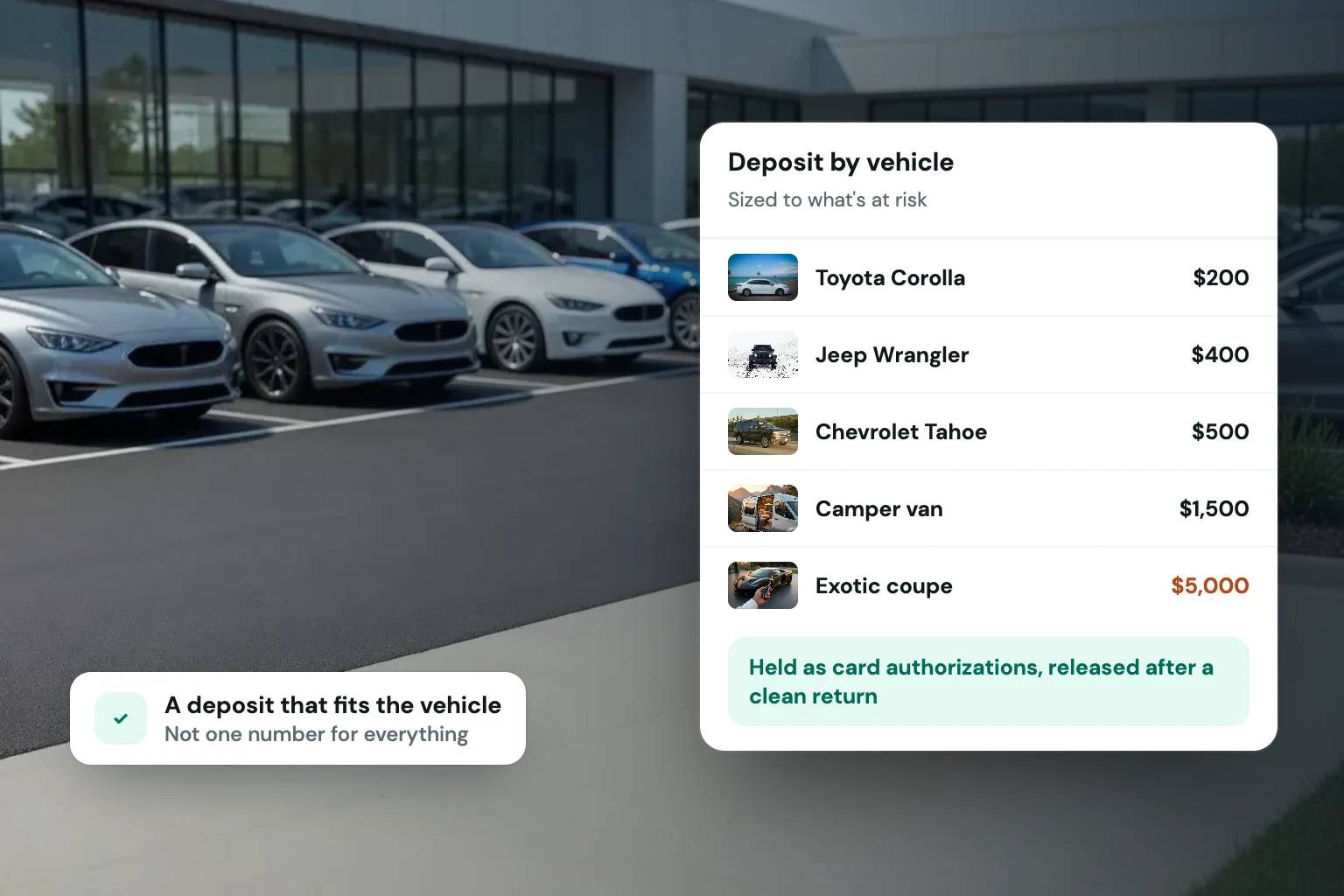
A practical system should let you set deposit requirements by vehicle or rental type. A $25,000 luxury SUV may need a different security hold than a compact sedan. An RV, trailer, or watercraft rental may have its own risk profile, cleaning requirements, or deductible exposure. One flat deposit policy can be easy to explain, but it can also leave high-value inventory underprotected or make lower-priced rentals harder to sell.
It should also collect the deposit as part of the booking experience. When a customer sees the rental price, taxes, optional coverage, and deposit terms in one checkout flow, there is less room for confusion at pickup. They can review the policy, provide a card, complete verification requirements, and sign the agreement before the reservation is confirmed.
That is a better operating standard than telling a customer their card will be charged or held later, then trying to collect the information in a parking lot.
A card hold and a charge are not the same thing
Operators often use the word “deposit” to mean several different payment actions. Your software and policies should make the distinction clear.
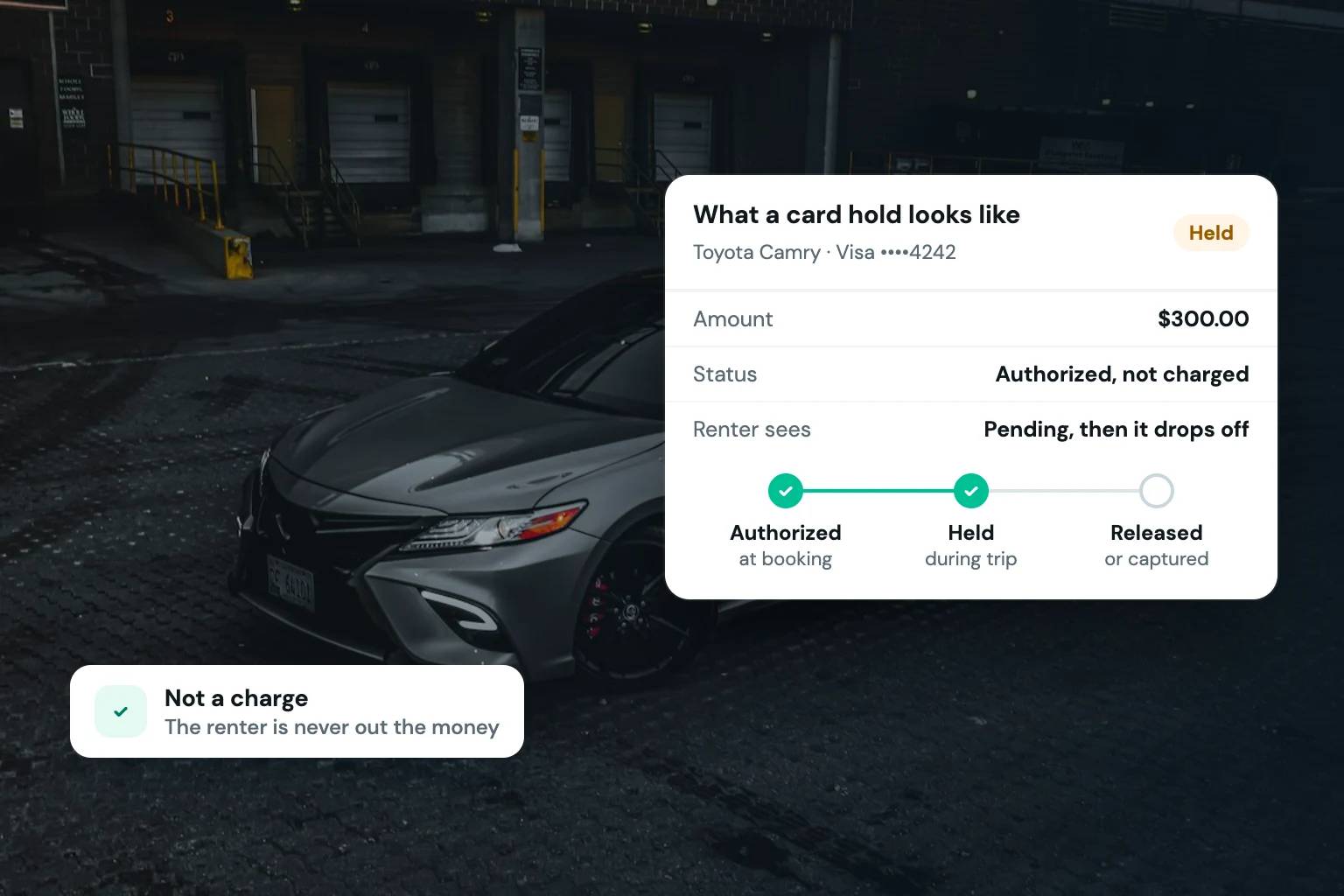
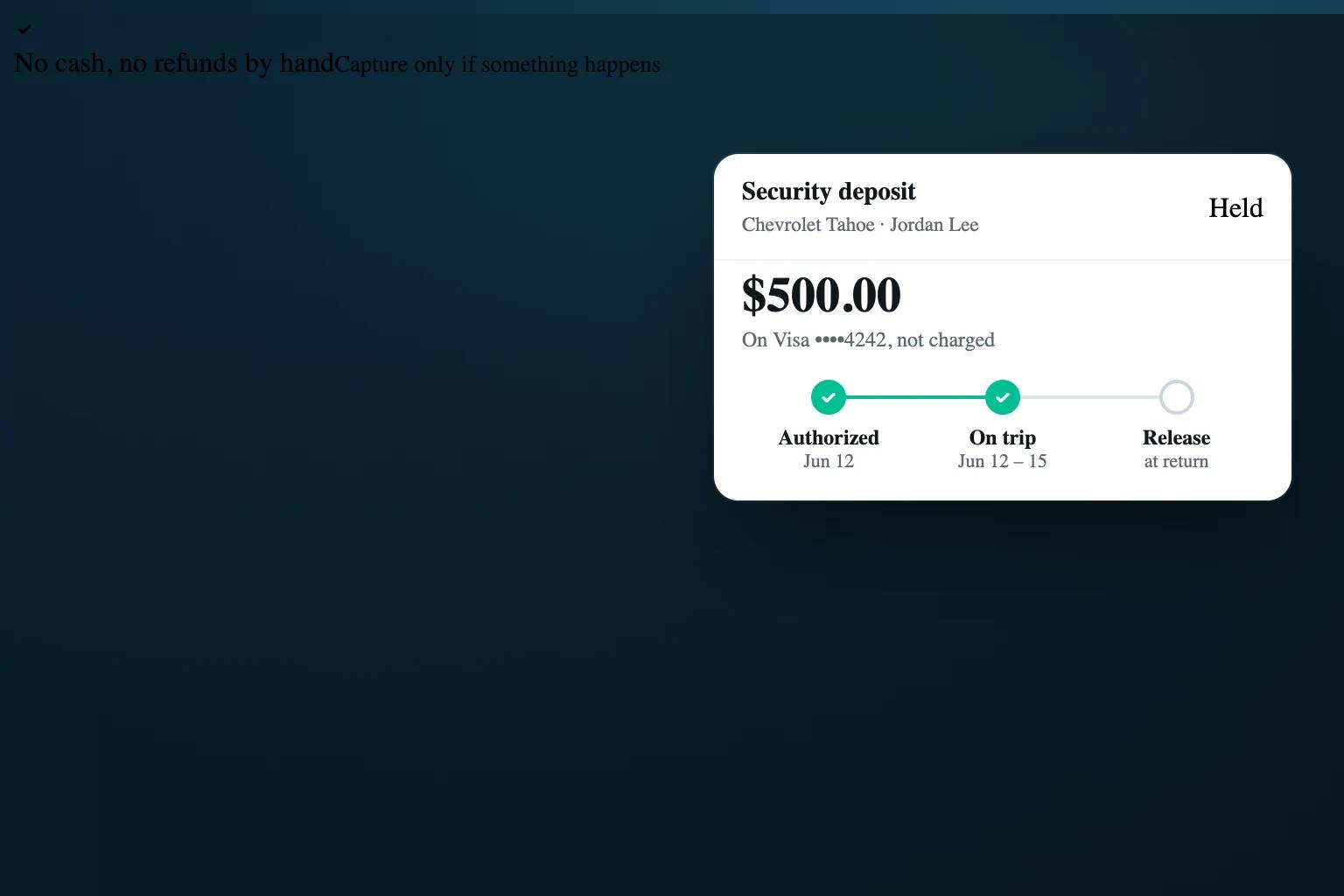
A card authorization hold reserves an amount on the renter’s available credit or debit balance without immediately completing a charge. If the rental closes without an issue, the operator releases the hold. The renter’s bank then determines how quickly those funds become available again, which can vary by card issuer and payment method.
A completed charge collects the deposit upfront. If no deductions are needed, the operator later issues a refund. This can provide more certainty that money was collected, but it also creates refund processing work, can lead to customer questions, and may create a less attractive checkout experience.
Which approach fits depends on your processor, customer base, rental duration, and operating policies. Authorization holds are often a cleaner fit for standard short-term car rentals. A charge may be necessary in some situations, especially if a processor does not support holds for a particular payment method or if the reservation structure requires it.
The important point is to avoid treating a hold as guaranteed money in the bank. Holds can expire, may not work the same way across all card types, and are subject to processor rules. Deposit software should show the payment status clearly so your team knows whether a hold is active, released, captured, failed, or needs attention.
Build deposit rules around real fleet risk
A good deposit policy is specific enough to protect the business and simple enough for customers to understand before they book. The software should enforce that policy consistently instead of relying on each team member to remember exceptions.
Start with the vehicle and the reservation. Higher-value vehicles, longer rentals, one-way trips, young-driver bookings, and specialty equipment can justify different deposit amounts. You may also use a larger deposit for renters with limited driving history or for reservations that include additional drivers. Any criteria you use should be applied fairly and stated plainly in your rental terms.
Then define when the deposit can be used. Common deductions include documented physical damage, excessive cleaning, missing equipment, fuel replacement, late returns, parking tickets, tolls, and contract violations where permitted by your agreement and applicable law. Avoid vague language such as “any charges we feel are necessary.” Clear categories protect the operator and create a more credible customer experience.
Finally, decide who can approve a capture or deduction. For a one-person operation, that may be straightforward. For a growing fleet, you may want a manager approval step and supporting notes before funds are collected. The right workflow prevents accidental charges and gives your staff a record to reference if a customer disputes a transaction.
Connect deposits to verification and agreements
The deposit is only one part of the trust process. It works best when it is paired with identity verification, a signed rental agreement, and reservation records that are easy to retrieve.
Before a renter completes checkout, your workflow should confirm the driver’s identity and collect the required license information. The agreement should state the deposit amount, when it will be released, what may be deducted, and how post-rental costs such as tolls or citations are handled. The renter should receive a copy they can review later.
This matters when there is a disagreement. A payment record without a signed agreement leaves too much open to interpretation. An agreement without a verified cardhold leaves the business exposed. When the reservation, identification, contract, and deposit status live in separate tools, staff have to reconstruct the story after the fact.
A centralized system reduces that scramble. Fleetwire, for example, brings card-hold deposits, ID checks, e-signed agreements, payments, and direct booking into one rental workflow, so operators can manage the transaction from a single reservation record.
Make the release process as disciplined as collection
Many operators focus on collecting deposits and underestimate how much trust is built by releasing them promptly. A customer who receives a clear release confirmation after a clean return is more likely to book again, leave a positive review, and recommend your business.
Your return workflow should include vehicle condition, fuel level, mileage, photos, and any notes from the handoff. If no issue exists, release the hold according to your policy. If there is an issue, document it before taking further action. Photos, timestamps, inspection records, repair estimates, toll statements, and communication history can all matter if the customer has questions or disputes the charge.
Timing is especially important. Some costs do not appear at return, including tolls and certain citations. Your agreement should explain the post-rental charge window, and your team should communicate when a delayed charge is being made. Do not let unresolved reservations sit indefinitely because someone is waiting on paperwork. Set internal deadlines for inspection, release, and follow-up.
Questions to ask before choosing software
The right platform is not always the one with the longest feature list. It is the one that matches the way your business rents vehicles and gives customers a professional booking experience.
Ask whether the software supports authorization holds, captured deposits, or both, and whether those options work with your payment processor. Confirm whether deposit amounts can vary by vehicle, inventory category, or reservation rule. Review how the platform records release, capture, refund, and failed-payment statuses.
You should also look at the customer-facing workflow. Can renters see the deposit requirement before payment? Can they sign the agreement and complete verification without switching between multiple apps? Can your team find the agreement, payment details, inspection notes, and customer messages from the same reservation?
For operators accepting direct bookings, branding matters too. A generic payment page or a last-minute request for a deposit can make a legitimate rental business feel improvised. Your storefront, checkout, policies, and confirmation messages should all reflect the same standard of professionalism.
Use deposits to run a more controlled rental operation
Security deposit software should not turn every reservation into a confrontation. Used well, it makes expectations visible before the rental starts and gives both sides a documented process if something goes wrong.
The best setup is one your team can follow every time: require the right deposit for the vehicle, verify the renter, collect a signed agreement, inspect the return, and release funds quickly when the rental closes cleanly. That consistency protects your inventory while showing customers that your business operates with clear standards.