A reservation is not truly confirmed because a customer sent a message saying they want the vehicle. It is confirmed when rental payment processing, the required deposit, customer information, and rental agreement are completed in the same booking flow. For an independent rental operator, that distinction protects the calendar, reduces no-shows, and gives every pickup a clearer starting point.
Payment collection can look simple from the outside: enter a card, charge the booking, hand over the keys. In practice, rentals have more moving parts than a standard online purchase. The customer may pay a reservation total, authorize a refundable security deposit, sign an agreement, provide identification, and receive a receipt with the correct taxes and fees. If those steps live in separate tools or happen through back-and-forth messages, the work lands on your team.
What Rental Payment Processing Needs to Handle
A rental business needs more than a way to accept credit cards. The payment flow must reflect how reservations actually work, from the time a customer chooses dates through the time the unit is returned.
The first requirement is an accurate booking total. That means your checkout should calculate the rental rate for the selected dates, applicable taxes, delivery or pickup charges, optional add-ons, and any fees you choose to disclose. Customers should know what they are paying before they submit their card details. Clear totals reduce disputes and prevent the uncomfortable conversation that follows an unexpected charge.
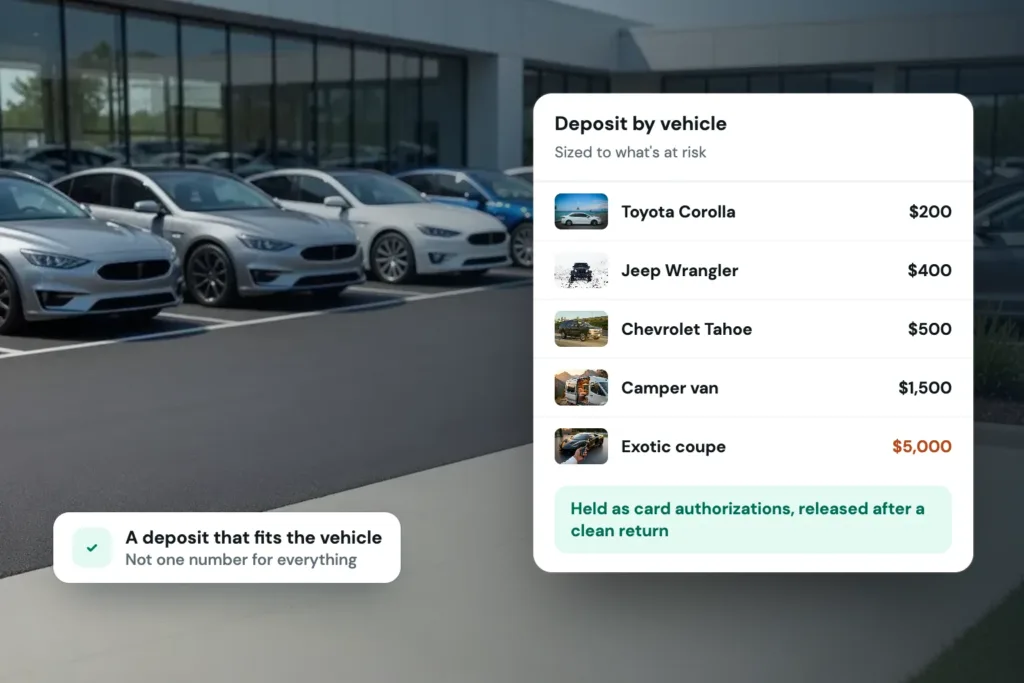
The second is the deposit. A rental deposit is not the same as the rental payment, and treating them as one creates avoidable problems. Depending on your policy and payment setup, you may need to place a card hold or collect a deposit amount separately from the booking charge. The distinction matters when the vehicle, trailer, RV, or equipment is returned and your team needs to release a hold or account for post-rental charges under the terms of the agreement.
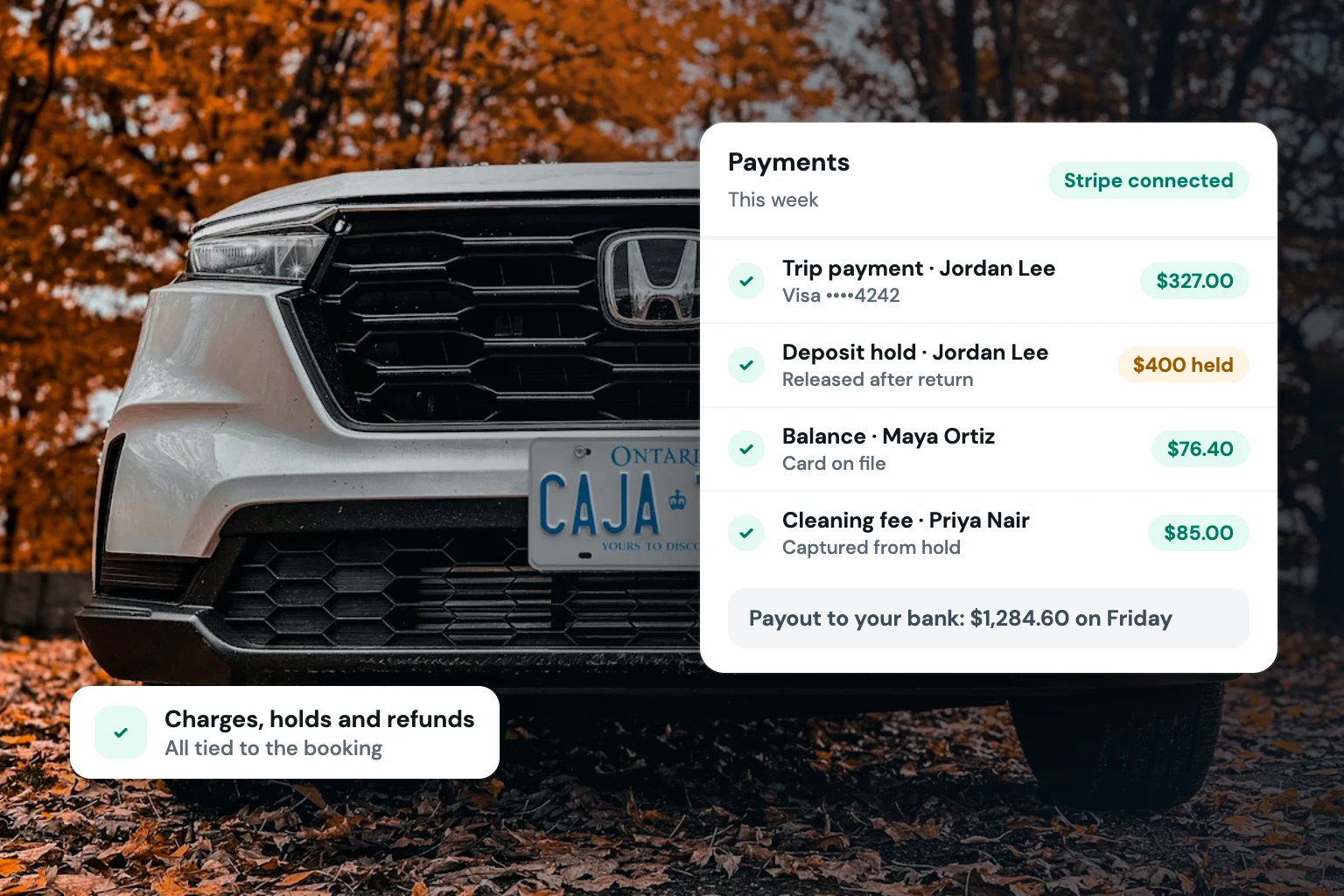
Finally, payment status must be connected to the reservation itself. Your calendar should show whether a booking is paid, partially paid, awaiting payment, or canceled. Without that visibility, an unavailable date can be tied up by a reservation that was never completed.
Build Payment Into the Booking Flow
The strongest payment process is usually the one customers can finish without waiting for your team. A direct storefront should take a renter from availability to checkout in one controlled sequence: select dates, choose the unit, review pricing, provide required details, complete payment steps, sign the agreement, and receive confirmation.
This is not about removing every human interaction. Higher-value rentals, specialized equipment, or first-time customers may still require a review before approval. But even when you review reservations manually, collecting the relevant information up front gives you a complete record to evaluate instead of a partial request in a text thread.
For operators with multiple unit types, the checkout rules may vary. A golf cart rental may use a different deposit policy than a luxury vehicle. An equipment rental may require delivery details, while an RV reservation may have different taxes, add-ons, or minimum booking lengths. Your payment setup should support those business rules without forcing staff to rebuild each quote by hand.
Use card holds deliberately
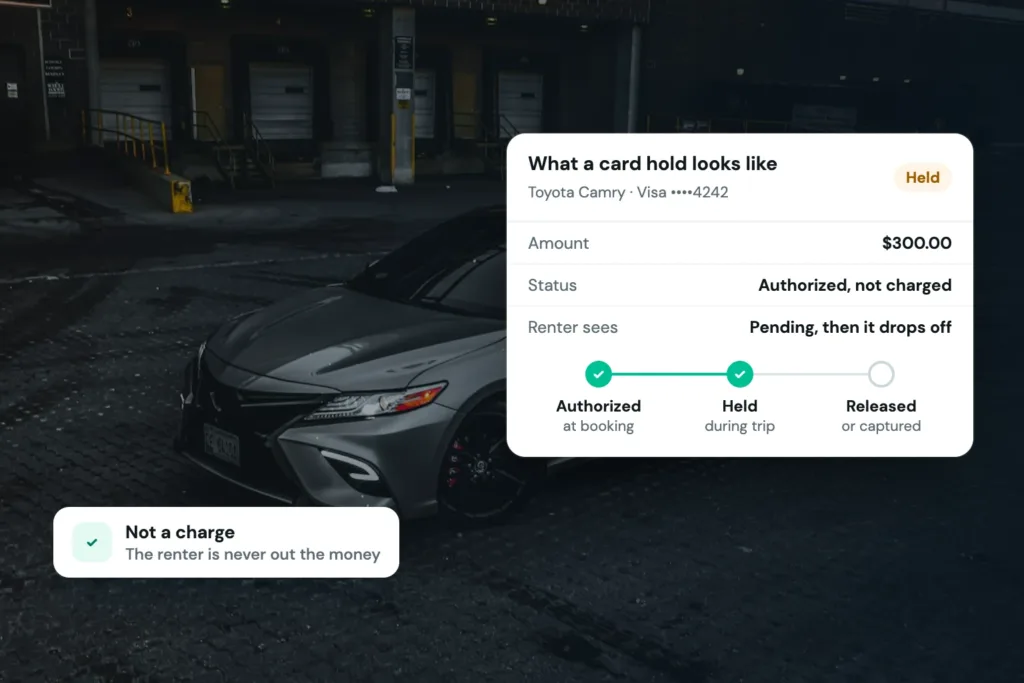
A card hold can help verify that a customer has available funds for a security deposit without immediately treating that amount as a completed payment. It can be useful where your business wants to reserve funds during the rental period, then release the hold after return if there are no valid charges to apply.
The right approach depends on your rental policy, payment provider capabilities, transaction timing, and the type of inventory you operate. Holds can expire, banks can display them differently, and customers may need clear expectations about when funds become available again. State your deposit policy plainly at checkout and in your rental agreement. If you have questions about your specific obligations, confirm them with your payment provider and qualified legal or financial advisors.
Avoid payment requests after the booking
Sending payment links after a customer has chosen a unit creates friction at the point where the renter is most likely to move on. It also leaves your calendar exposed while you wait for someone to act. A customer may assume the reservation is secured; your team may see it as pending. Neither side benefits from the ambiguity.
Collecting payment information during checkout creates a better dividing line. A completed reservation has completed the required steps. An incomplete reservation does not block inventory indefinitely unless you intentionally decide it should.
Connect Payments, Deposits, and Agreements
Payment data is most useful when it sits beside the operational documents that explain the transaction. If an operator has to search one system for the charge, another for the signed agreement, and another for the customer conversation, routine questions take longer than they should.
Keep each reservation record connected to the selected inventory, renter details, payment status, deposit status, agreement, and confirmation messages. Then, when a customer asks for a receipt or a staff member needs to prepare a pickup, the relevant information is in one place.
This also creates a more consistent handoff between online booking and field operations. The person preparing a trailer or staging a vehicle should be able to confirm that the reservation is ready without asking whether the deposit was collected or whether the agreement was signed. A centralized workflow makes the answer visible before the customer arrives.
Make Pricing and Taxes Visible Before Checkout
Rental payment processing should not be used to patch unclear pricing. Customers are more likely to complete a direct booking when the rate structure makes sense from the beginning. Show the rental duration, line items, taxes, fees, deposit requirements, and cancellation terms in language that matches how you run the business.
There is a balance to strike. Operators need to recover real costs, but a checkout crowded with poorly explained charges can weaken trust. Review your pricing display from the customer’s perspective. If a fee is necessary, name it clearly and make sure it is applied consistently.
Tax handling deserves the same discipline. Requirements can depend on your location, business structure, inventory category, and where a rental is delivered or used. Configure the tax rules that apply to your operation, maintain clean records, and get professional guidance when needed. The goal is not simply to charge a number at checkout. It is to make the amount traceable in your reservation and reporting records.
Reduce Chargeback Risk Through Better Records
No payment process eliminates disputes. Customers can misunderstand policies, forget a charge, or challenge a transaction. What you can control is whether your records show a clear, consistent transaction history.
A direct booking flow should capture the details that support the reservation: the booked unit, dates, displayed price, accepted terms, signed agreement, payment confirmation, deposit policy, and customer communications. For businesses that verify identity before rental approval, that step also helps establish a more disciplined checkout process.
Clarity before pickup is more effective than trying to explain terms after a dispute begins. Use plain descriptions on statements where your payment setup allows it, send booking confirmations promptly, and make cancellation and deposit policies easy to find before a customer pays.
Choose a System That Matches Rental Operations
A generic payment tool can take a card payment. It may not know whether the charge belongs to a vehicle reservation, whether the dates are still available, whether a deposit is required, or whether the customer has completed an agreement. That gap is where manual work returns.
Fleetwire brings payment processing into a direct rental storefront alongside availability calendars, checkout, card-hold deposits, identity verification, e-signed agreements, tax controls, and customer communications. The practical benefit is not merely fewer tabs. It is a reservation flow that gives customers a professional way to book and gives operators a clearer process to approve, prepare, and manage each rental.
For fleets that also list inventory on outside channels, calendar synchronization can help prevent a paid direct booking from colliding with dates already reserved elsewhere. The exact workflow still depends on your deposit policies, approval standards, and rental categories, but the operating principle stays the same: do not separate payment from the reservation it is meant to secure.
A well-run checkout does more than collect money. It sets the standard for the rental relationship before the customer ever reaches your lot, garage, storefront, or delivery location.