A reservation is not confirmed just because a customer selected dates and entered a card number. For an independent rental operator, the booking is only ready when the right vehicle is assigned, the renter is verified, payment and deposit requirements are met, and the agreement is signed. When those steps happen across messages, forms, and separate payment tools, every checkout becomes a manual handoff.
To automate rental checkouts, build one controlled path from vehicle selection to a confirmed reservation. The goal is not to remove your standards or approve every customer automatically. The goal is to collect the information you need, apply your rules consistently, and reserve your team’s attention for exceptions that actually need judgment.
Start with the checkout requirements that protect your operation
Automation works best when your rental rules are clear before you configure the technology. Decide what every customer must complete before a reservation can be confirmed: contact details, driver or operator information, identity verification, payment authorization, deposit collection or card hold, and an e-signed rental agreement.
The exact requirements depend on what you rent. A local golf cart operator may need a straightforward booking flow with a signed agreement and deposit. A luxury vehicle fleet may require additional driver details, a larger authorization hold, and manual review for certain reservations. Equipment, RV, watercraft, and powersports businesses may have different usage rules, pickup instructions, or eligible operator requirements.
Automation should reflect those differences. It should not force every fleet into the same risk policy. A useful checkout system lets you set the required steps, pricing, taxes, minimum rental duration, deposits, and agreement terms around the way your business actually operates.
Build the booking flow around a real reservation lifecycle
A good direct checkout has a simple customer-facing experience, but several operational steps happen in the background. The customer sees available inventory, selects dates, reviews the total, and completes the required information. Your business receives a reservation that is documented, paid according to your rules, and tied to the correct unit.
That only works if availability is accurate. Before sending customers to a checkout page, make sure each vehicle or unit has current availability, rental rates, buffer time, location details, and any blackout dates configured. A polished storefront cannot compensate for a calendar that allows two customers to reserve the same trailer, car, or excavator.
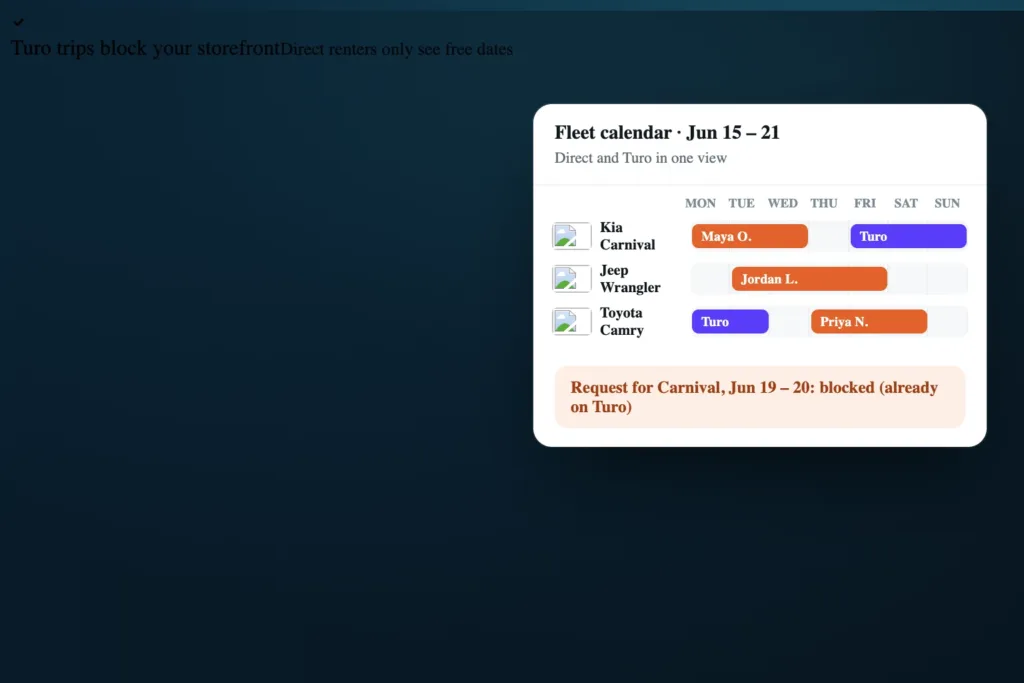
If you list inventory on more than one channel, calendar synchronization matters just as much as the checkout itself. Importing Turo trips, for example, helps keep external reservations from conflicting with bookings placed through your own storefront. Sync is not a substitute for reviewing how each channel handles updates, cancellations, and timing, but it reduces the daily work of manually blocking dates.
Make pricing clear before payment
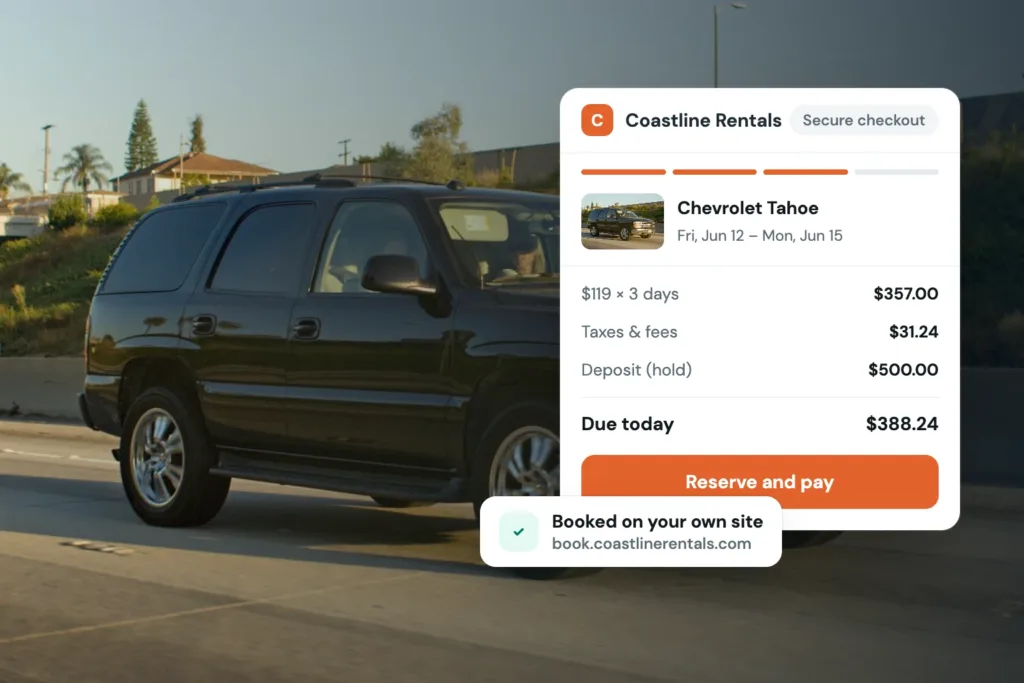
Customers abandon checkouts when costs appear late or do not match what they expected. Show the rental rate, rental period, applicable taxes, required deposit or authorization hold, and any optional add-ons clearly before the customer submits payment.
Clarity protects the operator as well. If the checkout separates the rental charge from a refundable deposit or card hold, staff can explain the transaction without sorting through text threads. The customer knows what is being charged now, what is authorized, and what conditions affect release of the hold.
Avoid treating deposits as an afterthought. They are part of the reservation standard for many fleets, and they should be connected to the same booking record as the rental payment, agreement, and customer details.
Collect verification, payment, and signatures in one sequence
The fastest checkout is not necessarily the one with the fewest fields. It is the one that does not ask the customer to repeat information, wait for a separate form, or wonder what happens next.
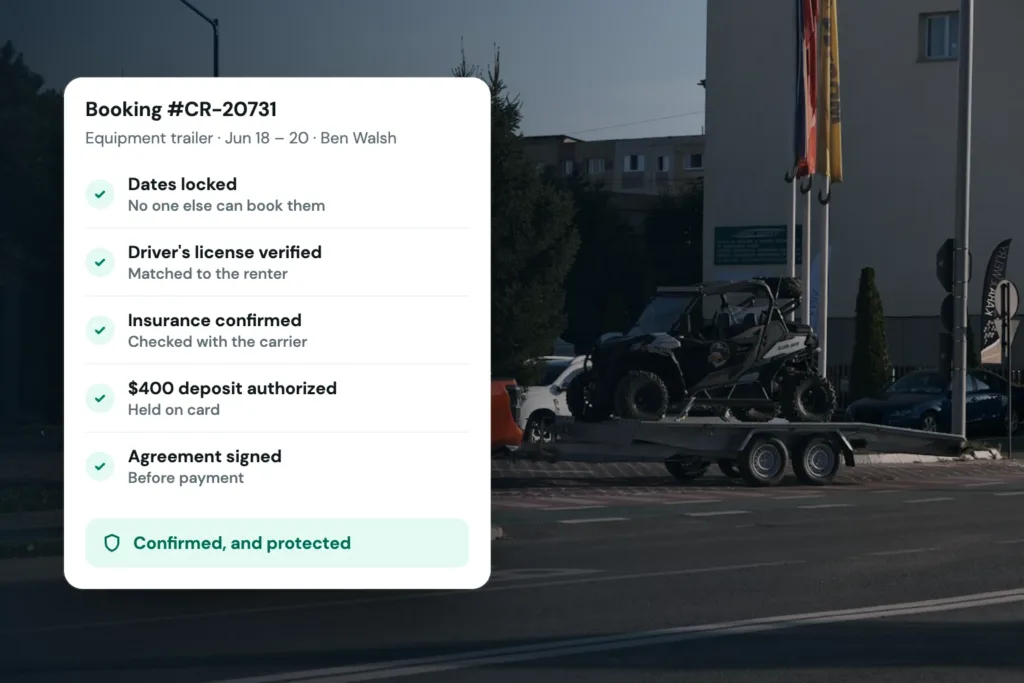
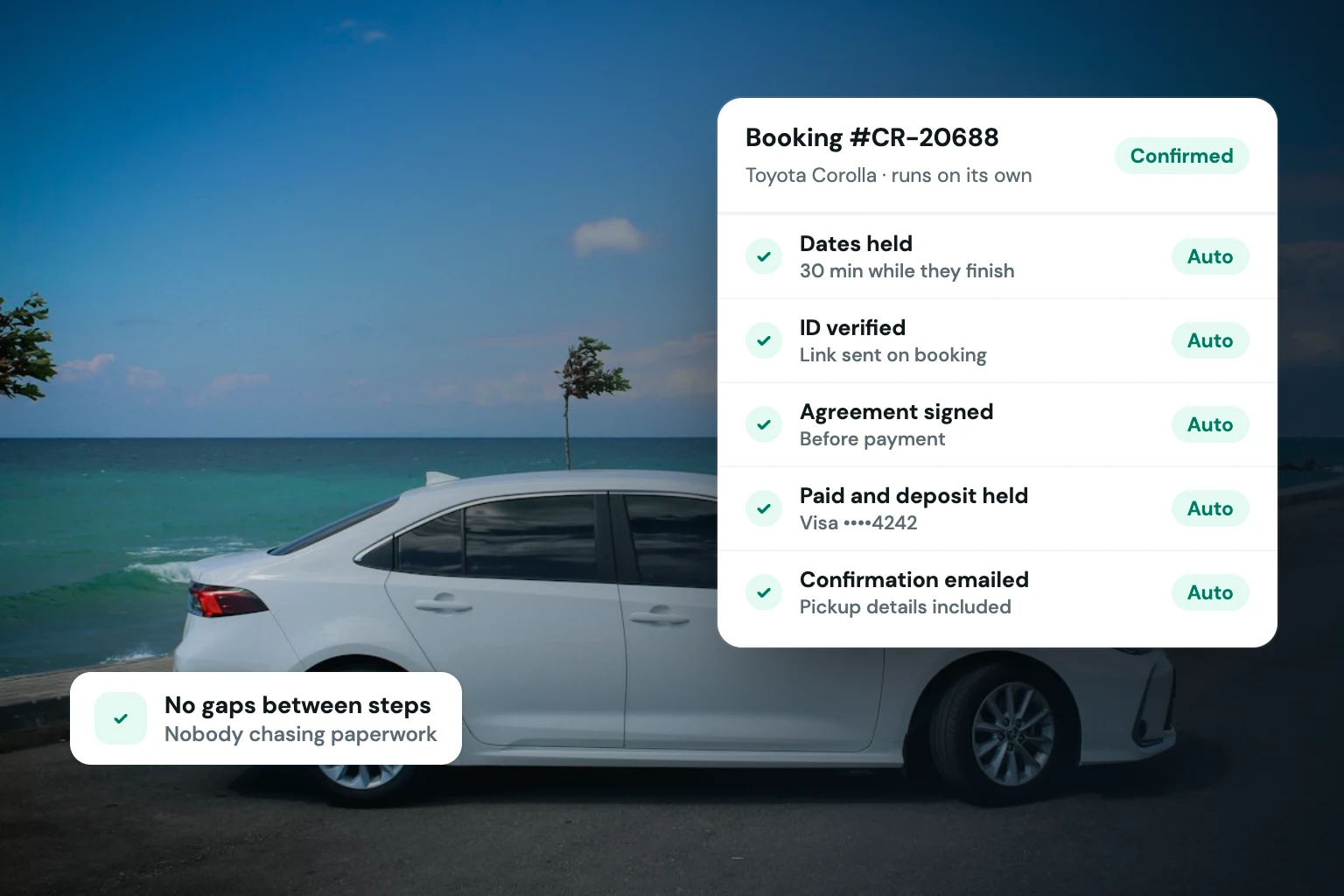
A practical sequence is to capture renter details, collect payment, perform identity verification, obtain the required deposit or card hold, and present the rental agreement for e-signature. The order can vary based on your operating policy, but the information should remain connected to one reservation record.
This creates a better control point for your business. Instead of searching through an inbox for a photo ID, checking a payment processor for a deposit, and asking whether an agreement was signed, your team can review the reservation status in one place. If an item is incomplete, the reservation should be clearly marked as incomplete rather than looking ready for pickup.
There is a trade-off here. Adding verification and agreement steps can create a little more friction than a basic ecommerce purchase. For vehicle and equipment rentals, that friction is often appropriate. A renter is taking possession of a valuable asset, and your checkout should establish that the customer understands the terms and has met your business requirements.
Automate customer communication without making it impersonal
Many checkout problems are communication problems in disguise. A customer may have paid but not realized an agreement still needs a signature. Another may think the reservation is confirmed when verification is pending. If your team has to explain the same status updates one by one, the checkout is not doing enough work.
Use automated messages tied to reservation events. A completed booking can trigger a confirmation with the rental dates, unit, location, total, and next steps. An incomplete agreement can trigger a reminder. A reservation that needs review can receive a clear message that confirms receipt without promising approval before your team has reviewed it.
Keep these messages operational. Include what the renter needs to do, when they need to do it, and what to expect next. Do not bury pickup instructions inside a long promotional email. Customers should be able to find their reservation details quickly when they are standing in a parking lot, at a marina, or outside your rental location.
Keep exceptions visible for your team
Checkout automation should reduce routine work, not conceal risk. You still need a process for failed payments, unsuccessful verification, unsigned agreements, late changes, requests for additional drivers, or bookings that fall outside your usual parameters.
Create a clear internal status for these cases. A reservation can be pending, awaiting signature, awaiting verification, confirmed, canceled, or ready for pickup. The labels matter because they tell staff what action is needed without requiring them to reconstruct the timeline from separate tools.
For smaller fleets, this visibility can be the difference between operating professionally and operating reactively. A solo owner may be handling deliveries, cleaning, maintenance, and customer service in the same day. Seeing which reservations need attention makes it possible to prioritize the work that protects the next handoff.
Use automation to support direct bookings, not just process them
A direct storefront gives you control over how your inventory is presented and how customers move from interest to reservation. That control only has value if the checkout is credible. Customers expect accurate availability, transparent totals, secure payment collection, confirmation messages, and agreements they can sign digitally.
Fleetwire brings those rental-specific steps into one direct-booking operating system: branded storefronts, inventory and availability management, payments, deposits, ID verification, e-signed agreements, and customer communication. For operators who are outgrowing fragmented reservation coordination, the benefit is not simply fewer tabs. It is a checkout process that follows the standards of a real rental business.
As you configure your flow, test it from the renter’s point of view. Try a normal booking, a booking that requires a deposit, an unsigned agreement, a failed payment, and a date that is no longer available. The gaps you find in those tests are usually the same gaps that create last-minute staff work later.
Measure where customers and staff get stuck
Once the flow is live, pay attention to more than completed bookings. Look for reservations that start but do not finish, agreements that remain unsigned, verification steps that take too long, and payment failures that recur. These patterns can tell you whether your checkout needs clearer instructions, better pricing presentation, or a change to a policy that is creating unnecessary abandonment.
Do not remove protective steps just because a few customers leave. Instead, identify whether the step is necessary, whether it is explained well, and whether it appears at the right moment. A required deposit that is visible early is easier to accept than one revealed after the customer has entered every detail.
The right automated checkout gives renters a clear path and gives your team a reliable record of what has been completed. That is how a growing fleet can accept more direct reservations without lowering the standards that protect its vehicles, time, and reputation.