A rental website should do more than display attractive photos and a contact form. The best rental website features let a customer find an available unit, meet your booking requirements, pay, sign, and receive confirmation without creating a long chain of calls, texts, and manual follow-up.
For an independent operator, that difference is operational. A site that only generates inquiries can still leave your team checking dates, collecting documents, chasing deposits, and preparing agreements one reservation at a time. A direct-booking storefront should move qualified customers toward a confirmed rental while keeping you in control of your fleet, pricing, policies, and customer relationship.
Best Rental Website Features That Support Real Operations
The right feature set depends on what you rent and how your handoff process works. A one-vehicle luxury fleet may need stricter screening and deposit controls than a trailer business with repeat commercial customers. An RV operator may need detailed add-ons and longer booking rules. Still, the foundation is consistent: your website needs to represent live inventory, enforce your rules, and create a dependable reservation record.
Live availability by unit
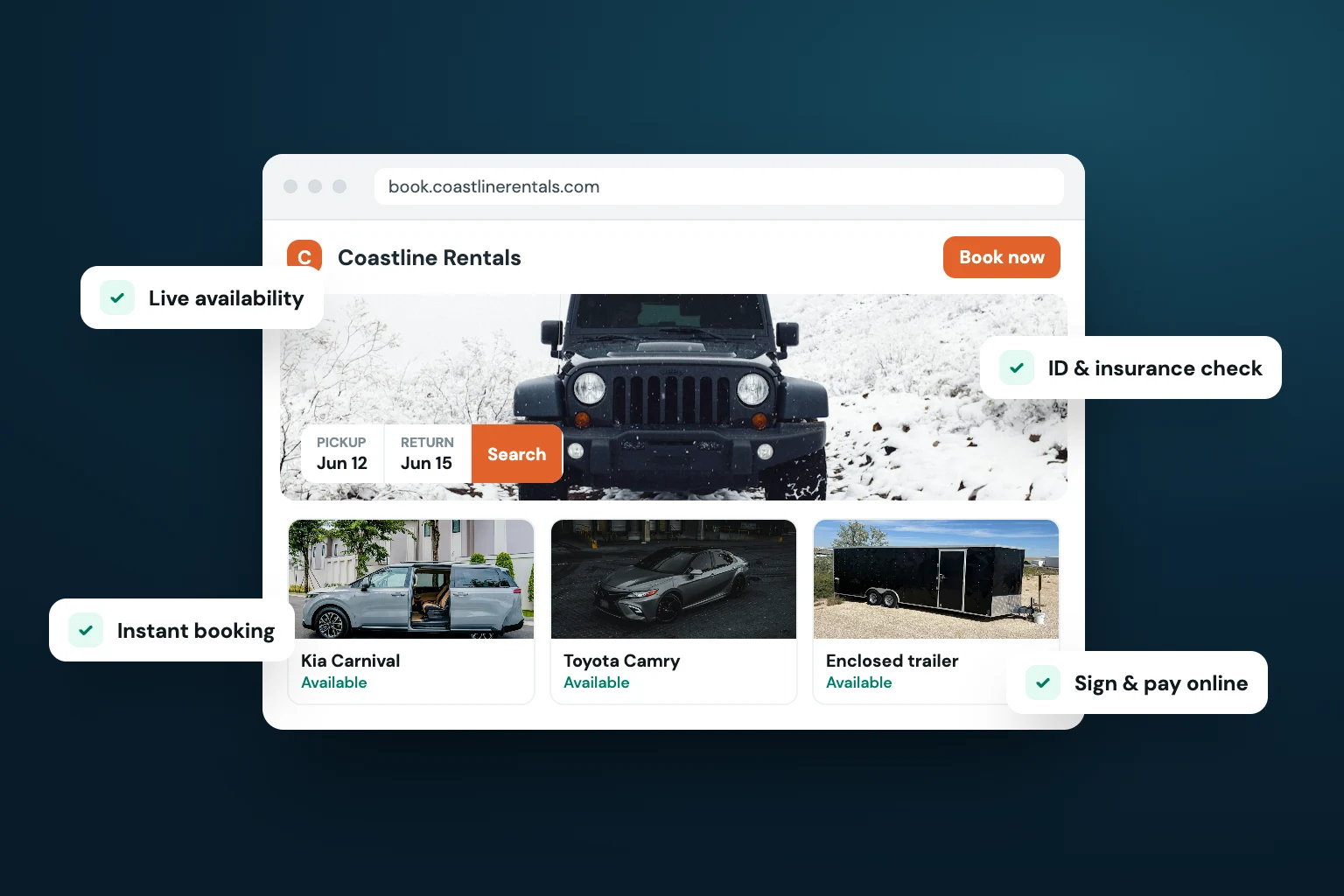
Customers should be able to see what is available for their dates before they start checkout. Availability needs to operate at the individual-unit level, not just as a general statement that you have cars, trailers, or equipment for rent.
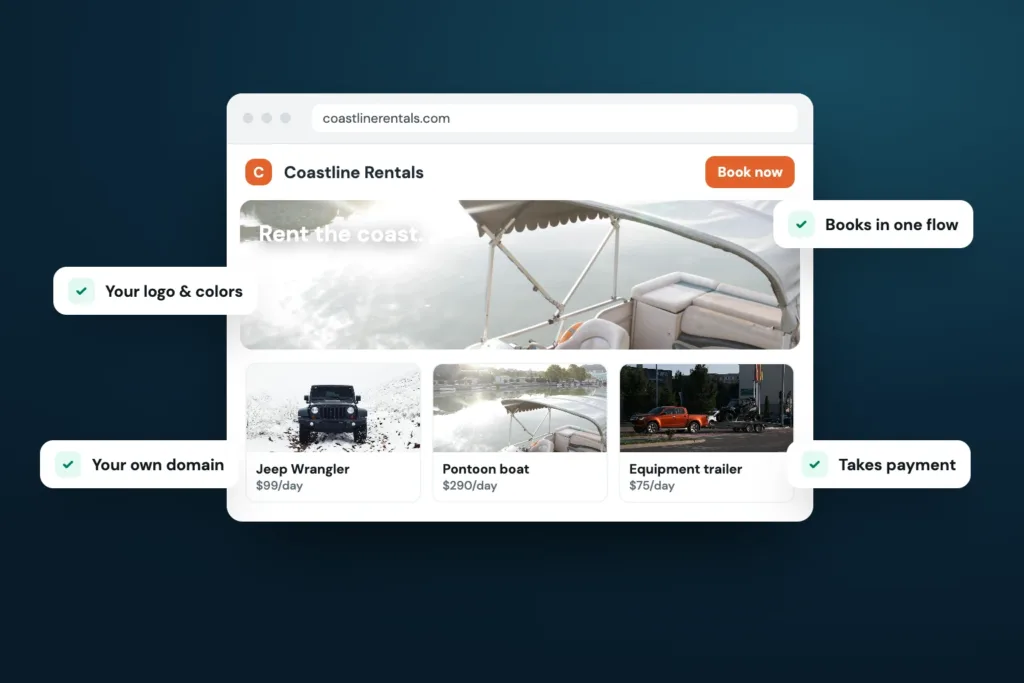
This matters when units have different rates, features, locations, or restrictions. A customer booking a specific Jeep, pontoon, skid steer, or camper van expects that unit to be held once the reservation is confirmed. A clear availability calendar reduces avoidable conversations and helps prevent two customers from being promised the same inventory.
If you also list units on third-party channels, calendar synchronization is equally important. Keeping marketplace calendars and your direct website aligned helps protect availability as reservations come in from different sources.
Search, filtering, and clear fleet listings
A growing fleet becomes harder to browse if every unit is presented as one long gallery. Customers need practical ways to narrow the selection by rental type, passenger capacity, price range, location, transmission, towing capability, or other details that affect their decision.
Each listing should answer the questions that usually delay a booking: What is included? What does it cost? Where is pickup? What are the mileage, usage, or age requirements? Which add-ons are available? Good listings do not need exaggerated sales copy. They need accurate descriptions, current photos, and terms a customer can understand before checkout.
Photos remain central to conversion, particularly for specialty and premium rentals. Use realistic images that show the vehicle or equipment in context. A wide image of an RV at a campground, a trailer at a yard, or vehicles staged professionally at your location gives customers a stronger sense of what they are booking than generic stock photography.
Pricing controls that match your rental model
Rental pricing is rarely one flat daily number. Your website should support rates that reflect how you actually operate, whether that includes weekday and weekend pricing, seasonal demand, minimum rental periods, delivery fees, mileage limits, cleaning charges, or optional equipment.
The goal is not to make every possible charge visible at once. It is to make the total understandable before the customer pays. Surprises at pickup lead to disputes, cancellations, and a poor first impression of your business.
Look for pricing controls that let you set rules once and apply them consistently. For example, an operator may require a two-day minimum on weekends, charge a different rate during peak season, or restrict a high-value unit from one-day rentals. Those decisions should be enforced by the storefront rather than remembered manually for every inquiry.
Checkout with payment and card-hold deposits
A reservation is not fully secured because a customer submitted a form. Checkout should collect payment according to your policy and document what the customer agreed to pay.
For many rental businesses, a card-hold deposit is a necessary part of the process. It establishes a clear financial requirement before pickup without forcing the operator to coordinate payment separately. The amount and timing will depend on your fleet, rental category, and internal policies, but the website should make those requirements clear before the customer completes checkout.
Payment processing and deposit collection are most useful when connected directly to the reservation. That keeps the booking amount, customer record, deposit status, and agreement in the same operational workflow. It also reduces the risk of accepting a reservation before the required payment step is complete.
Identity verification before handoff
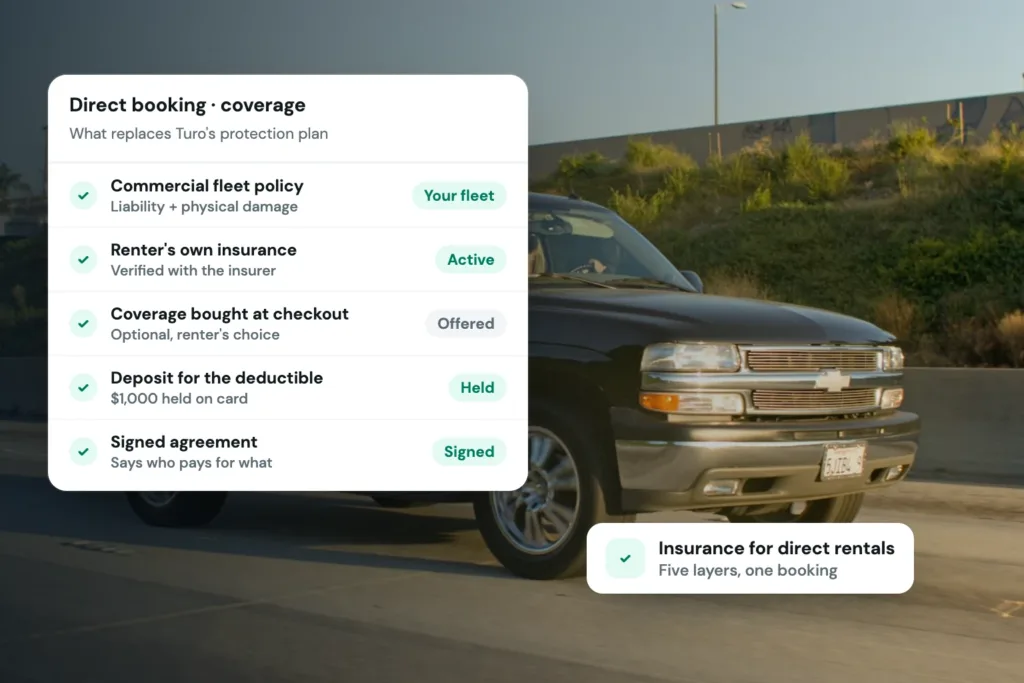
Direct bookings require a professional customer screening process. Identity verification gives operators a structured way to confirm customer information before releasing a vehicle or piece of equipment.
The practical benefit is consistency. Rather than asking each customer for documents through text messages or email, you can make verification part of the reservation flow. Customers know what is required, and your team has a clearer record of whether the requirement has been completed.
Verification does not replace your own operating standards. You still decide which requirements apply to your rentals, who may book, and when a reservation should be reviewed. The website’s role is to collect and organize the required steps before pickup day becomes rushed.
E-signed rental agreements tied to reservations
An agreement should not sit in a disconnected folder or arrive as a last-minute attachment. When customers can review and electronically sign a rental agreement as part of booking, the reservation moves forward with clearer expectations.
Rental agreements can cover your specific terms around usage, return conditions, fees, authorized drivers, equipment operation, and other requirements relevant to your business. Because requirements differ by rental type and location, operators should use agreements and policies appropriate to their situation.
The key website feature is connection: the signed agreement should be attached to the customer and reservation it belongs to. That creates a more organized handoff process and gives staff fewer places to search when a customer arrives.
Features That Protect the Customer Experience
The booking flow should feel straightforward, but straightforward does not mean removing every control. The strongest rental websites explain requirements early and guide customers through them in a logical order.
A customer should be able to choose dates, select a unit, add relevant extras, provide required information, complete payment and deposit steps, sign where required, and receive a confirmation with next steps. If pickup instructions or a required document are sent later, the communication should be connected to the reservation rather than handled through scattered messages.
Automated confirmations and reservation communication
A customer who has paid should not wonder whether the reservation went through. Automated confirmation messages establish confidence immediately and reduce routine questions for your team.
Useful messages can confirm reservation details, outline pickup timing, remind customers of verification or agreement requirements, and communicate changes when needed. The value is not in sending more messages. It is in sending the right information at the point when the customer needs it.
For operators, reservation-based communication also creates a cleaner record. Staff can see what was sent and avoid repeating the same instructions manually.
Mobile-friendly booking without a stripped-down experience
Many customers will first find your fleet from a phone. A mobile-friendly website needs more than text that shrinks to fit a smaller screen. Dates should be easy to select, unit details should remain readable, pricing should be understandable, and checkout fields should not create unnecessary friction.
Do not mistake fewer steps for a better booking process. If your business requires a deposit, identity check, or signed agreement, removing those steps simply pushes the work to pickup. The better approach is to make required steps clear and easy to complete on a mobile device.
Choose Features Based on the Work They Remove
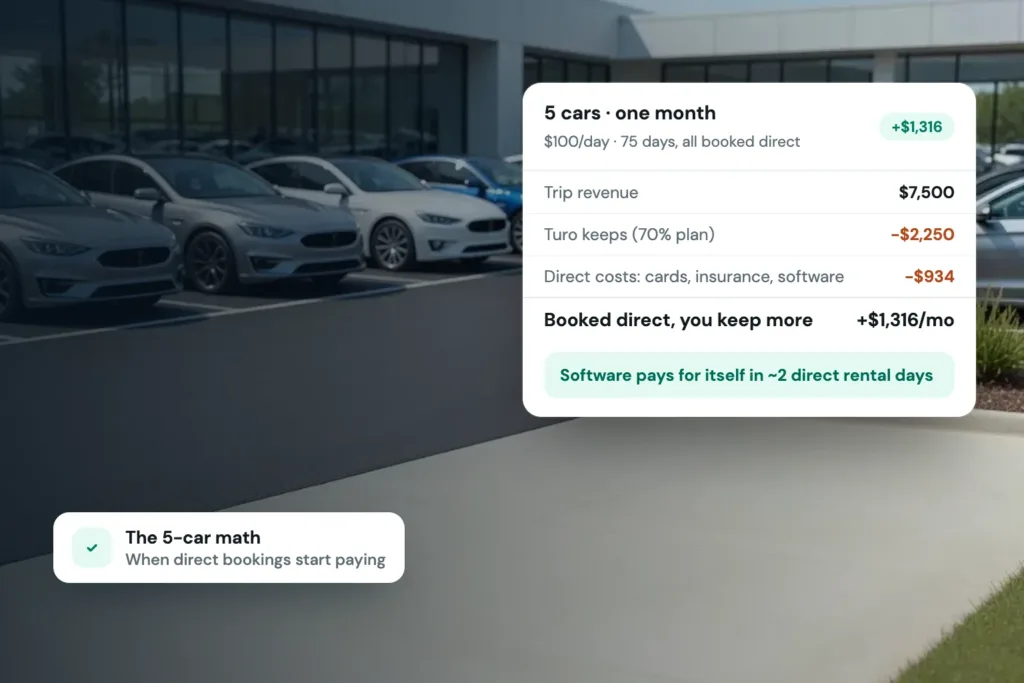
When evaluating a rental website, start with the repetitive work your team handles after an inquiry arrives. If you repeatedly confirm availability, the priority is live calendars. If you spend time sending payment requests, deposits and integrated checkout matter. If paperwork delays pickup, focus on verification and e-signed agreements.
Avoid buying features just because they sound advanced. A large enterprise feature set can add complexity without improving a fleet of 10 units. At the same time, a simple booking widget may be too limited if it cannot manage deposits, customer requirements, or unit-level availability.
Fleetwire brings storefronts, fleet listings, bookings, payments, card-hold deposits, ID verification, agreements, and calendar tools into one rental-specific system. That combination is useful because direct bookings are not just website traffic. They are reservations that need to be properly priced, documented, and ready for handoff.
A professional rental website gives customers a reason to trust your business before they arrive. Build the booking flow around the standards you want to operate by, and each confirmed reservation can require less coordination from your team.