Piece the day together from the calendar, your inbox and a group text.
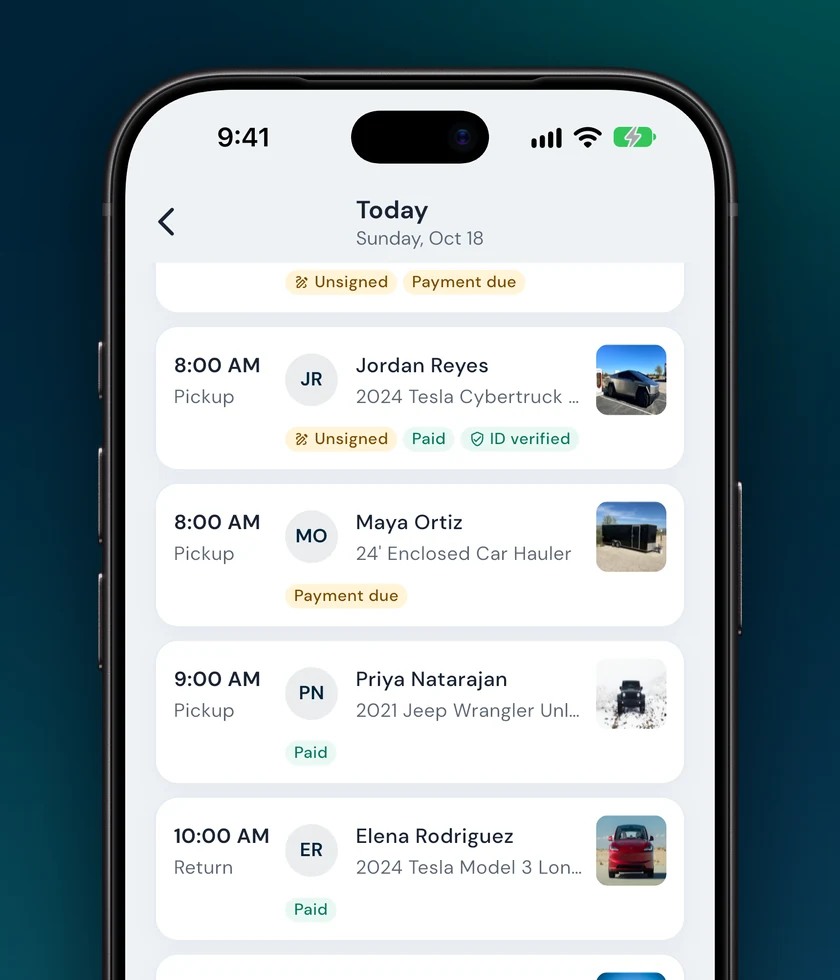
Today's pickups and returns in one list.
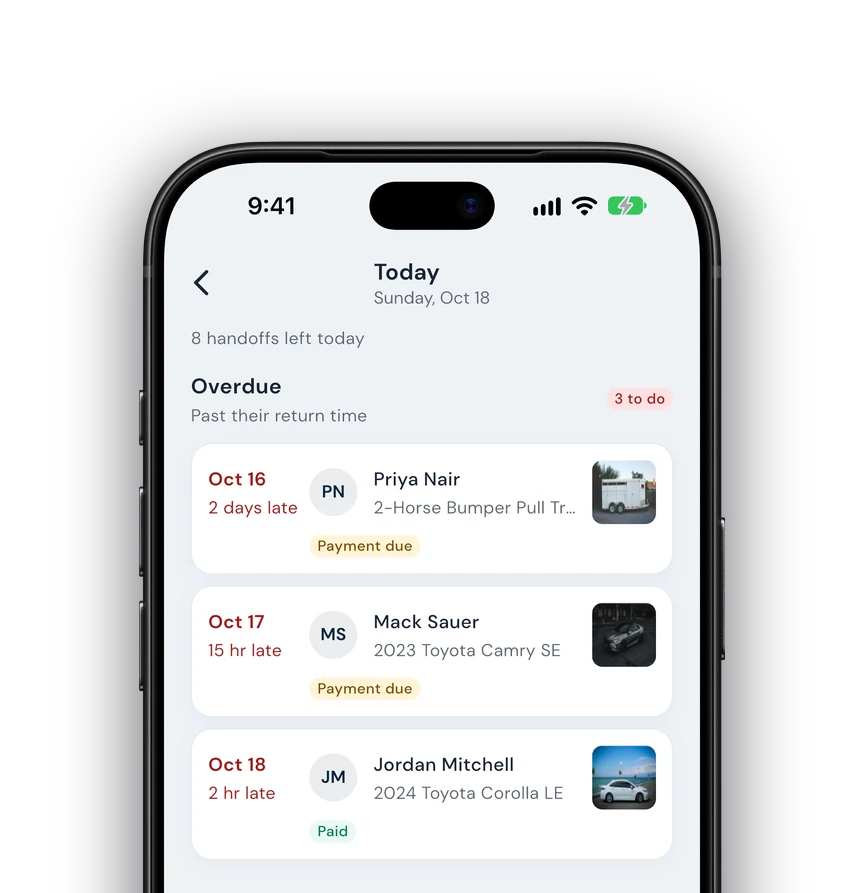
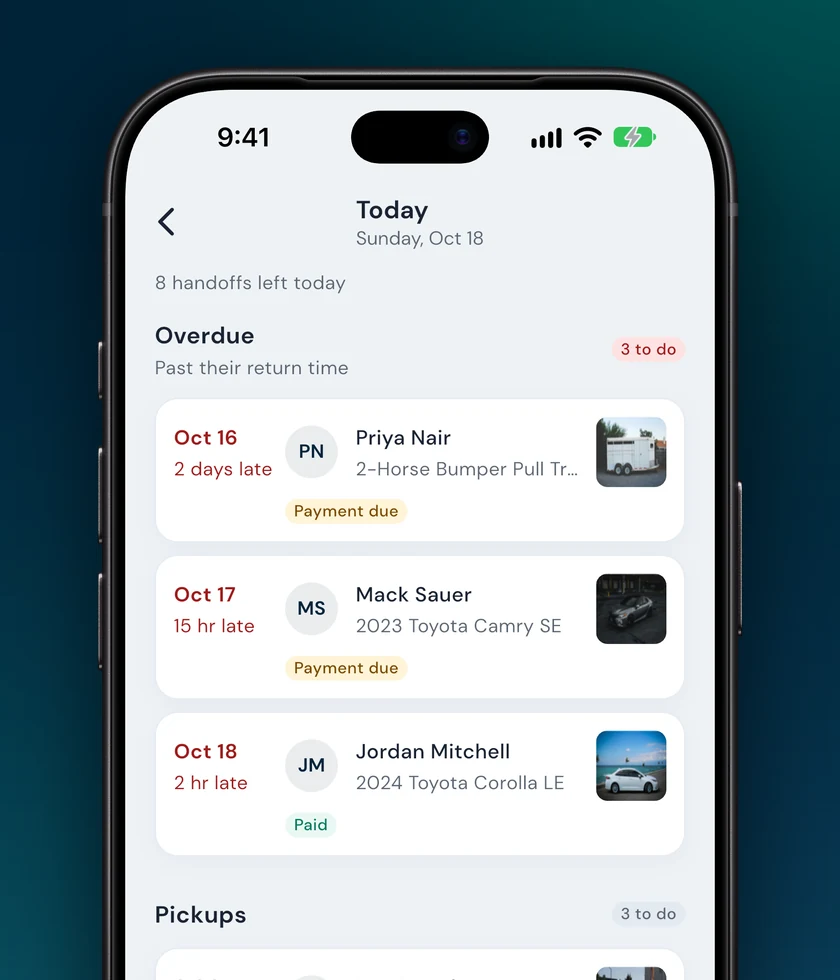
Late returns sit at the top with how late they are. Each row shows what's still missing: unsigned, payment due or paid.
The Fleetwire app / Check-in
Today's pickups and returns in one list, and a checklist for each: agreement signed, balance paid, photos taken. Then the keys go out.

Works with your existing Fleetwire account. New to Fleetwire? See how it works.
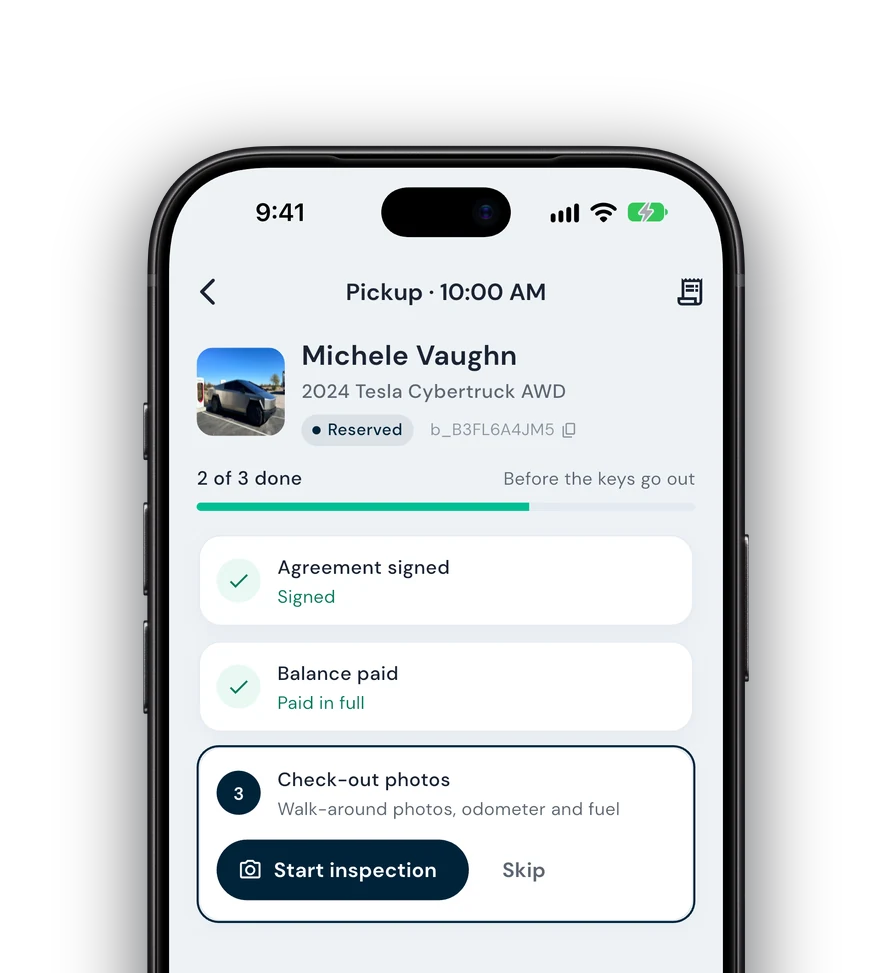
Whoever is on the lot follows the same steps, and nothing leaves without a signature, a payment and photos.
Piece the day together from the calendar, your inbox and a group text.
Late returns sit at the top with how late they are. Each row shows what's still missing: unsigned, payment due or paid.
Hand over the keys and hope the agreement got signed.
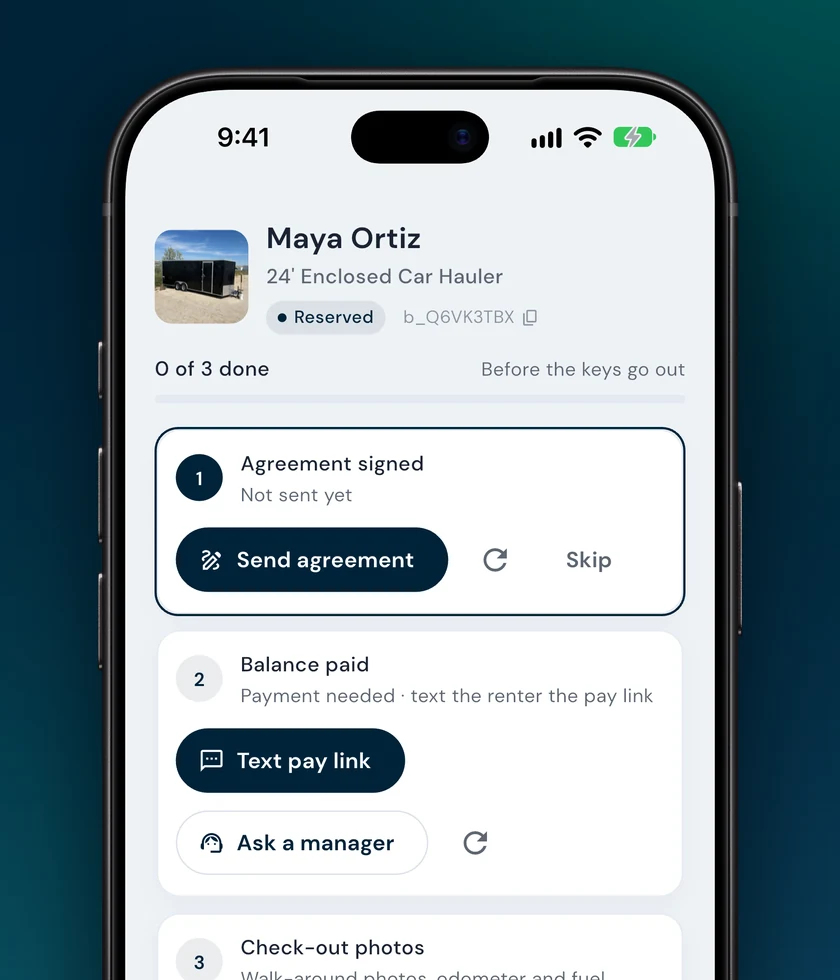
Agreement signed, balance paid, check-out photos. Each step can be done right there: send the agreement, collect the balance, start the inspection. Mark picked up when everything is done or skipped.
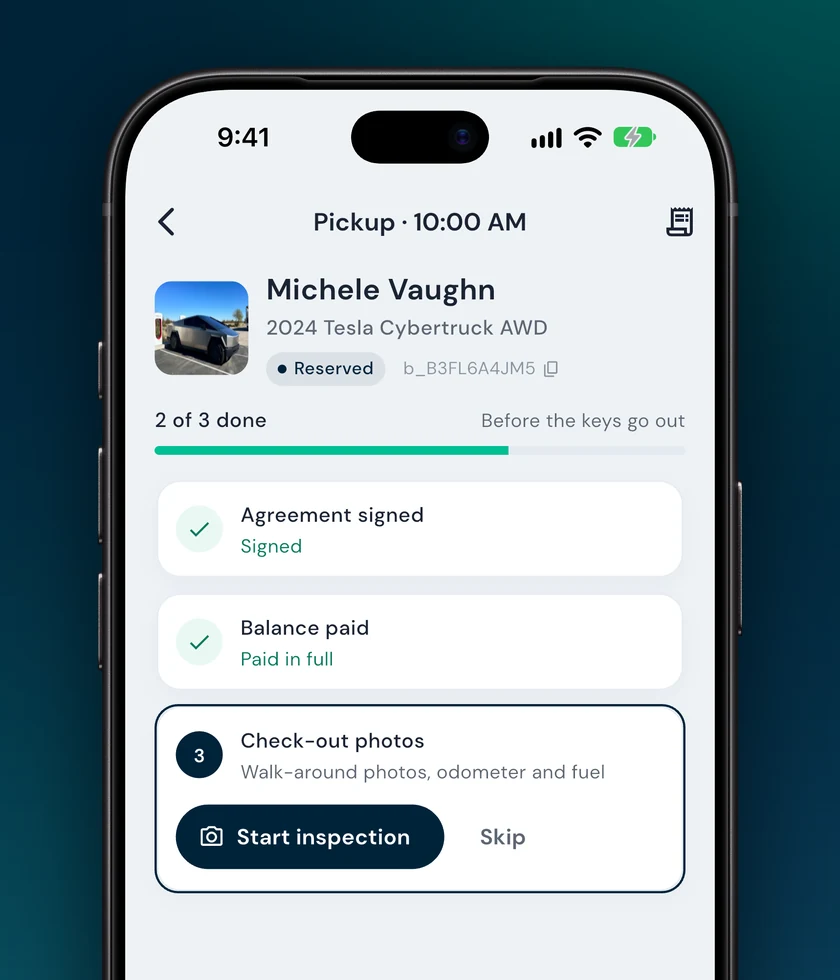
Walk around with your camera roll and hope you remember which scratch was already there.
Step-by-step walk-around photos, the odometer read from a photo or a connected Tesla or Bouncie, and fuel or charge level. Damage is marked on a diagram.

Argue about the mileage and the gas tank a week later.
The return inspection records odometer and fuel against the pickup, so mileage overage is worked out for you. Mark returned and the car is free for the next renter.
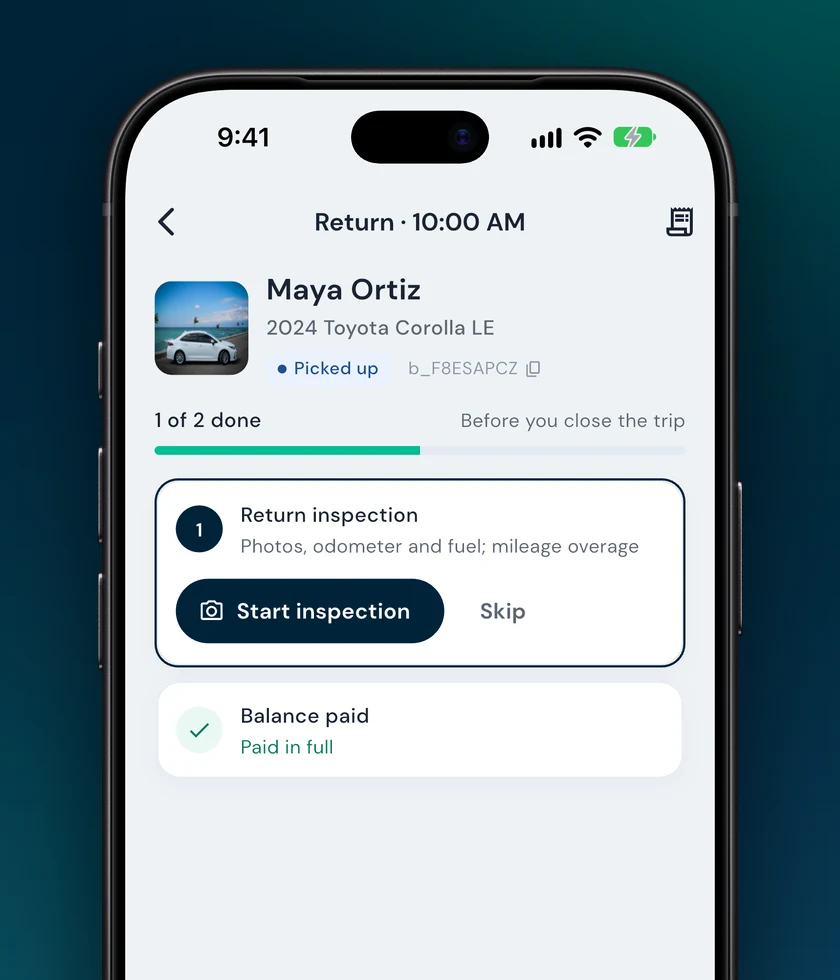
About as long as it takes the renter to find their license.
Tap the pickup. You see the renter, the vehicle and what's left to do.
Send the agreement or have them scan a QR code to sign, take payment, and walk around the car with the guided photos.
The trip starts. On iPhone, a Live Activity counts down to the return on the lock screen.
No. Renters sign and pay from a text or email link, or by scanning a QR code on your phone.
Yes. Every step has Skip for the times you've handled it another way, and Mark picked up unlocks once each step is done or skipped.
Yes. The checklist adapts to what you rent. Trailers and equipment skip the fuel step, and only vehicles and powersports track mileage.
They move to the top of Today with how late they are. Trips more than a week past due are grouped as never closed so you can mark them returned in one go.
Check-ins, payments, agreements and today's schedule, synced with your Fleetwire dashboard.
On iPhone? Tap above to hear when it launches. New to Fleetwire? See how it works.