The Fleetwire app / Team roles

Give the lot crew the app, not the books

Lot staff check cars in and out, take photos and get agreements signed without ever seeing revenue, balances or payouts. When money is owed, they text a pay link or ask a manager.

Get it on Google Play
iPhoneComing soon

Works with your existing Fleetwire account. New to Fleetwire? See how it works.

Trailer pickup where staff can text the renter a pay link or ask a manager

Hand someone the keys to the lot, not the bank account

Permissions you already set in Fleetwire decide what each person sees in the app.

Give everyone the owner login, or nobody can check a car out.

Bookings without the dollar signs.

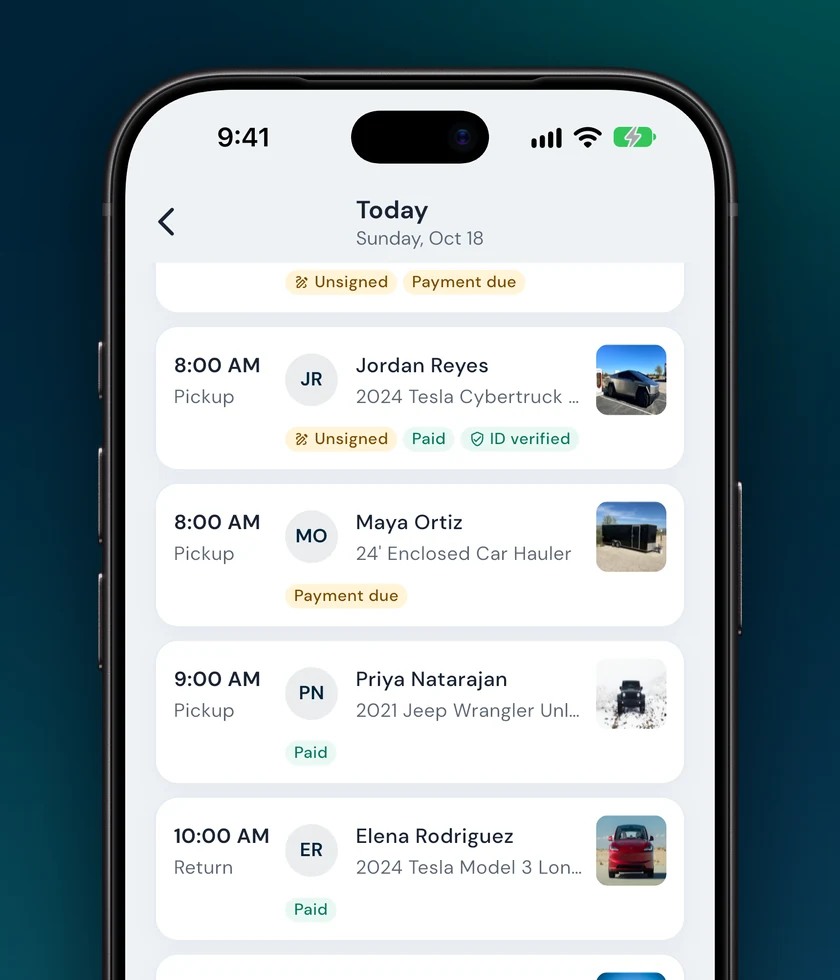
Staff without financial access see the trip, the renter and the vehicle. Charges, totals and balances are hidden, and payment shows in words: Paid, Partly paid or Payment due.
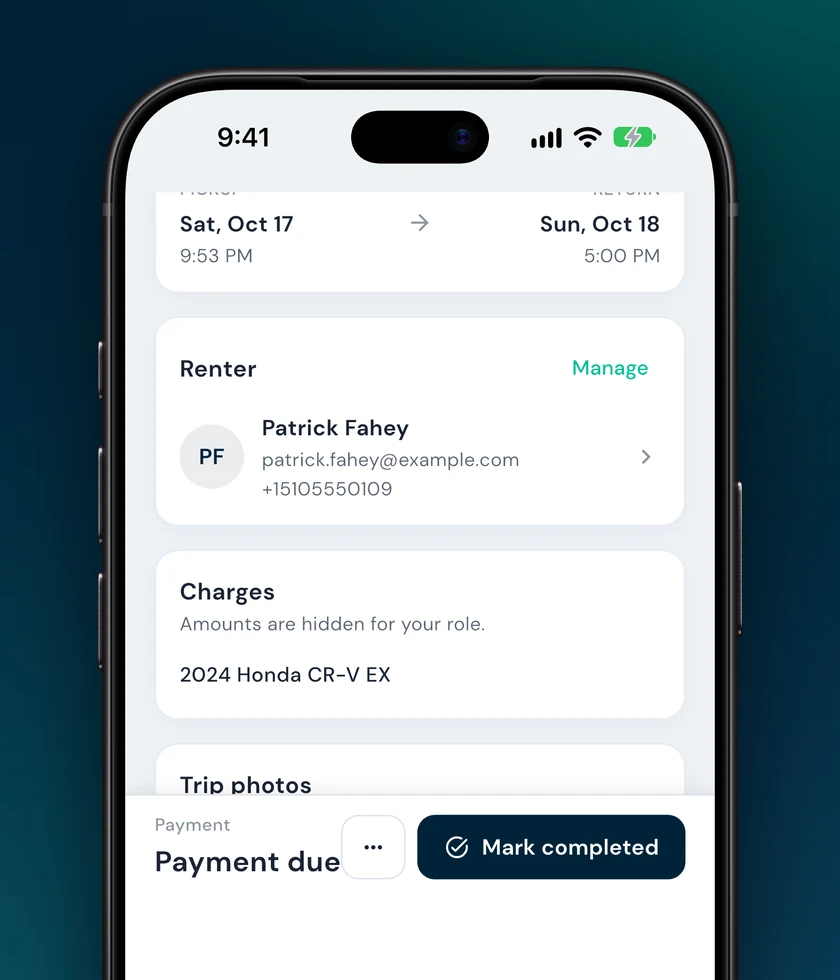
Order screen for a staff member with amounts hidden and payment shown as Payment due

Call the owner every time a renter shows up with a balance.

Text a pay link, or ask a manager.

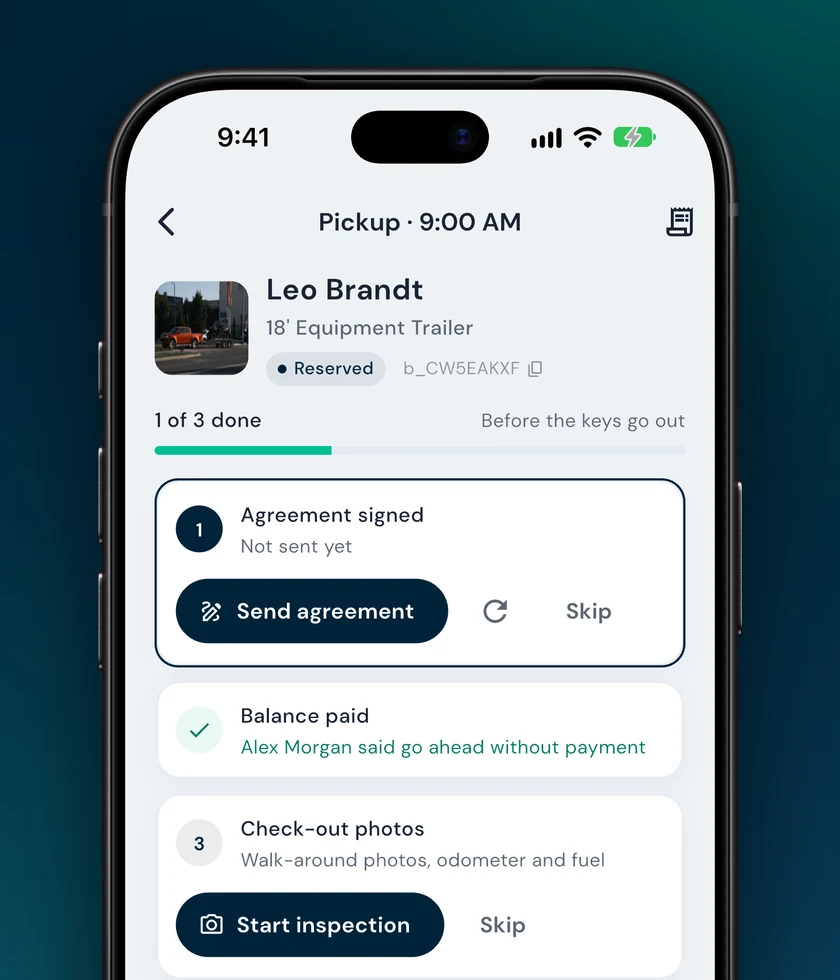
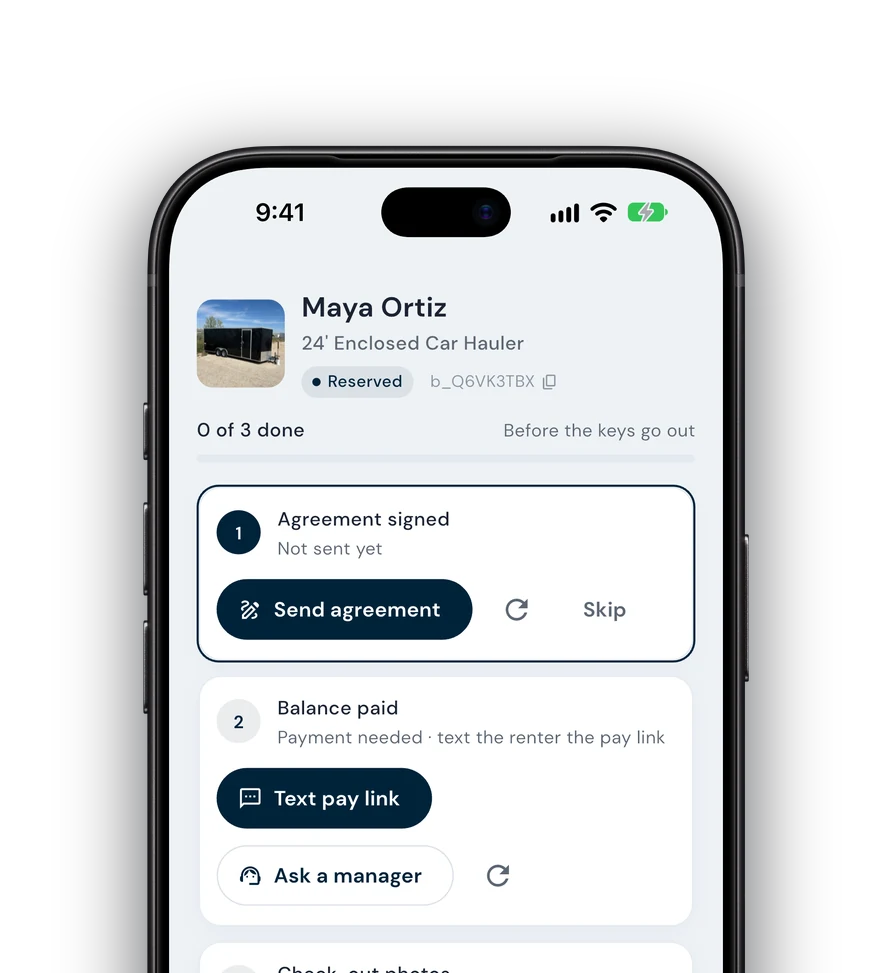
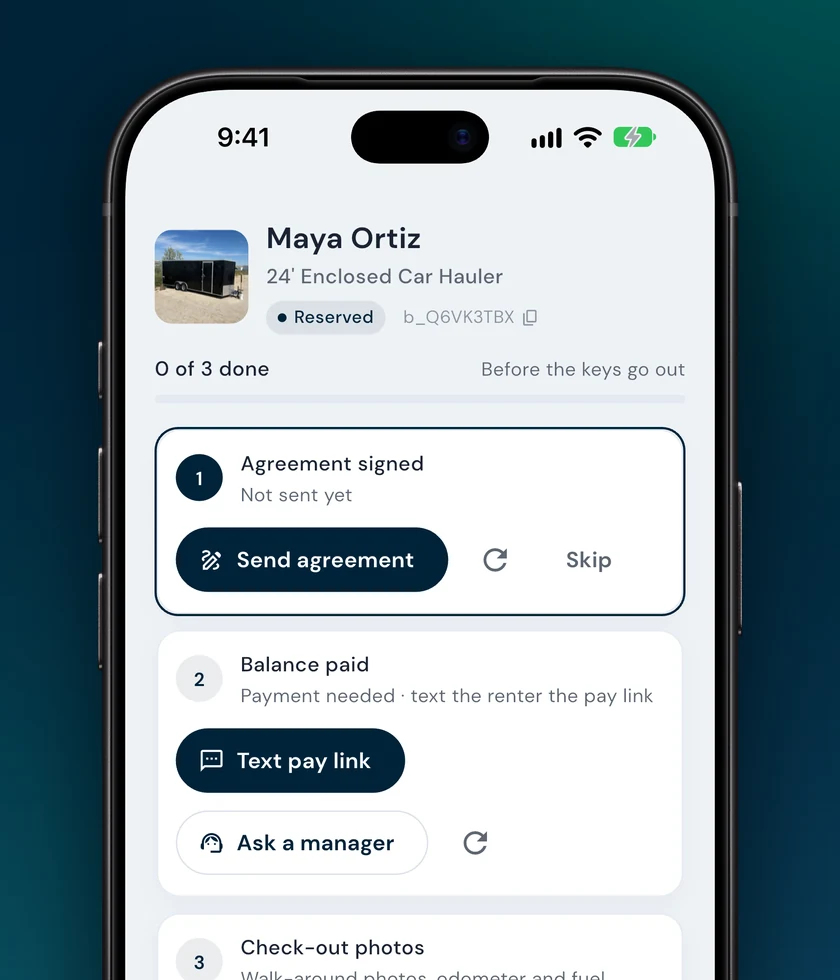
If money is owed at pickup, staff can text the renter a secure pay link without seeing the amount. Or they tap Ask a manager and keep going with the rest of the checklist.

Trailer pickup with Text pay link and Ask a manager on the balance step

Find out a week later that a trailer went out unpaid.

Managers decide, and it's on record.

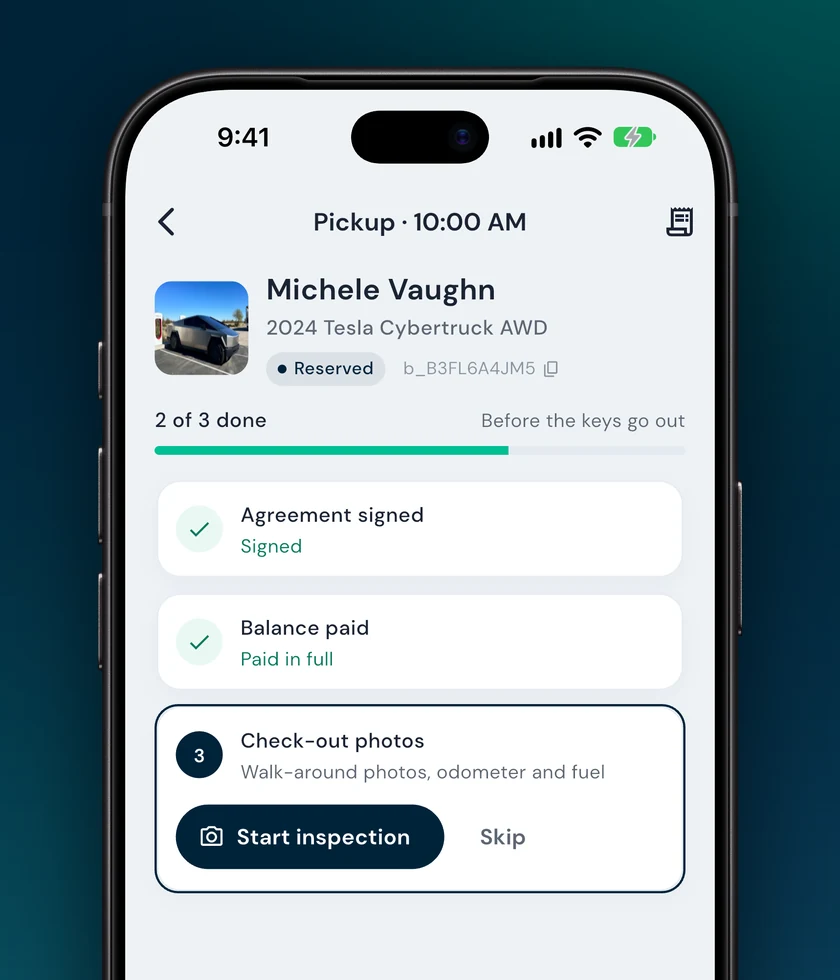
The manager gets a push that opens the booking with two choices: collect now, or let them go ahead. Either way it's recorded on the booking, so the checklist shows who approved it.

Pickup checklist showing that a manager approved going ahead without payment

What staff can and can't do

Set each person's permissions once in Fleetwire. The app follows them.

Lot staff

Run the handoffs

  • Today's pickups and returns
  • Agreements and inspection photos
  • Text the renter a pay link
  • Ask a manager for help
Kept from lot staff

Stays with managers

  • Charges, balances and revenue
  • Payments, refunds and analytics
  • Pricing and listing photos
  • Cancelling bookings
Managers

Everything, plus the call

  • Collect or waive a balance at pickup
  • Quick bookings and pay links
  • Payments and fleet analytics
  • Alerts for help requests

Questions

Where do I set what each person can see?

In Fleetwire on the web, under your team's user settings. The app reads the same permissions, so there's nothing extra to set up on the phone.

Can lot staff skip the payment step?

No. If money is owed, they can text a pay link or ask a manager, but only someone with financial access can collect it or let the pickup go ahead.

Does a manager have to be on site?

No. The help request arrives as a push notification, and the manager can collect or approve from their own phone.

What do staff see where amounts would be?

Plain words. Payment shows as Paid, Partly paid or Payment due, and the charges list says amounts are hidden for their role.

The Fleetwire app

Your fleet, in your pocket

Check-ins, payments, agreements and today's schedule, synced with your Fleetwire dashboard.

  • Same login as the web
  • Works for your whole team
  • Cars, trailers and more

On iPhone? Tap above to hear when it launches. New to Fleetwire? See how it works.

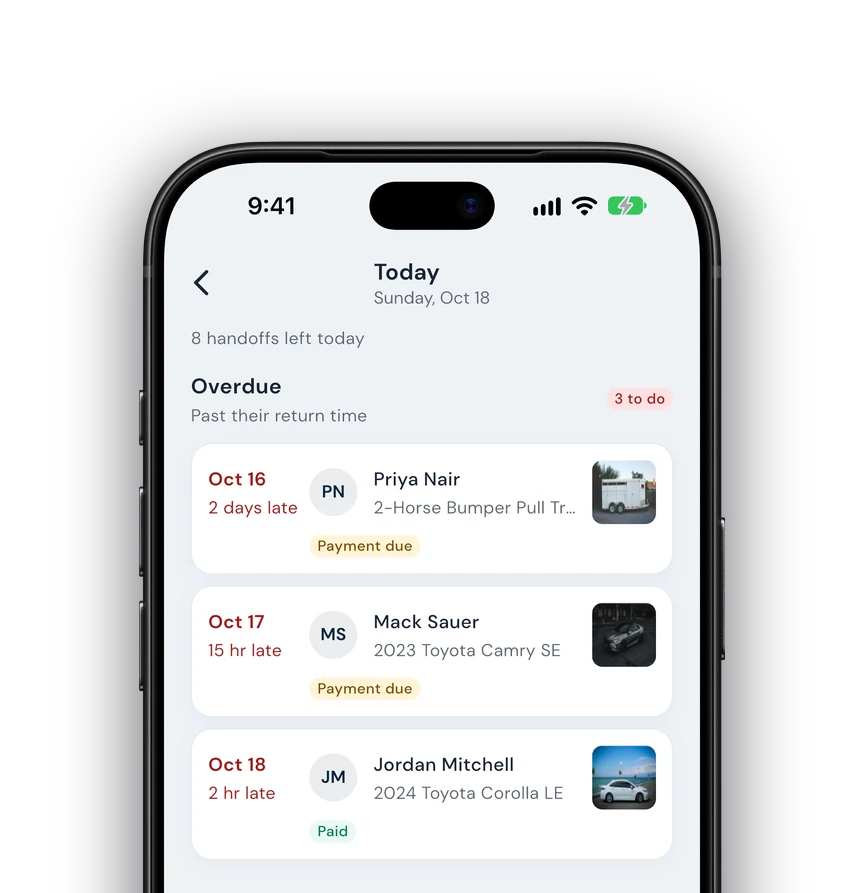
The Fleetwire app's Today screen with overdue returns and pickups