The Fleetwire plugin for WordPress
Connect your WordPress site to your Fleetwire rental business so visitors browse listings, check availability, and start bookings on your own pages — added with shortcodes, no code and no manual listing IDs.
Free on WordPress.org · Connect with your Company ID · Requires a Fleetwire account
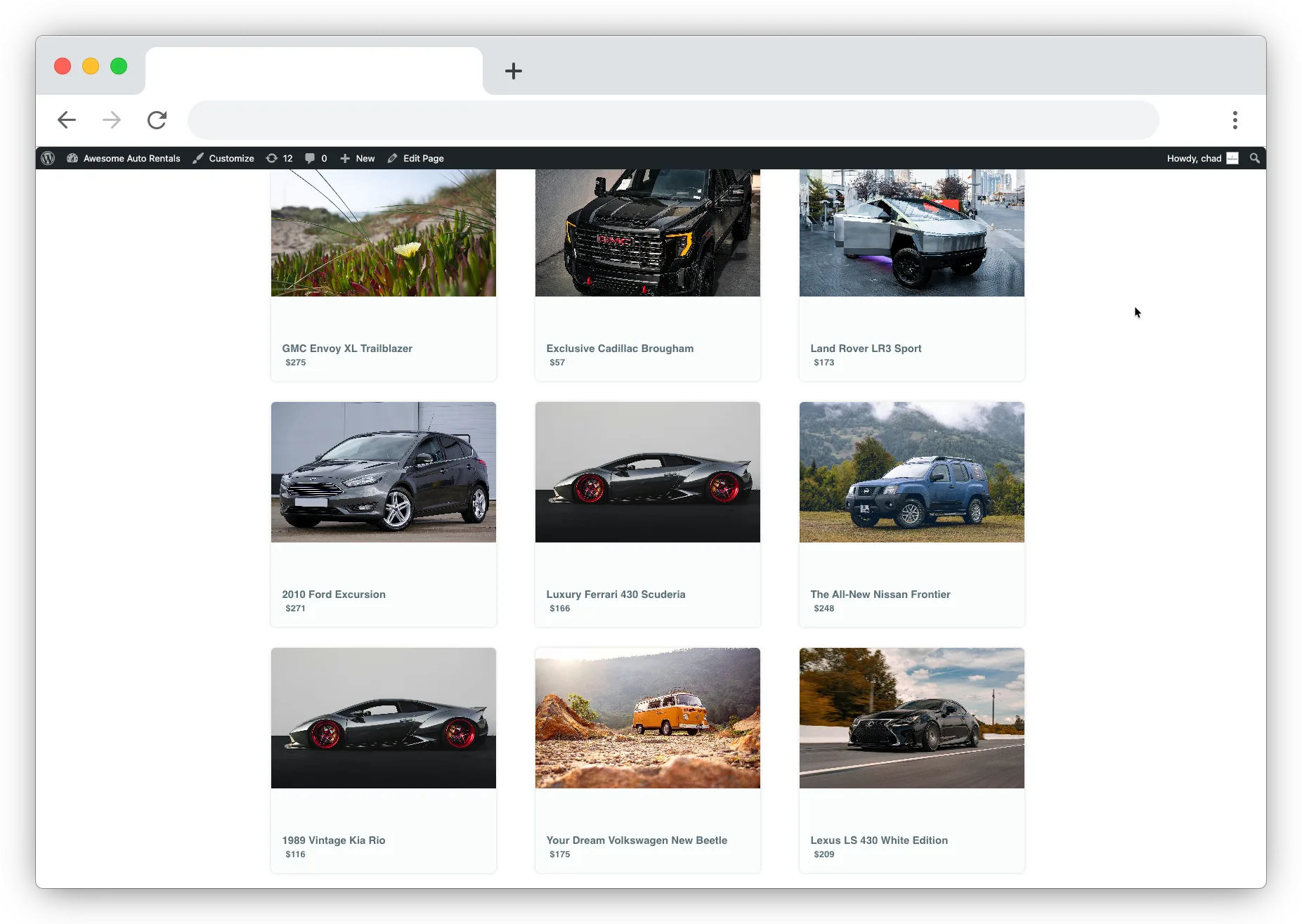
Keep the site you built, add real booking
You don't rebuild anything. Install the plugin, connect your Fleetwire Company ID, and drop shortcodes onto any page, post, or builder block — your live inventory, availability, and checkout appear right inside your existing design, on your own domain.
- Shortcode embeds. Listings, availability search, booking buttons, titles, prices, and images.
- Listing picker. Load your Fleetwire listings in wp-admin and generate shortcodes — no copying IDs by hand.
- Checkout stays on Fleetwire. Real-time inventory, payment, and orders are handled by Fleetwire's hosted flow.
Connected in five steps
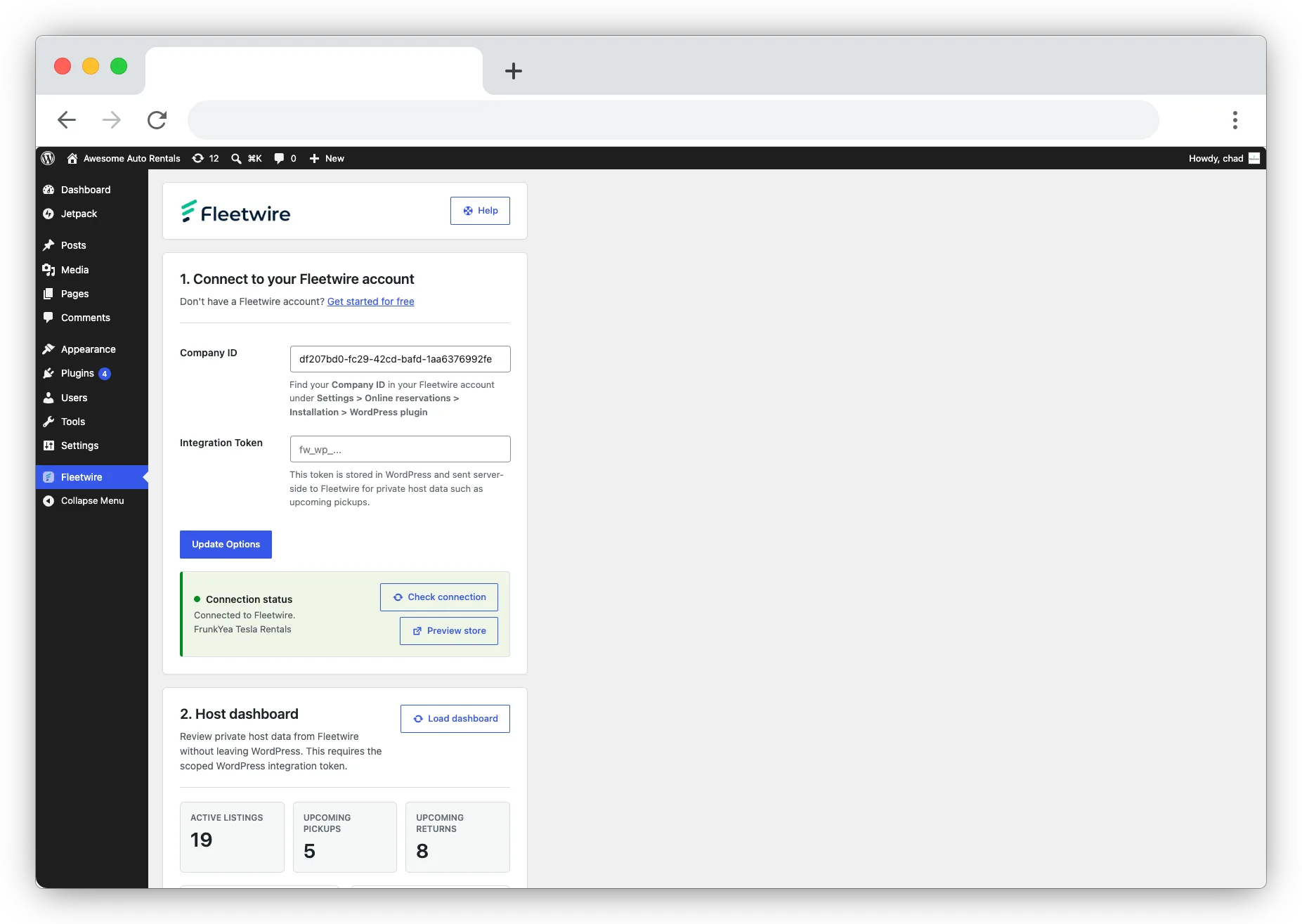
In Fleetwire, open Settings → Online reservations → Installation → WordPress plugin to find your Company ID.
Install & activate
Add the plugin from the WordPress.org directory and activate it.
Paste your Company ID
Enter it on the Fleetwire settings page and save.
Check the connection
Verify WordPress can reach Fleetwire before you publish.
Load listings
Use the picker to build a shortcode for any vehicle.
Publish
Paste the shortcode into a page or post and go live.
Shortcodes for every piece
Drop the whole fleet in with one tag, or build a page from individual pieces — a single listing card, a booking button, or just a price. The listing picker generates the exact shortcode for the vehicle you choose.
[fleetwire_list]All listings in a grid[fleetwire_availability]Availability search for open dates[fleetwire_button]Booking button for a single listing[fleetwire_listing]Single listing card, title, price, or image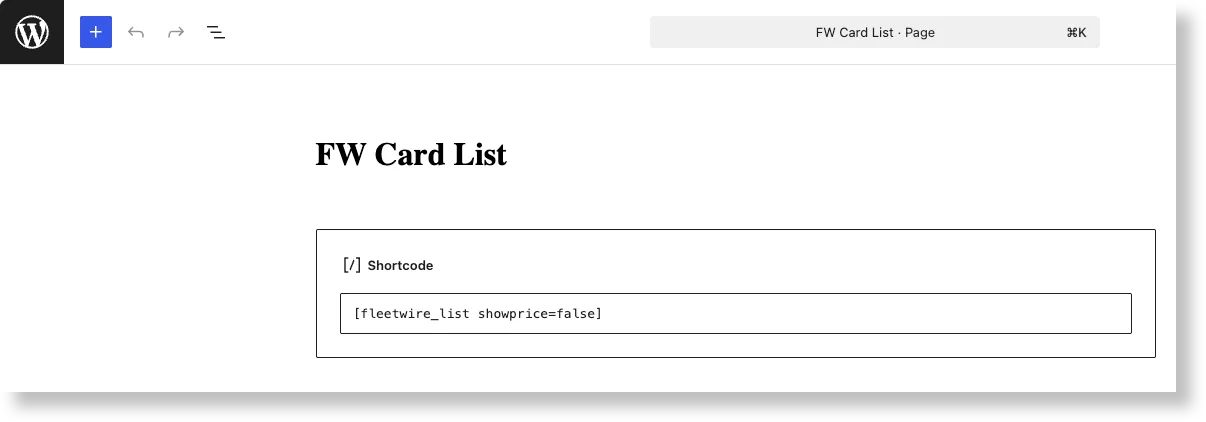
See your operation from wp-admin
Add a scoped Fleetwire WordPress integration token and the plugin surfaces private host data right in WordPress — active listing counts, upcoming pickups, and upcoming returns — so you can glance at the day without leaving your site.
- Active listing count at a glance
- Upcoming pickups and returns
- Scoped token — read-only, revocable anytime
Prefer a full storefront instead?
No existing site to keep? Fleetwire gives you a full branded storefront on your own custom domain out of the box — the plugin is for operators who've already built a WordPress site they like.
WordPress plugin questions
Do I need a Fleetwire subscription?
Yes. The plugin connects WordPress to your Fleetwire account — start a 14-day free trial at fleetwire.io if you don't have one yet.
Do I have to copy listing IDs manually?
No. The listing picker loads your Fleetwire listings inside wp-admin and generates the shortcode for the vehicle you select.
Will it match my site's design?
The embeds sit inside your own page's header and footer on your domain, so they read as part of your site. Checkout hands off to Fleetwire's hosted, white-labeled reservation flow.
Where does the plugin live?
It's free in the WordPress.org plugin directory as "Fleetwire Fleet Management." Install it from your WordPress admin or download it directly.
Add booking to your WordPress site
Install the free plugin, connect your Company ID, and take direct bookings on the site you already have.