Pickup and return readings
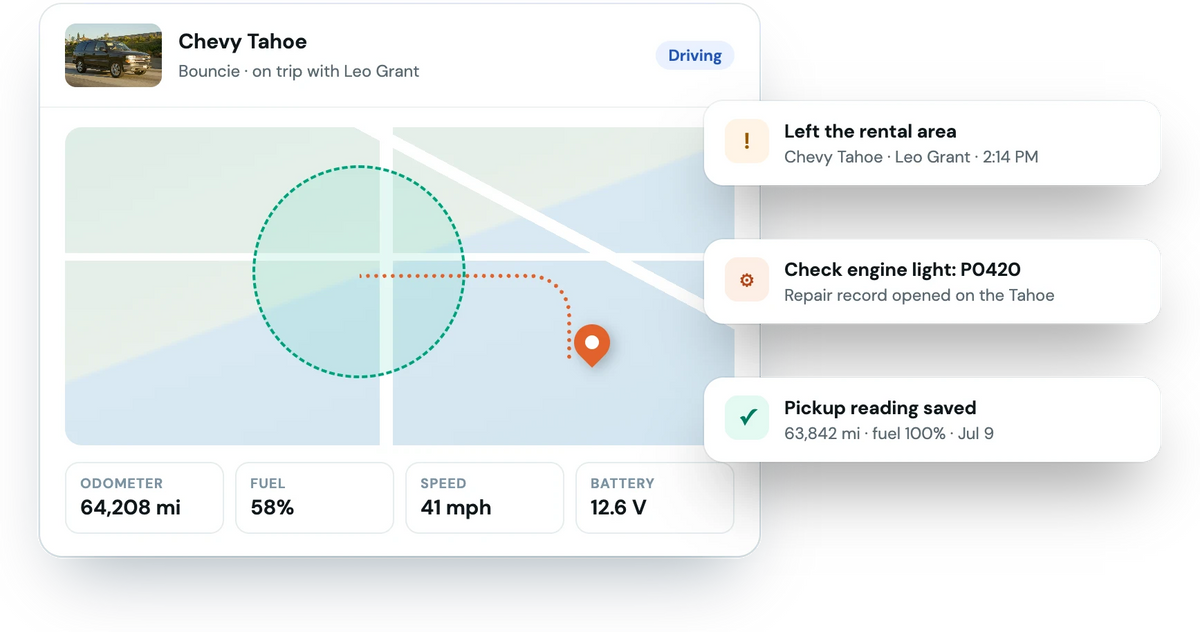
Odometer, fuel and location captured when the trip starts and ends, including when the car parks after the return.
Plug a Bouncie into any car's OBD-II port and connect it to Fleetwire. Odometer and fuel are recorded at pickup and return, you're alerted when a renter leaves the area you set, and every rental gets a driving report.
Plugs into the OBD-II port · Read-only · Alerts by push and email
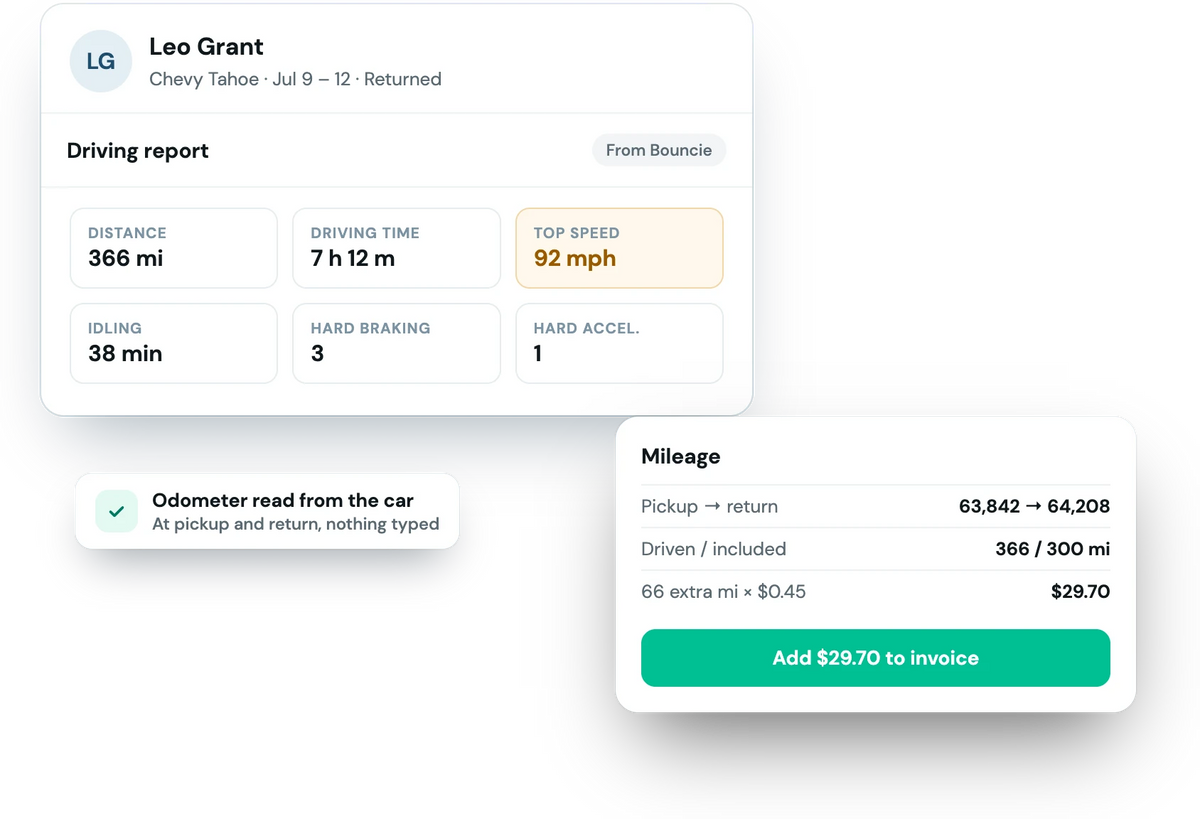
When the car comes back, the booking shows how it was driven: distance, driving time, top speed (flagged at 90 mph and up), idling, hard braking and hard acceleration. Miles driven are compared with the allowance, and you add any overage to the invoice in a tap.
Connect your Bouncie account from Connections.
Each Bouncie device is linked to a vehicle in Fleetwire.
Readings, alerts and the driving report happen on every rental.
Odometer, fuel and location captured when the trip starts and ends, including when the car parks after the return.
Draw an area on the booking and get alerted when the car leaves it and when it comes back. It's removed after the trip.
Check-engine lights with the trouble code (which opens a repair record), low battery and device unplugged.
Push notifications in the Fleetwire app plus email, so the right person sees it.
Distance, driving time, top speed, idling, hard braking and acceleration for each rental.
Location map, odometer, fuel, speed, battery and recent trips for every connected car.
Automatic odometer and fuel readings at pickup and return, a geofence alert for each rental, check-engine and battery alerts, and a driving report with distance, top speed and hard braking on every booking.
Yes. Bouncie devices and their service plan come from Bouncie. Connecting your Bouncie account to Fleetwire is included in your Fleetwire plan.
Yes. Fleetwire compares the miles driven with the booking's allowance and works out the overage at your rate, and you add it to the invoice in a tap.
Yes, if you set a geofence on the booking. Your team gets a push notification and an email when the car leaves the area and when it comes back.
Every plan. Connected-car slots are 1 on Basic, 5 on Standard and 10 on Premium, shared with Tesla.
Connect Bouncie and get readings, alerts and a driving report on every rental. Free for 14 days.