One calendar
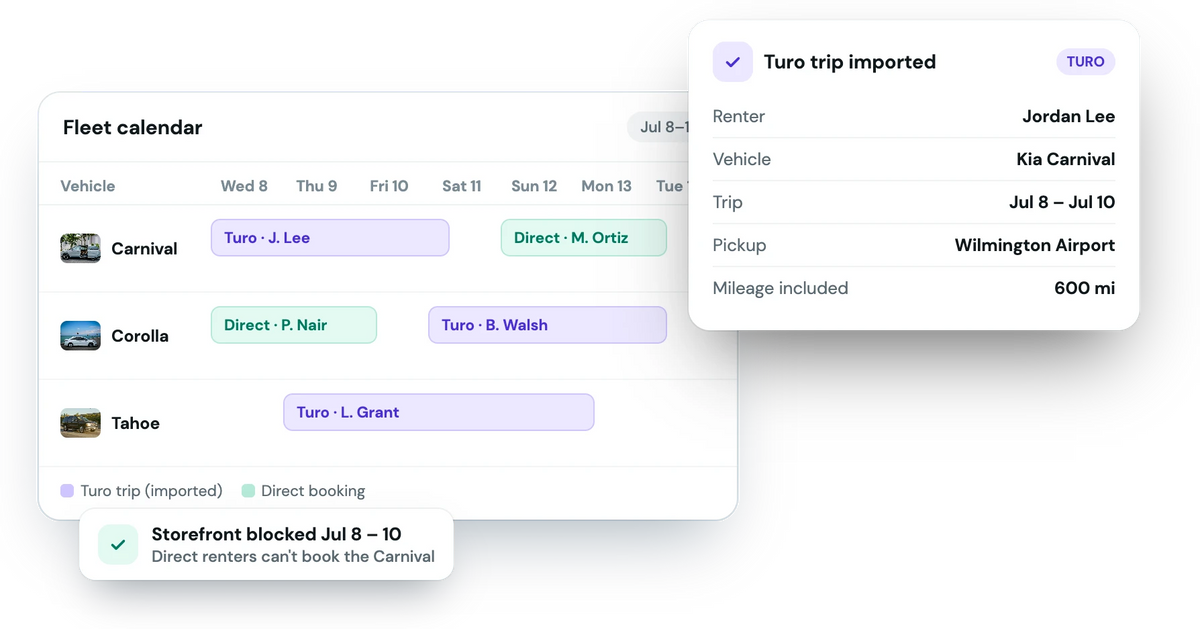
Turo trips and direct bookings on the same fleet calendar and in your iCal feed.
Forward Turo's booking emails to Fleetwire and each trip lands on your calendar in about a minute, with the renter, dates, pickup spot and mileage. Those dates close on your direct-booking storefront automatically, so a car that's out on Turo can't be booked twice.
No Turo password · Trips in about a minute · Included on every plan
Fleetwire doesn't log in to Turo or touch your Turo account. You set up a forwarding rule for Turo's booking emails, match each car to its Turo listing number once, and from then on every booking, change and cancellation updates on its own.
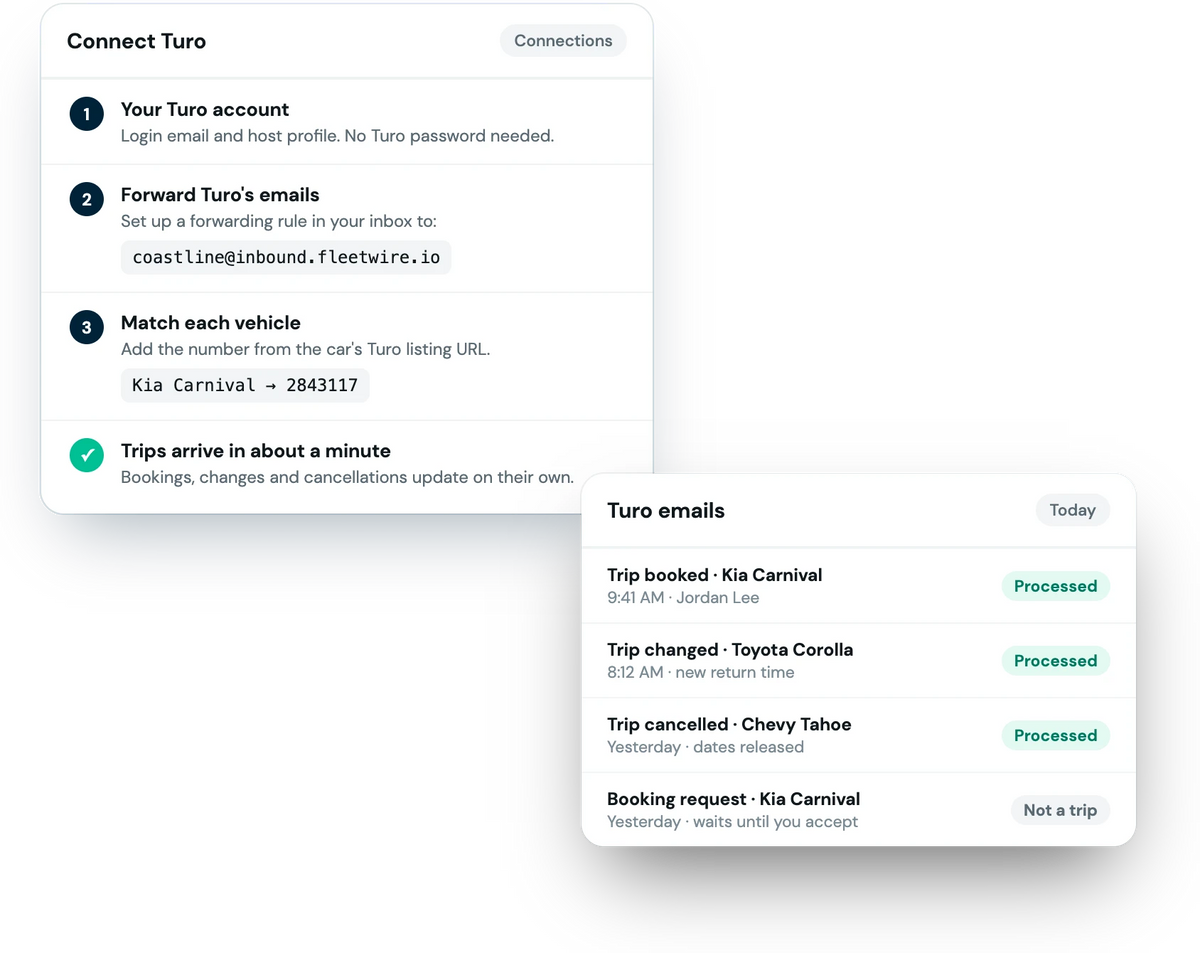
Enter your Turo login email and host profile. No password needed.
Add a forwarding rule in Gmail or Outlook that sends Turo's emails to your Fleetwire address.
Add the number from each car's Turo listing URL so trips land on the right vehicle.
Turo trips and direct bookings on the same fleet calendar and in your iCal feed.
A Turo trip blocks those dates for direct renters, so you never double-book a car.
Renter name and phone, trip dates, pickup location and mileage included, straight from Turo's email.
Turo shows up as its own channel in trip analytics, next to your direct bookings.
With a Tesla or Bouncie connected, Turo trips get pickup and return odometer readings too.
Every forwarded email is listed with whether Fleetwire processed it, so nothing goes missing quietly.
No. Fleetwire never logs in to Turo. You give it your Turo login email and host profile, then forward Turo's booking emails to your Fleetwire address.
About a minute after Turo's email reaches your inbox. Changes and cancellations update the same way.
Yes. Once a Turo trip is imported, those dates are unavailable on your Fleetwire storefront, so a direct renter can't book that car.
No. Turo doesn't let outside software add bookings, so block direct trips' dates in the Turo app yourself. It takes a few seconds per booking.
Fleetwire only reads the emails Turo sends you about your own trips; it doesn't contact your Turo guests or move Turo trips off the platform. Keep trips that start on Turo on Turo, as their terms require.
Every plan. The number of car-sharing connections is 1 on Basic, 5 on Standard and 10 on Premium.
Connect Turo in a few minutes and start taking direct bookings without double-booking a car. Free for 14 days.