A customer finds your fleet at 10:30 p.m., sees an available vehicle, and is ready to reserve. If your car rental website builder cannot show real availability, collect payment, hold a deposit, verify the driver, and send an agreement, that booking becomes another text message to answer tomorrow. For an independent operator, that gap costs more than convenience. It costs control over the sale.
A professional rental website is not just a digital brochure with photos of cars. It is the storefront where a customer decides whether your business feels established enough to trust with their trip, payment card, and personal information. The right system turns that trust into a confirmed reservation while applying the rules that protect your fleet.
What a Car Rental Website Builder Should Actually Do
General website builders can produce a clean-looking site. That may be enough for a consultant, restaurant, or local service business. Rental operations have a different transaction: one vehicle can only be rented to one customer for a specific time period, subject to pricing, eligibility, insurance requirements, deposits, and signed terms.
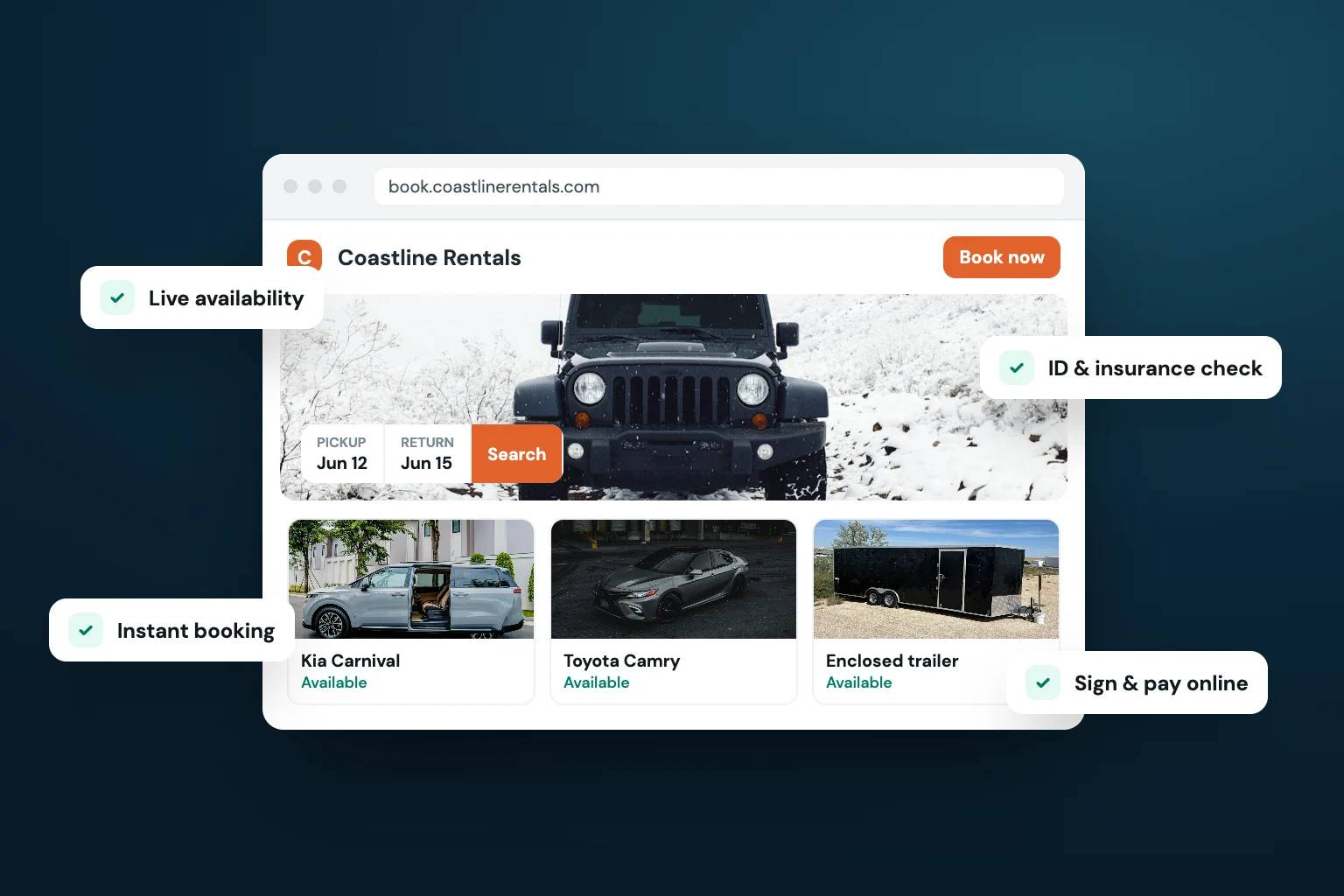
That is why a car rental website builder needs rental operations at its core. A visitor should be able to browse your vehicle listings, select dates and locations, see accurate availability, and complete a reservation without waiting for manual confirmation. Meanwhile, your team needs the booking to update the correct vehicle calendar, trigger the required customer steps, and preserve a record of the transaction.
A site that only captures inquiry forms creates more administrative work. A true direct-booking storefront gives qualified customers a path from browsing to checkout, while keeping you in charge of the rules.
Inventory and availability must stay connected
Every listing should pull from the same fleet inventory you manage day to day. Vehicle photos, descriptions, features, mileage limits, delivery options, and pricing should be easy to maintain without rebuilding a web page each time your fleet changes.
Availability is where many rental sites fail. If the website shows a car as open when it is already reserved, you have an awkward customer conversation and a damaged first impression. Look for calendars that block booked dates automatically and account for buffer time, maintenance, cleaning, or delivery windows when your operation requires them.
This matters even more when you list vehicles on multiple channels. Calendar synchronization helps prevent double bookings, but it is not a substitute for clear inventory processes. Decide which channel is your source of truth and make sure your staff knows how reservations enter the system.
Checkout should collect more than a reservation request
A reservation is not complete simply because a customer picked dates. Your checkout flow should collect the information and authorizations needed to operate safely and professionally.
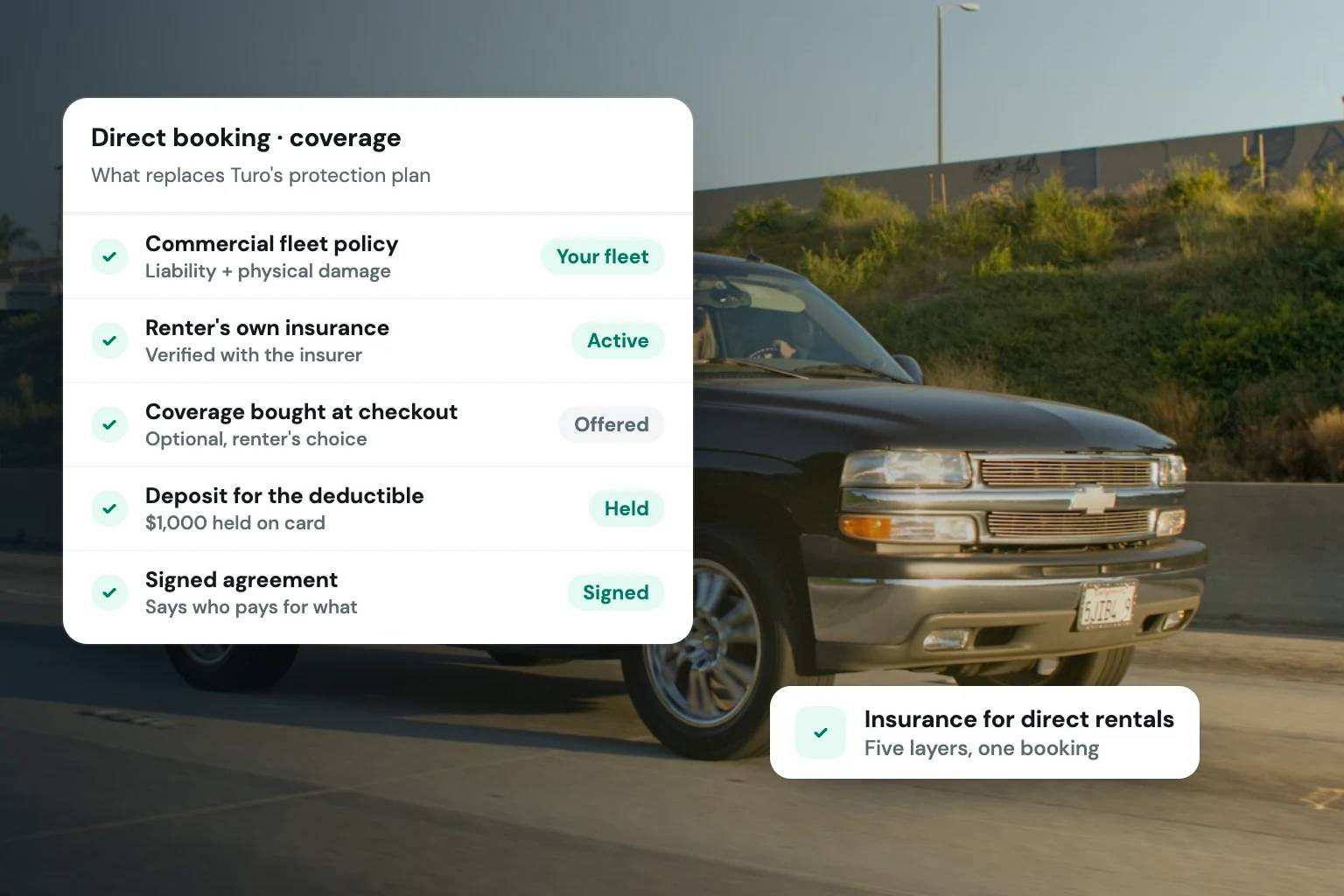
At minimum, that usually means payment details, a card-hold deposit, driver information, ID verification, and an e-signed rental agreement. The exact requirements depend on your business model, vehicle class, state rules, insurance arrangements, and risk tolerance. A luxury fleet may need stricter screening and larger deposits than a neighborhood economy-car operation. An RV or trailer business may require towing details and additional acknowledgments.
The key is consistency. When required steps are built into checkout, every renter receives the same standards. You are not relying on memory, text-message follow-up, or a rushed handoff at pickup to collect critical documentation.
Build a Storefront Around Your Brand, Not a Marketplace Profile
Marketplaces can be useful for early demand or filling unused dates. They also place their brand, fee structure, customer rules, and messaging between you and the renter. A direct website gives your business a channel you own.
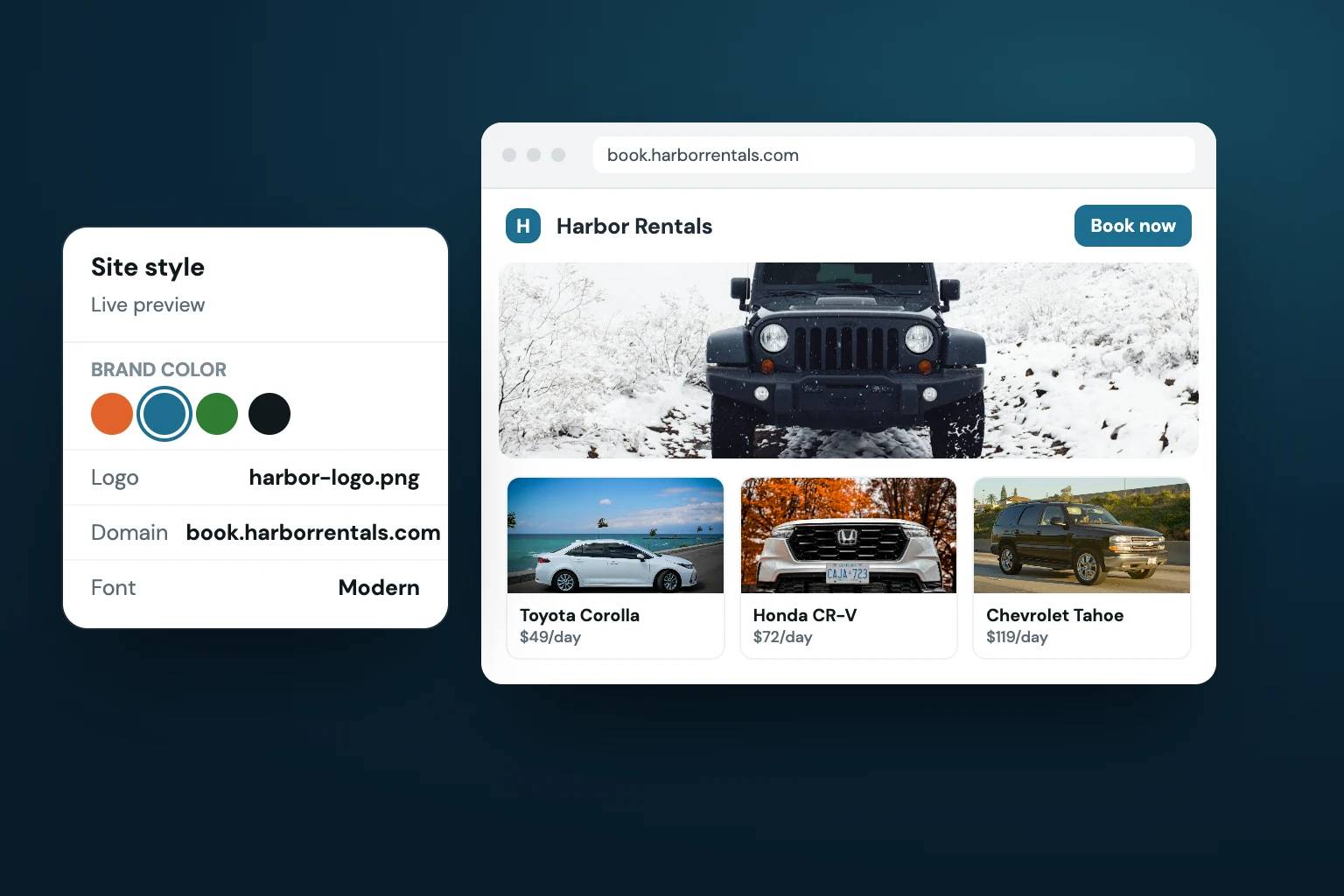
That does not mean every operator needs a custom-designed site from an agency. For many small fleets, a rental-specific website builder is the more practical choice because it provides a professional foundation without a long development project. You should be able to use your business name, logo, colors, vehicle photography, policies, and custom domain so customers recognize that they are booking with your company.
Brand control is operational control, too. Your storefront can explain delivery areas, age requirements, mileage policies, fuel rules, late-return charges, and what renters should bring to pickup. Better information before checkout means fewer surprise questions after payment.
A polished site also helps your company compete on more than the lowest daily rate. A renter comparing similar vehicles can see who has clear policies, organized listings, verified checkout, and a credible pickup process. Those signals matter when customers are deciding who to trust.
Evaluate the Booking Workflow Before You Choose
The best test is not whether a platform offers attractive templates. Walk through the reservation as if you were a customer, then consider what happens after the booking reaches your team.
Start with vehicle search. Can a renter filter by dates, vehicle type, passenger capacity, or location? Can they understand what is included and what costs extra? If you offer airport delivery, child seats, prepaid fuel, or other add-ons, can those choices be presented clearly before payment?
Then inspect pricing controls. Rental pricing is rarely one flat number. You may need daily, weekly, or monthly rates; weekend pricing; seasonal adjustments; delivery fees; taxes; mileage charges; protection options; and discounts. A system should let you configure these rules without requiring spreadsheets or manual recalculation for every reservation.
Finally, follow the post-booking workflow. A good platform sends confirmations and keeps renter communication organized. It should make it clear when an ID is verified, an agreement is signed, a deposit is authorized, and payment is captured. At pickup, your staff should not have to search across email, a payment app, a cloud folder, and a paper clipboard to learn whether the customer is ready.
Avoid the Patchwork Stack
Many rental businesses start with separate tools because each solves one immediate problem. A basic website collects leads. A calendar tracks availability. A payment processor handles charges. An e-signature tool sends contracts. Text messages handle everything else.
The problem appears as booking volume grows. Staff must copy dates between systems, confirm whether a payment went through, resend unsigned agreements, and manually reconcile deposits. Customers receive disconnected messages and may not know which step comes next. Small mistakes become expensive when they involve an unavailable vehicle, an unverified driver, or a missing agreement.
A centralized rental operating system reduces those handoffs. Fleetwire, for example, combines branded storefronts with inventory, reservations, payments, deposits, verification, agreements, customer communication, and pricing controls. The value is not that every task lives in one dashboard for its own sake. The value is that the booking moves through a defined process without your team rebuilding that process for every renter.
Consolidation does involve trade-offs. If you have highly specialized accounting, telematics, or enterprise fleet software, you may still need integrations or separate tools. The goal is not to force every operational function into one platform. It is to centralize the customer-facing rental transaction so your booking process is reliable.
Questions to Ask Before You Commit
Before choosing a provider, ask how it handles the details that matter in your actual business. Can you set different deposit amounts by vehicle? Can you require a signed agreement before pickup? Can renters reserve multiple days without creating availability conflicts? Can you customize taxes, fees, delivery settings, and cancellation policies? Can your business operate on your own domain and present a consistent brand?
Also ask what happens when something does not fit the standard flow. You may need to manually block a vehicle for repairs, modify a reservation, issue a refund, extend a rental, or handle a customer whose verification is incomplete. Software should reduce exceptions, not make them impossible to manage.
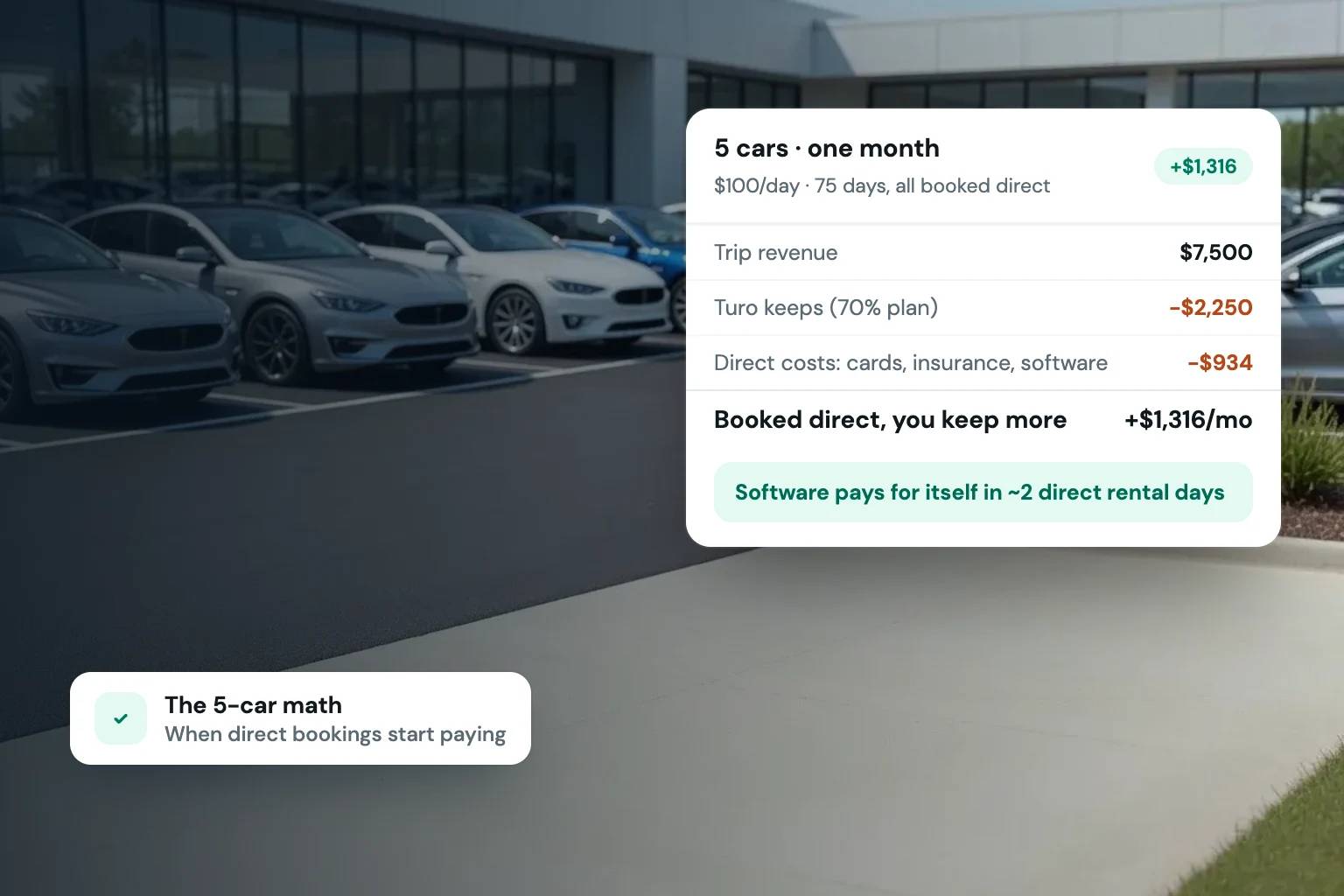
Pricing deserves the same scrutiny. A low monthly subscription may be a strong fit for a smaller fleet, but understand payment processing costs, plan limits, branding options, and charges for features you will need as you grow. The least expensive tool is not always the lowest-cost option if it requires hours of manual work each week.
Treat Your Website as a Revenue Channel
Your website becomes more valuable when you actively direct traffic to it. Put your domain on vehicle signage, business cards, Google Business Profile materials, social profiles, email signatures, and repeat-customer messages. Encourage satisfied renters to book direct next time when appropriate. The goal is not to eliminate every outside channel overnight. It is to create a dependable channel where you own the customer relationship and the booking experience.
Start with a storefront that answers the questions renters ask before they contact you, then make the next step obvious: choose dates, select a vehicle, and reserve. Each completed direct booking is proof that your fleet can sell under your own brand, on your own terms.