Part of our guide: How to start a car rental business (without quitting Turo)
“Rental point of sale” means two different things, and mixing them up leads to the wrong purchase. One is renting POS hardware, such as a card terminal or tablet stand, for an event or a short period. The other is a point-of-sale system built for rental businesses, which handles bookings, deposits, agreements, and returns instead of one-time retail sales. If you rent out cars, boats, trailers, or equipment, you almost certainly need the second one.
This guide explains both meanings, walks through how a rental transaction moves through a POS, covers taking payment in person at pickup, lists what to compare, and explains the payment-security rules that apply to you.
TL;DR
- Renting POS hardware suits temporary needs like events and pop-ups. A rental business that takes bookings needs rental software with a checkout flow, not a hardware lease.
- A rental POS has to handle more than a payment: availability, ID checks, deposits, signed agreements, and returns.
- Before signing any hardware or software contract, confirm term length, termination fees, support scope, and whether you can export your data.
- Payment card rules under PCI DSS apply to anyone who stores, processes, or transmits cardholder data, so choose tools that keep card data out of your own systems.
- Fleetwire plans are $34, $89, or $279 per month ($24, $69, or $239 billed yearly), with no setup fees and a 14-day free trial that needs no credit card.
Table of Contents
- Two meanings of rental point of sale
- How a rental moves through a point of sale
- Taking payment at the counter or the curb
- Features that matter for an independent rental operator
- What to compare before you sign anything
- Payment security and data rules you need to know
- Our view: why a rental business needs a rental-first system
- Getting started with Fleetwire
- A practical way to decide
- FAQ
- Sources
Two meanings of rental point of sale
The search results for this phrase split cleanly into two groups. The first group is companies that lease payment terminals by the day, week, or month. The second is software for businesses whose product is a rental: equipment yards, vehicle fleets, party suppliers.
Renting POS hardware. You pay to use a terminal, stand, or card reader for a set period. This is useful when your in-person selling is occasional, for example a festival booth or a temporary pop-up shop. One equipment lessor describes renting as a fit for occasional in-person sales at events and pop-ups. The device takes a payment. It does not know what a booking is.
Rental POS software. This is a system where the item being sold is time. It tracks which vehicle is free on which dates, quotes a price for the period, collects payment or a deposit, records who is driving, and closes the transaction when the vehicle comes back. For an independent operator renting cars, boats, trailers, RVs, or golf carts, this is the system that matters.
A short comparison:
| Rented POS hardware | Rental POS software | |
|---|---|---|
| What you get | A terminal or tablet for a set period | Booking, payment, and rental workflow |
| Best for | Events, pop-ups, temporary sales | Ongoing rental businesses |
| Tracks availability | No | Yes |
| Handles deposits and agreements | Not by itself | Yes, in most purpose-built tools |
| Typical commitment | Daily, weekly, monthly, or a longer contract | Monthly subscription |
If you do both, say you rent trailers from a lot and also run a booth at a regional fair, the software is your system of record and a rented terminal is a short-term add-on for the booth.
How a rental moves through a point of sale
A retail sale has one step: scan, pay, leave. A rental has a lifecycle, and the POS has to carry the record through each stage. Here is the sequence for a vehicle rental.
- Listing and availability. Each vehicle has a calendar, a price rule (hourly, daily, or weekly), and any minimum rental length. If you also list on a marketplace like Turo, those trips need to block the same dates on your own calendar so one vehicle is not booked twice.
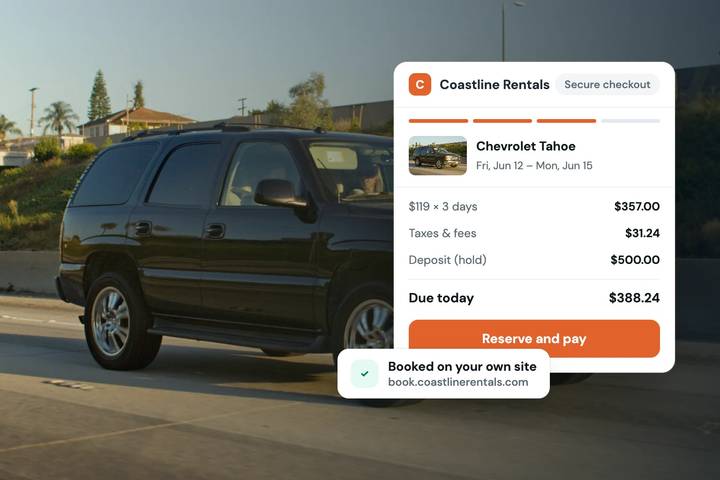
- Booking and quote. The customer picks dates, sees the total including taxes and add-ons, and confirms. Doing this on your own branded storefront means the customer deals with your business directly.
- Identity and eligibility. Before a stranger drives away, you need to know who they are. That means a driver’s license or ID check and, where you require it, proof of insurance.
- Agreement. The rental terms are signed electronically and stored against the booking, so you have a record if there is a dispute about damage, fuel, mileage, or late return.
- Payment and deposit. The rental fee is charged. The security deposit is usually handled as a hold on the customer’s card instead of a charge, so you are not refunding cash afterward.
- Pickup or check-in. On the lot, your staff confirm the vehicle condition and release it. A mobile app helps here because the work happens outside an office.
- Return and close-out. The vehicle comes back, you inspect it, apply any extra charges, release the deposit hold, and close the booking.
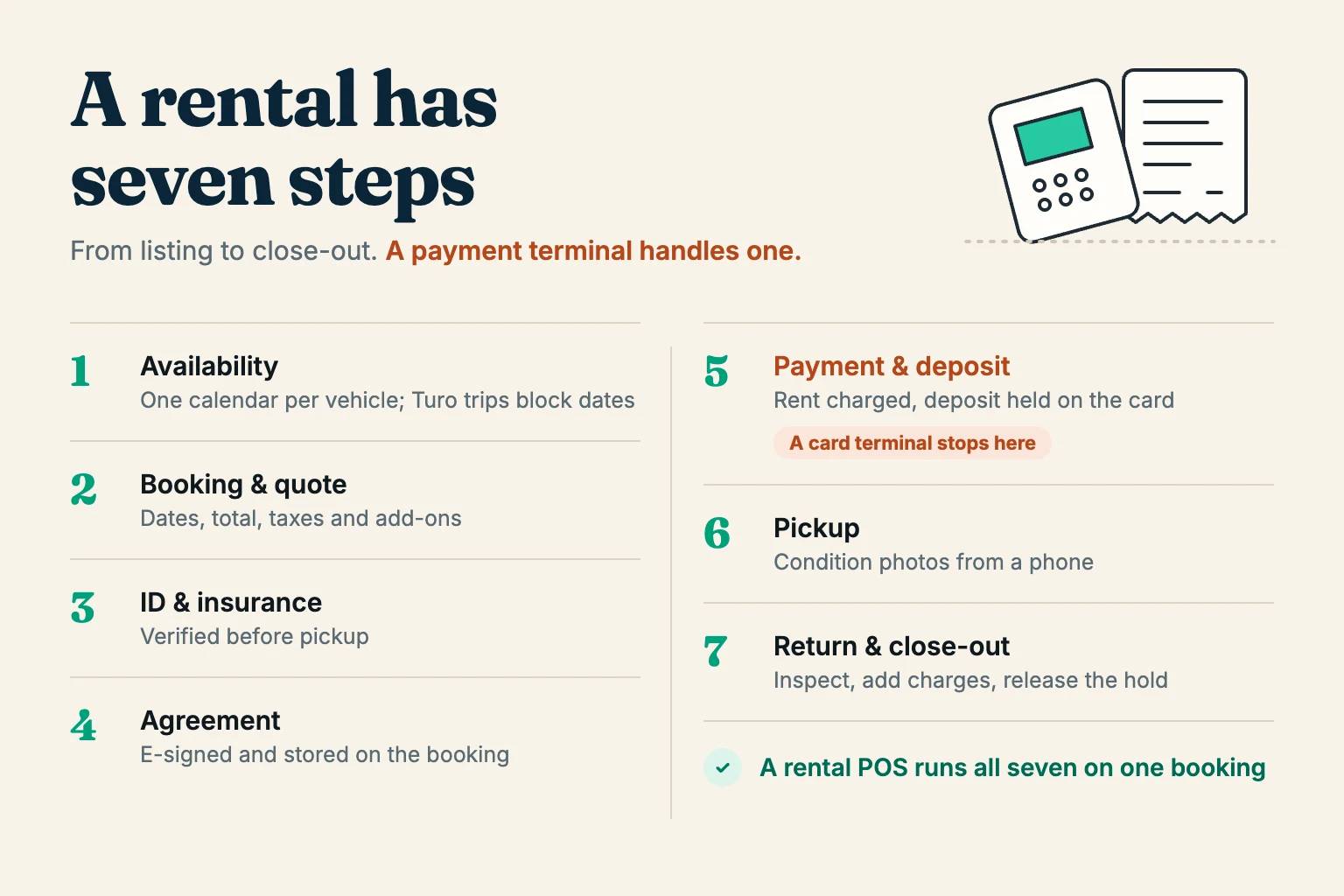
A tool that only handles step 5 leaves you with six manual steps. That is the practical difference between a payment terminal and a rental POS.
Taking payment at the counter or the curb
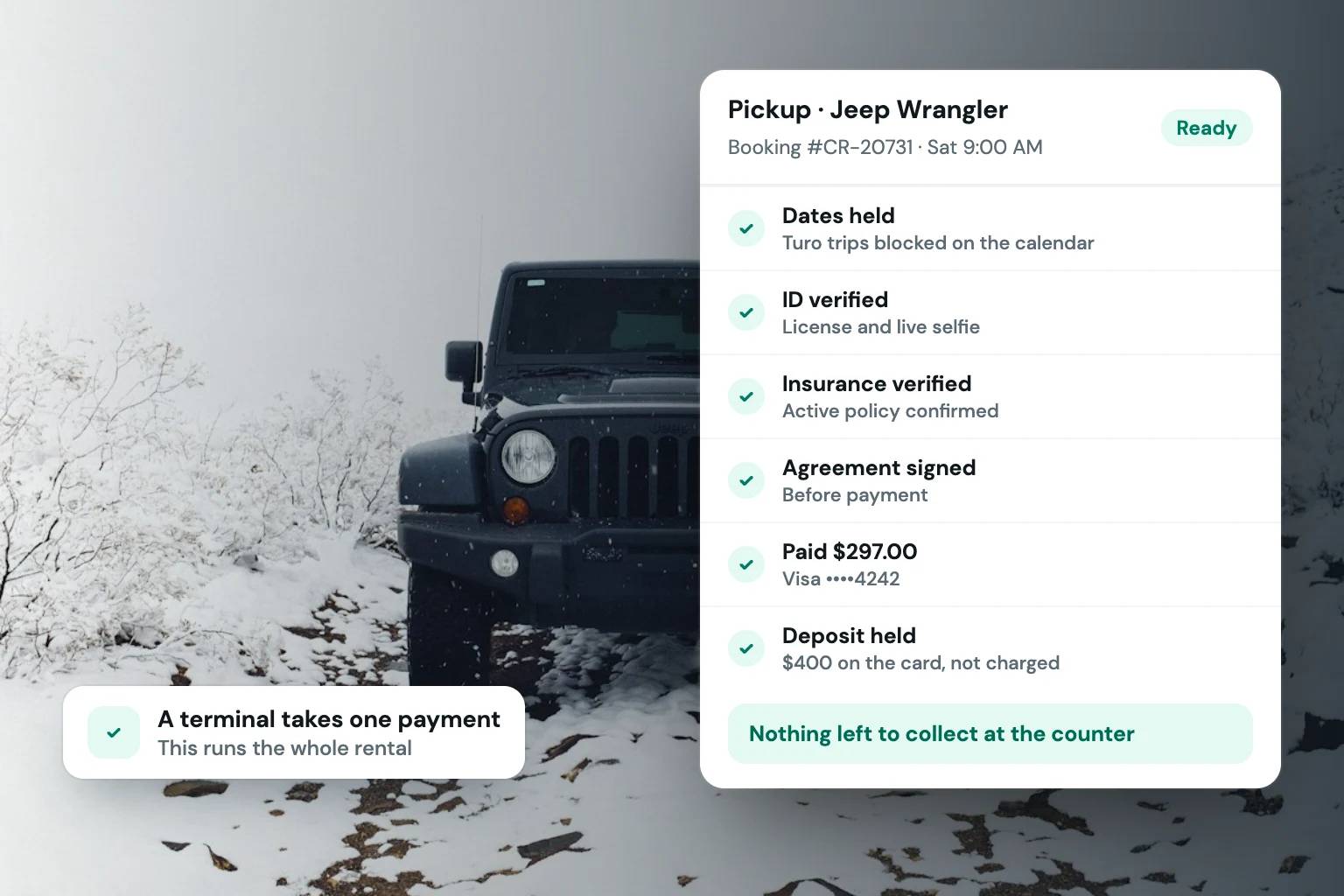
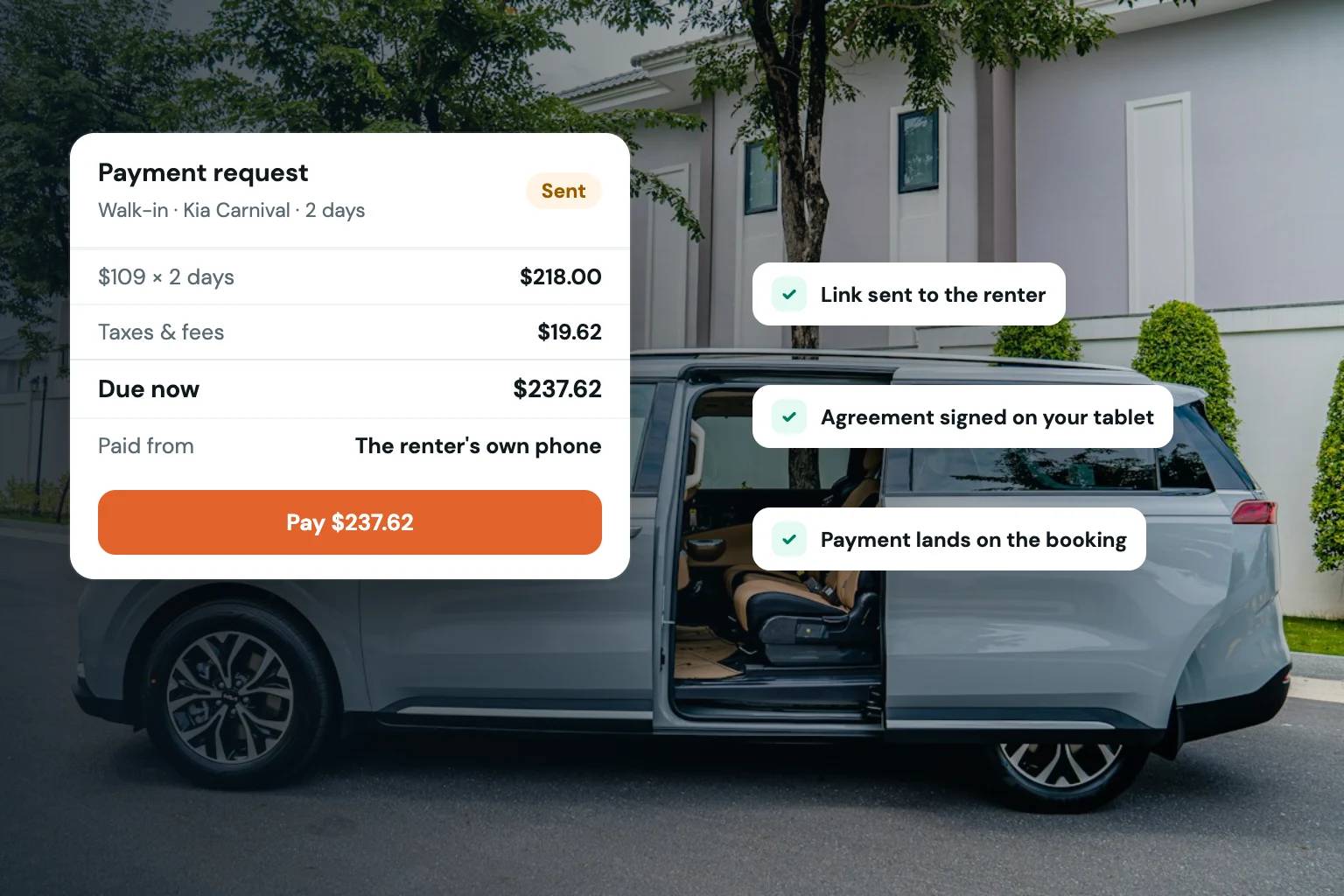
Most rental payments should happen before pickup, online, in the customer’s own time. But walk-ins, phone bookings, and extra charges at return still need a way to pay in person. A rental system handles these without a separate terminal:
- Payment requests. Create the booking at the counter, then send the customer a payment link by text or email. They pay on their own phone, and the payment lands on the booking.
- Manual and partial payments. Record cash, a check, or a payment taken another way, so the booking’s balance stays accurate.
- Card holds at the counter. Check that a walk-in’s deposit can be held on their card the same way as an online booking’s, instead of taken as cash.
- Signing on your device. When a renter shows up without their phone, they can sign the agreement on a tablet or laptop you hand them, and the signature record notes that it was signed in person.
If you already use Square for in-store sales, check whether your rental software can run online payments through it, so all your revenue reports in one place. Fleetwire supports Square as well as Stripe.
Features that matter for an independent rental operator
Feature lists on vendor pages tend to look alike. These are the ones that change your day-to-day work.
Availability and multi-vehicle listings
If your fleet is mixed, the system should let you list cars, boats, trailers, RVs, equipment, and golf carts in one place, each with its own rules. Check whether it blocks double bookings across channels, and in which direction: a tool that imports marketplace trips keeps your storefront clean, but you still block direct bookings on the marketplace yourself unless the tool can write to it.
Direct booking storefront
A branded storefront lets customers book with you without passing through a third party. That matters for margin: marketplace commissions come out of every booking, and a direct booking does not carry them. It also matters for repeat business, because the customer remembers your name, not the platform’s. Ask whether you can run checkout on your own domain, and on which plan.
ID and insurance verification
These checks are the core of renting to strangers. Look for ID verification and insurance verification that happen inside the booking flow, before pickup, so you are not chasing documents at the counter.
Card-hold deposits
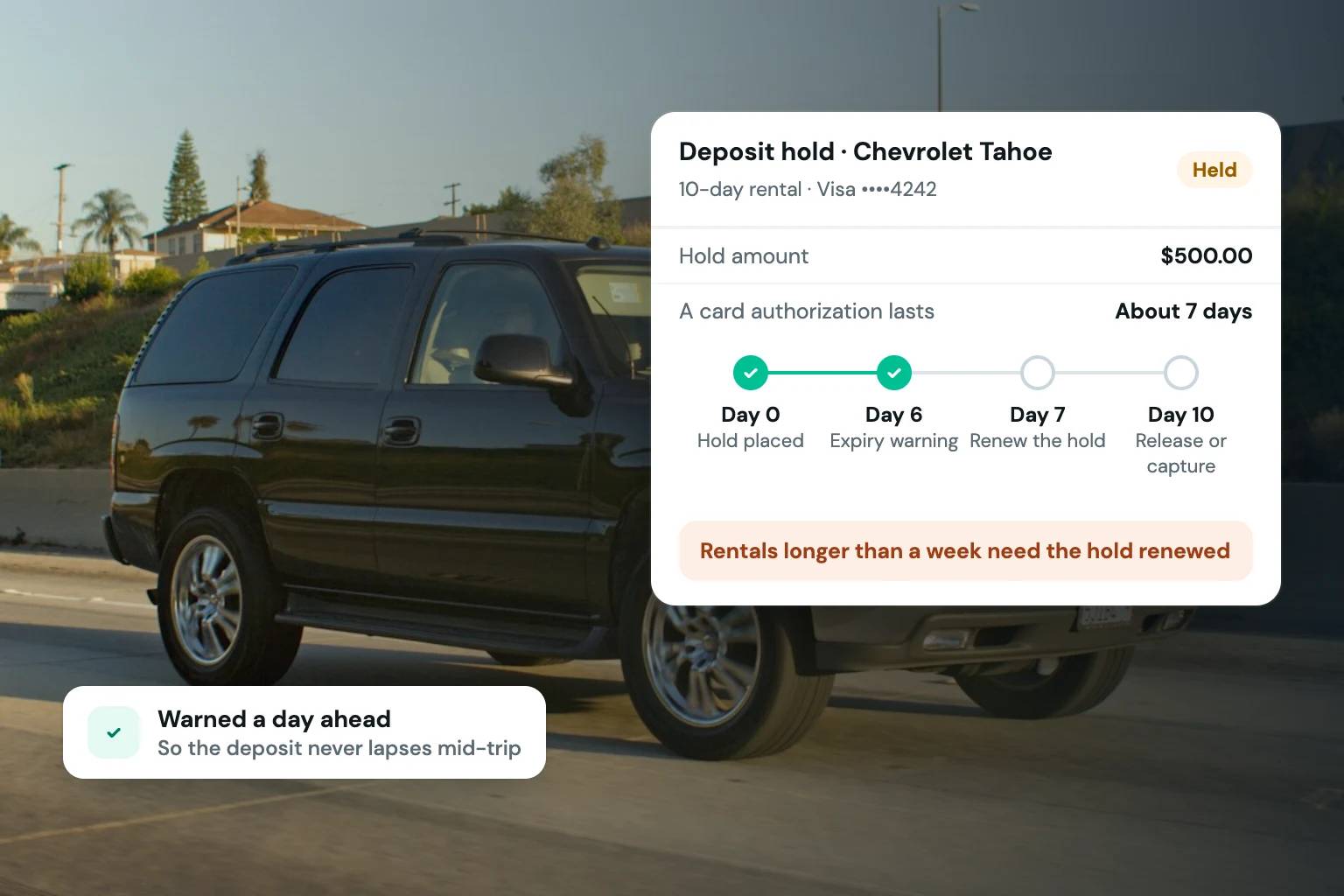
A hold reserves the deposit amount on the customer’s card without taking the money. It is less friction for the renter than a charge and refund, and it gives you something to draw on if there is damage. Holds expire: with Stripe, a card authorization typically lasts about seven days, so a rental longer than a week needs the hold renewed. Ask your provider how it tells you a hold is about to lapse, and how you capture part of one.
E-signed agreements
Signed terms stored with the booking and the customer’s ID record are what you reach for when something goes wrong. Check that you can tailor the agreement to each vehicle type, because a boat and a trailer do not carry the same terms, and that the signature record shows consent, a timestamp, and whether the document changed after signing.
Team roles and mobile use
If you have staff, you want them to check vehicles in and collect payment without seeing your full financial dashboard. Role-based access and a mobile app for on-the-lot work cover that. Confirm the app runs on the phones your team actually carries.
What to compare before you sign anything
Whether you are leasing a terminal or subscribing to software, the same contract questions apply. Buyer guides on POS contracts consistently point to a few items worth confirming in writing: contract length, termination fees, equipment return conditions, and the exact scope of support. Some agreements renew automatically, and some define support loosely.
Turn that into a checklist:
- Total cost over the full term. Multiply the monthly fee by the number of months, then add payment processing fees, any administrative charges, and extra fees for additional vehicles or users.
- Term and exit. Is it month to month or locked in? What does canceling cost? Does it auto-renew?
- Support. Which hours, which channels, and who is responsible when the problem is the network, the device, or the payment connection?
- Hardware warranty and replacement time, if a device is involved. A terminal that fails on a Saturday morning is a lost day of rentals.
- Data export. Can you take your customer list, booking history, and agreements with you if you leave? The same guide lists the ability to export data at contract exit among the things to compare.
- Vehicle limits. Subscription pricing for rental software often scales with the number of vehicles. Know where your fleet sits in the tiers now and where it will be in a year.
A monthly subscription with no setup fee and no long lock-in is simpler to evaluate than a multi-year equipment lease, because the cost of changing your mind is a month, not a term.
Payment security and data rules you need to know
Rental businesses collect two sensitive things: card data and personal identity data. Both come with obligations.
Card data and PCI DSS
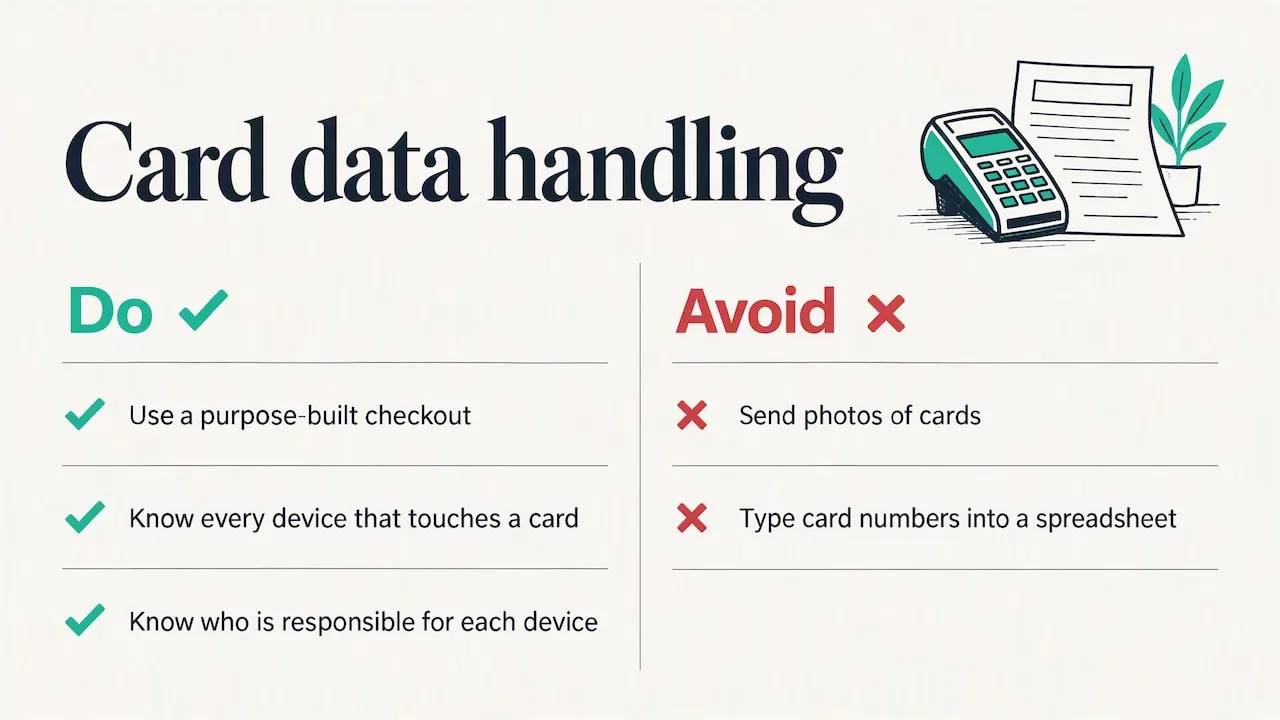
The Payment Card Industry Data Security Standard, PCI DSS, sets requirements for protecting cardholder data. It applies to entities that store, process, or transmit cardholder data, or that can affect its security, and the document states that local, state, or national laws prevail where they conflict with it. In practice, the less card data touches your own computers, paper forms, and email, the smaller your exposure. That is a reason to take payments through a checkout built for the purpose, not through photos of cards or numbers typed into a spreadsheet. If you do use a card terminal, know every device that touches a card and who is responsible for it.
Identity data and minimization
ID checks mean you hold copies of licenses and other documents. A sound principle is to collect only what you need. Europe’s GDPR writes this down as data minimization: personal data must be adequate, relevant, and limited to what is necessary for the purpose. US requirements differ by state, but the practice is sensible anywhere: verify what you need for the rental, keep it in one controlled place, and do not collect extra. A verification service that checks the ID and stores the result, rather than you saving photos of licenses on a phone, makes this easier.
Rules on data retention, driver verification, and rental taxes vary by state and country. For your own situation, ask a local attorney or accountant, and your insurance broker for coverage questions.
Our view: why a rental business needs a rental-first system
We built Fleetwire for independent operators, and the pattern we see is consistent: operators start by patching together tools. A payment terminal here, a calendar there, a PDF agreement emailed back and forth, a spreadsheet for deposits. Each piece works. The gaps between them are where the time goes, and where the risk sits when you hand keys to someone you have never met.
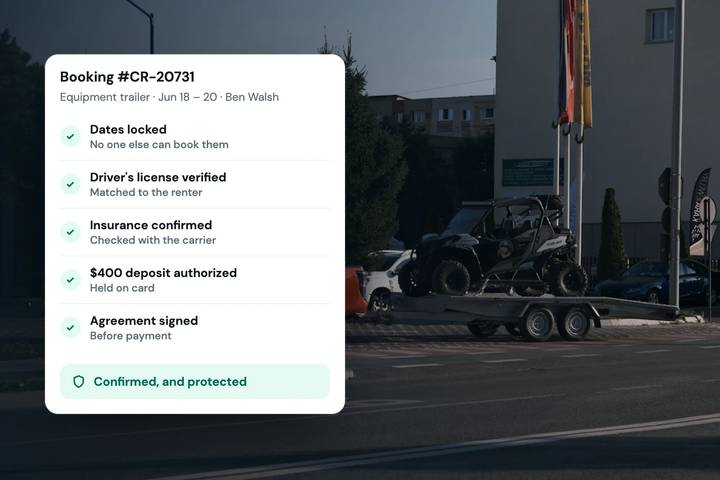
Our approach starts from the opposite direction. The booking is the unit of work, and everything attaches to it: the ID check, the insurance verification, the signed agreement, the card-hold deposit, and the payment. Our platform is designed so that these steps happen before pickup, in the customer’s own time, instead of at your counter or over text messages.
We also think direct bookings are worth the effort. A branded storefront means customers book with you, pay you, and come back to you, without a marketplace taking a share of each transaction. For operators who also list on Turo, Fleetwire imports your Turo trips so those dates block your storefront automatically while you build your direct channel. (The sync runs one way: direct bookings aren’t pushed to Turo, so block them there if a car is listed on both.)
And we think the tool should fit how the work is done. Rentals happen on a lot, a dock, or a driveway, so our mobile app supports check-ins, inspection photos, and payments away from a desk. It’s on Android now, and the iPhone version is in review with Apple.
If you only need a terminal for a weekend event, rent a terminal. If you run a rental business, you need a system that understands rentals.
— Chad
Getting started with Fleetwire
Fleetwire is rental booking software for independent operators. Every plan includes a branded booking storefront, ID verification, insurance verification, card-hold deposits, and online payments through Stripe or Square. Plans are published on the Fleetwire pricing page:
| Plan | Monthly | Billed yearly | Vehicles | Adds |
|---|---|---|---|---|
| Basic | $34/mo | $24/mo | Up to 5 | Storefront, ID checks, deposits, Turo trip import |
| Standard | $89/mo | $69/mo | Up to 15 | E-signed agreements, coupons, custom checkout fields |
| Premium | $279/mo | $239/mo | Up to 150 | Checkout on your own domain, API and webhooks, a success manager |
There are no setup fees and no commission on bookings. The 14-day free trial needs no credit card and turns on every Premium feature, and most operators publish a storefront in their first session.
To see how checkout looks from a customer’s side, read what rental checkout software should do, then start the trial with one or two vehicles and run a test booking.
A practical way to decide
Use these questions in order.
- Is the need temporary? If you need to take in-person payments for a few days, rent hardware and keep the contract short.
- Do customers book dates in advance? If yes, you need availability and booking logic, which a terminal does not provide.
- Do you hand over valuable items to people you have not met? If yes, you need ID checks, deposits, and signed agreements attached to the booking.
- Do you list on a marketplace? If yes, check how calendar sync works in each direction, and use a direct storefront to shift some bookings to a channel without commissions.
- Do you have staff? If yes, check roles and mobile access.
- Can you leave cleanly? Confirm term, cancellation, and data export before you commit.
If you answered yes to questions two and three, you are in the rental-software category.
FAQ
What is a rental point of sale system?
It is a POS built around rentals instead of one-time retail sales. It manages availability, quotes by rental period, deposits, agreements, payment, and the return process. Some people use the phrase to mean renting a payment terminal, which is a different product.
Should I rent or buy POS hardware?
Renting makes sense when your in-person sales are occasional, such as an event or a temporary shop. For ongoing rentals, the bigger decision is the software, and a good rental system can take in-person payments through payment links without a terminal at all. Whichever you choose, read the contract for term length, termination fees, return conditions, and support scope before signing.
Do I need PCI compliance for a small rental business?
PCI DSS applies to any entity that stores, processes, or transmits cardholder data. Using a checkout that keeps card data off your own systems reduces what you handle yourself. Your payment processor or a qualified security professional can tell you which validation steps apply to your setup.
How does a card-hold deposit work?
A hold reserves the deposit amount on the renter’s card without charging it. After the vehicle is returned and inspected, you release the hold, or capture part of it if there are charges. With Stripe, holds typically last about seven days, so longer rentals need the hold renewed. Fleetwire warns you a day before a hold expires. See how security deposit software works for more.
How much does rental booking software cost?
Pricing varies by vendor and usually scales with fleet size. Fleetwire’s published plans are $34, $89, and $279 per month, or $24, $69, and $239 billed yearly, with no setup fees and a 14-day free trial. Compare total cost over a year, including payment processing fees.