Part of our guide: How to start a car rental business (without quitting Turo)
A customer has found the right vehicle, selected dates, accepted your rental terms, and is ready to book. That is the moment your payment process needs to work without extra messages, manual invoices, or uncertainty about whether the reservation is real. A Stripe integration for car rental gives independent operators a practical way to collect payment inside their own direct-booking flow while keeping the customer experience under their brand.
For a rental business, payment processing is not simply about charging a card. It has to support reservation payments, card-hold deposits, changes to booking totals, refunds, cancellations, agreements, and the records needed to resolve a question later. The right setup reduces administrative work while giving customers a checkout process that feels as professional as the vehicles you rent.
What Stripe Integration Means for a Car Rental Business
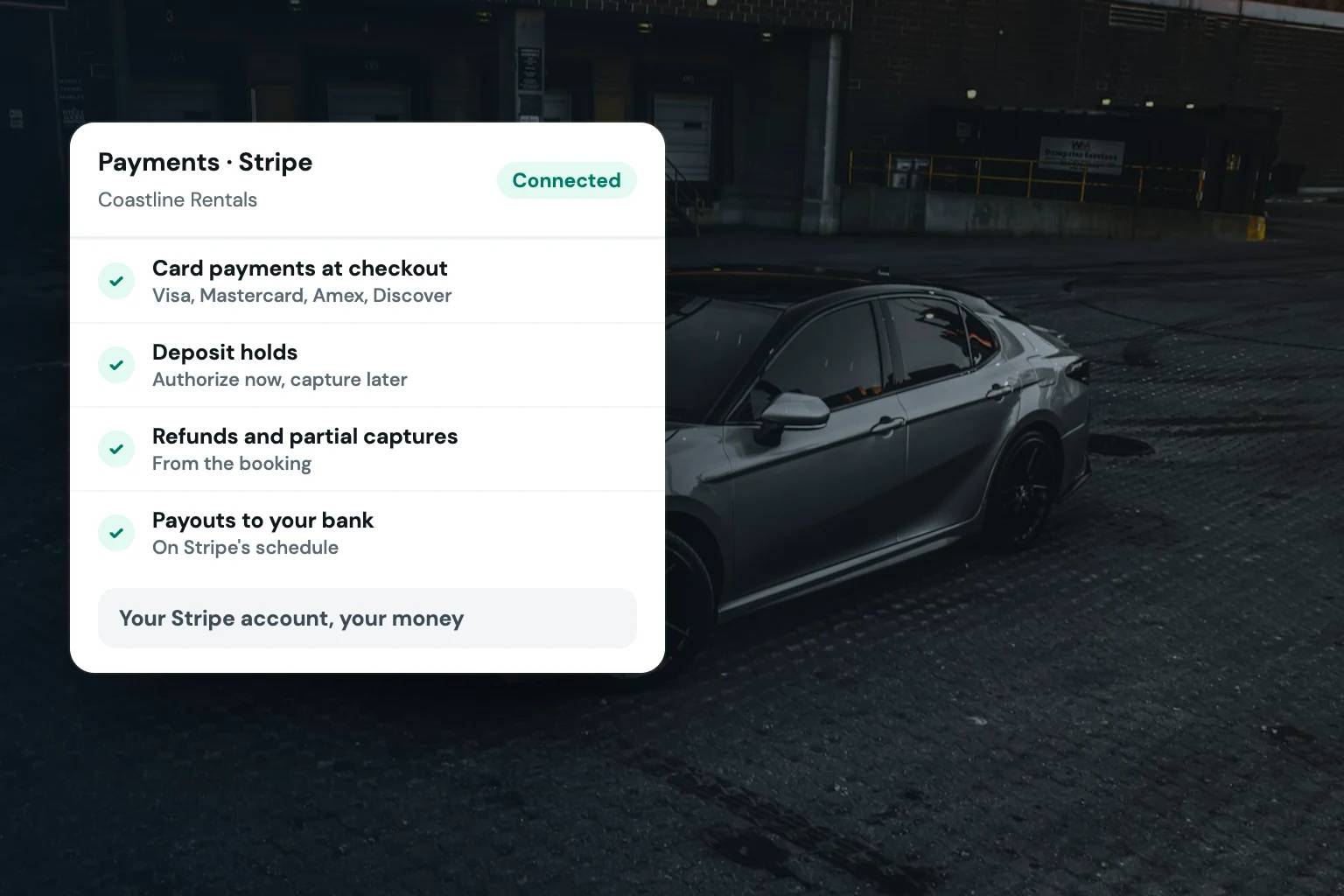
Stripe is a payment platform that lets businesses accept card payments online. In a car rental operation, its value comes from connecting payments to the actual reservation workflow rather than treating each charge as a separate task.
A useful integration starts when a customer chooses a vehicle and dates on your website. It should calculate the rental rate, applicable taxes, fees, and deposit requirements, then present the total clearly at checkout. Once the customer pays and completes the required booking steps, the reservation should be recorded with payment status attached to it.
That connection matters because rental transactions change. A customer may extend a trip, return early, add an approved service, or cancel within your stated policy. When reservations, payments, deposits, and customer records live in disconnected tools, each change creates another opportunity for a missed charge or a confusing customer conversation.
For operators building a direct booking channel, Stripe can provide the payment layer. Rental software should provide the operational logic around it: availability, vehicle assignment, customer requirements, rental agreements, deposits, and communications.
Payments and Deposits Are Different Jobs
One of the most common payment mistakes in rental operations is treating the rental payment and security deposit as the same thing. They serve different purposes and should be configured intentionally.
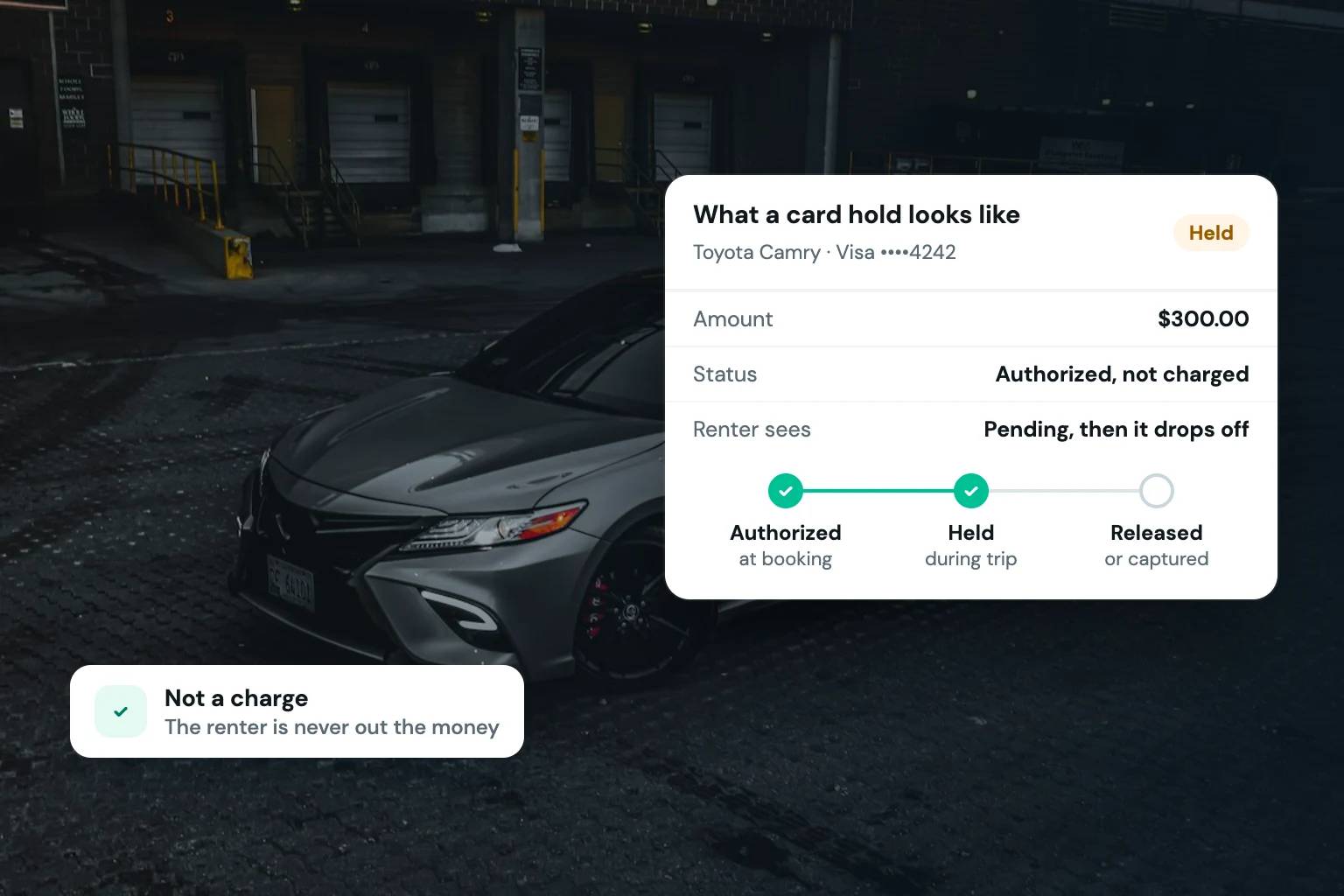
The rental charge pays for the booked time and any selected services. A security deposit, by contrast, is intended to protect against eligible post-rental costs under the terms your customer agreed to. Depending on your workflow and payment configuration, that may involve a card authorization hold, a separate charge, or another approved deposit process.
Each approach has trade-offs. A hold can reduce the need to issue a refund when no post-rental charges apply, but authorization timing and available card limits can affect whether it is practical for the length of a reservation. A collected deposit can give you more time to assess a vehicle after return, but it also requires a clear process for releasing or refunding funds. Your terms, vehicle type, rental duration, and local requirements all affect the right choice.
The operational point is straightforward: show the customer what will be charged now, what amount will be held or collected as a deposit, and when that deposit may be released. Clear checkout language prevents avoidable disputes and reduces the time your team spends explaining charges after the reservation is confirmed.
Build payment rules around your fleet
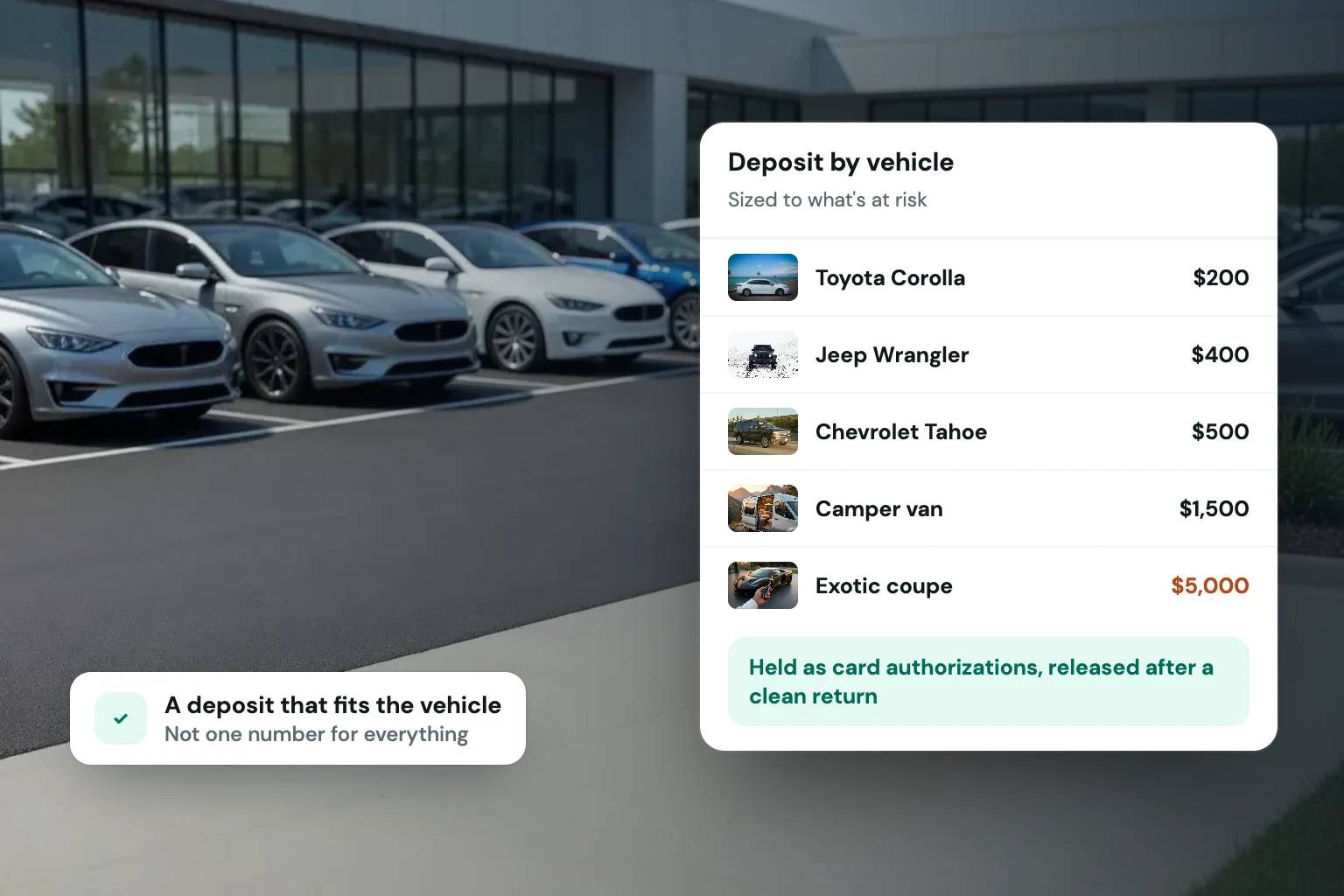
A compact daily rental and a high-value exotic vehicle should not necessarily follow the same deposit rules. The same is true for a weekend local reservation versus a multi-week trip. Set payment and deposit requirements that reflect the exposure of each vehicle category, your booking lead time, and how your business handles check-in and returns.
This is where rental-specific configuration matters. You may want to require full payment at booking for some reservations, collect only a portion for others, or use different deposit levels by vehicle class. The payment experience should enforce those rules automatically instead of depending on someone to remember them for every inquiry.
A Checkout Flow That Creates Confirmed Reservations
A payment form alone does not make a booking workflow. For a direct rental storefront, checkout should guide customers through the requirements that make a reservation ready to fulfill.
That usually includes selecting the rental period, reviewing pricing, entering contact details, completing identity requirements, accepting an e-signed rental agreement, and providing payment information. The order can vary based on your operations, but the steps need to be connected. If a customer pays before a required agreement or verification step is complete, your team needs a defined way to manage that exception.
A strong workflow also distinguishes a pending request from a confirmed reservation. For example, an operator may choose to confirm only after reviewing identity information, while another may automate confirmation for customers who meet predefined conditions. Neither approach is universally right. The best fit depends on your fleet, staffing, risk tolerance, and how quickly you can review new bookings.
Stripe integration should support that logic rather than force your business into a generic ecommerce checkout. Rental operators need to know who booked, which vehicle is reserved, what was paid, whether a deposit is in place, and whether the customer completed the required documents.
Plan for Changes, Refunds, and Failed Payments
The initial charge is only one event in the reservation lifecycle. Your process should also account for payment failures, partial refunds, extensions, no-shows, and post-rental charges that are permitted by your agreement and applicable rules.
When a payment fails, your team needs a visible status and a way to request updated payment without losing the reservation details. When a customer extends a rental, the additional charge should be tied to the original booking so your records remain clear. When you issue a refund, the reservation record should show why, how much, and when it was processed.
Disputes deserve the same level of preparation. Keep the booking confirmation, signed agreement, payment records, customer communication, vehicle condition documentation, and any relevant checkout acknowledgments organized with the reservation. Documentation does not guarantee an outcome, but scattered records make it harder to respond accurately when a customer questions a transaction.
Avoid relying on informal payment requests for routine reservations. Sending customers a separate invoice or asking for card details by message adds friction and can create confusion over what was authorized. A structured checkout flow is better for the customer and easier for your team to manage.
Security and Compliance Need Practical Boundaries
Independent operators should not have to become payment-security specialists to accept online bookings. Using a reputable payment processor and a checkout flow designed to handle card data appropriately can reduce how much sensitive payment information your business handles directly.
That does not remove your responsibility to run a disciplined operation. Limit staff access to customer and payment information, use strong account credentials, review user permissions, and establish a clear policy for refunds, cancellations, and deposit releases. Never ask customers to send full card details through text or email.
You should also review how your processor account, statement descriptor, refund practices, and rental terms appear to customers. A recognizable business name on a card statement and clear confirmation emails can reduce the number of avoidable charge questions.
Choosing a Rental Platform With Stripe Built Into the Workflow
There is a meaningful difference between having a Stripe account and having Stripe connected to a rental operating system. The first lets you take payments. The second can connect payment activity to inventory availability, booking rules, deposit requirements, customer verification, agreements, and calendar management.
Fleetwire is built for that second model. It gives independent rental operators a branded storefront and rental-specific checkout workflow that brings reservations, payments, deposits, identity checks, agreements, and customer communication into one system. That helps a growing fleet spend less time reconciling separate tools and more time managing vehicles and customers.
Before choosing an integration, walk through a real reservation from start to finish. Test a standard booking, a booking requiring a deposit, a date extension, a cancellation, and a refund. Confirm who on your team can see payment status, how records are attached to the reservation, and what the customer receives at each step.
The best payment setup is not the one with the most features on paper. It is the one that lets a customer book confidently, gives your team clear controls, and turns a paid reservation into an organized rental without a trail of manual follow-up.