Part of our guide: How to start a car rental business (without quitting Turo)
A customer finds the exact SUV, trailer, or golf cart they need, selects their dates, and is ready to pay. Then they message to ask whether it is actually available. That moment creates unnecessary friction. A real time rental availability calendar turns availability from a question your team must answer into a clear part of the booking experience.
For an independent rental operator, the calendar is not just a scheduling view. It controls what customers can book, what your team needs to prepare, and whether a reservation can move from inquiry to confirmed rental without back-and-forth messages. When it is accurate, your website works like a serious sales channel. When it is not, every booking carries more risk.
What a real time rental availability calendar does
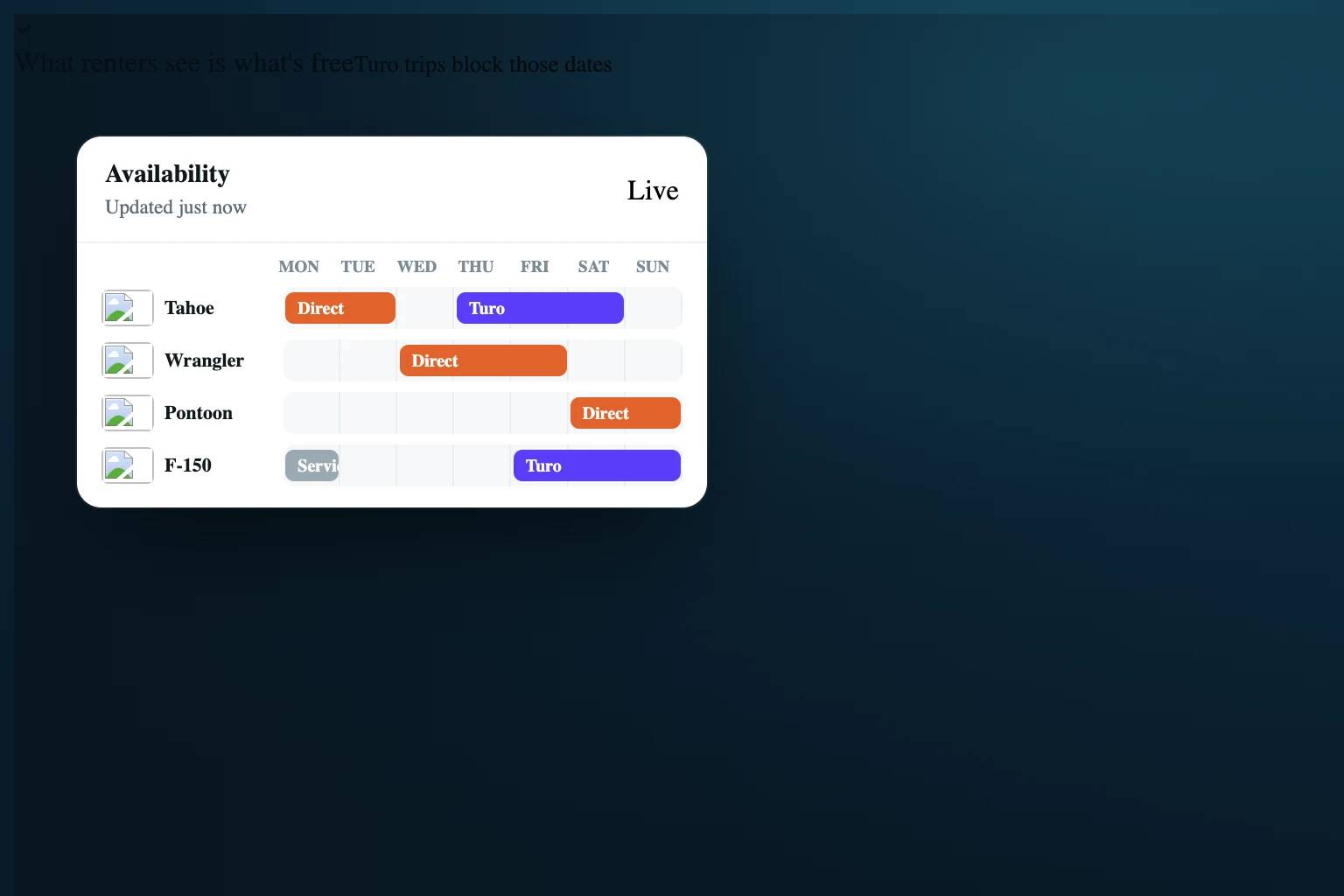
A real time rental availability calendar shows the current bookable status of every rentable unit as reservations are created, changed, or canceled. The key word is current. If a vehicle is booked for Friday through Sunday, those dates should stop being available immediately wherever that inventory is sold.
For a customer, this means they can search dates and see inventory that is genuinely available. For your team, it means the same calendar can reflect confirmed reservations, blocked maintenance time, owner use, turnaround periods, and other operational constraints.
This differs from a basic calendar that merely records reservations after the fact. A recordkeeping calendar can help you see what happened. A real time availability calendar helps prevent a conflicting reservation before it happens.
That distinction matters most when you have multiple units, multiple staff members, or more than one booking channel. A solo operator can sometimes catch conflicts manually. As volume grows, manual confirmation becomes a weak point in the operation.
Why accurate availability protects revenue
Double bookings are the obvious problem, but they are not the only cost of an unreliable calendar. A calendar that shows unavailable inventory as open can lead to refunds, rushed substitutions, discount requests, and difficult customer conversations. It can also damage a brand that is trying to earn repeat direct bookings.
The opposite problem is just as costly. If a unit is available but not shown online, it cannot be booked. Operators often lose these bookings because they hold dates too broadly, forget to remove a temporary block, or wait to update availability after a change.
Accurate availability gives customers enough confidence to complete checkout. It also gives you a cleaner operating picture: which units are out, what needs to be turned over next, and where gaps in the schedule may be worth filling with a promotion or pricing adjustment.
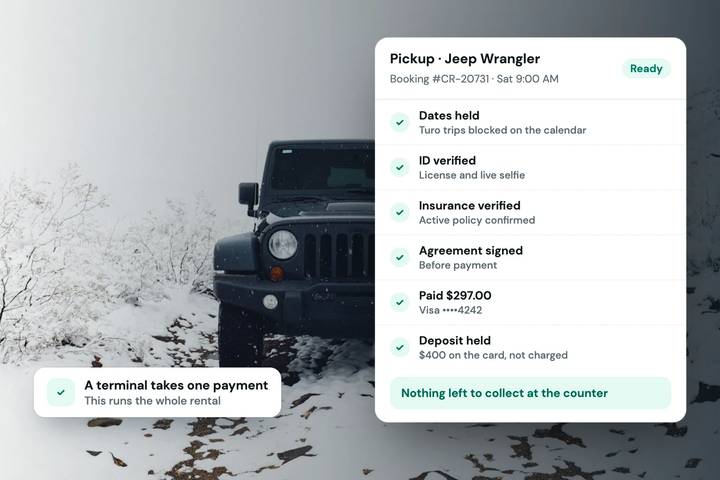
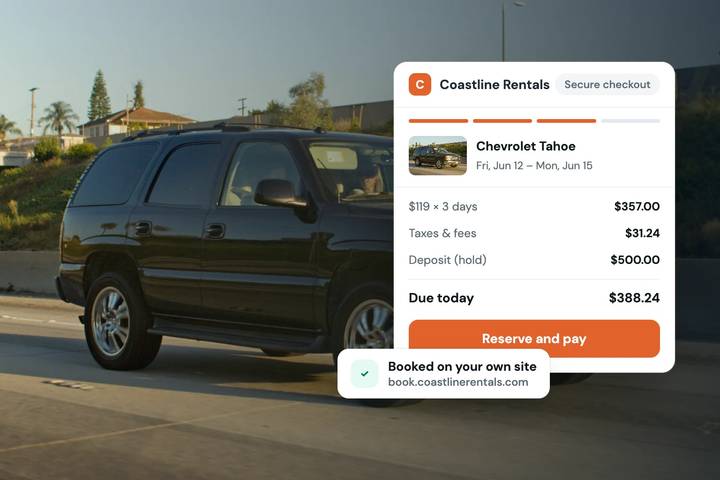
For fleets with higher-value assets, the calendar also supports better controls around the reservation. Availability can lead directly into a checkout flow that collects payment, a card-hold deposit, identity information, and a signed rental agreement. The booking is not simply a date request. It becomes a documented transaction with clear next steps.
Build availability around the unit, not just the category
Customers may shop by category, such as “SUVs” or “utility trailers,” but operations happen at the unit level. A real time rental availability calendar should ultimately know whether the specific vehicle, trailer, or piece of equipment being assigned is available for the requested dates.
Category-level availability can be useful when identical units are interchangeable. But it requires discipline. If one vehicle has a maintenance issue, a different pickup location, or a feature that was specifically requested, the system needs enough detail to avoid assigning inventory that cannot fulfill the reservation.
Start by deciding which assets are truly interchangeable and which require individual scheduling. A fleet of identical utility trailers may be managed as a pool. A luxury vehicle fleet, specialized excavators, or RVs with different layouts usually need unit-specific availability.
The goal is not to create unnecessary complexity. It is to match the calendar structure to how your team actually hands over inventory.
Include buffers where the operation needs them
A booking end date is not always the moment an asset is ready for its next customer. Many rentals require cleaning, inspection, fuel or charging, maintenance checks, document review, or delivery coordination.
Use buffers when they reflect a real operating need. An RV business may need a longer turnaround after a multi-day trip. A car rental operator with rapid local pickups may need a shorter inspection window. Equipment rentals may need time for transport between job sites.
The trade-off is straightforward: larger buffers reduce scheduling risk but also reduce bookable time. Do not apply the same buffer to every asset just because it is easy. Set rules that protect the customer experience without unnecessarily closing your calendar.
Treat blocks as operational decisions
Not every unavailable date is a rental. Maintenance, repairs, detailing, seasonal storage, owner use, and fleet inspections all affect what can be sold. If these items live only in someone’s memory or in a separate conversation, the calendar will eventually show an asset as available when it should not be.
Make blocking time part of the workflow. When a unit needs service, block it immediately. When a customer extends a rental, update the reservation before discussing the next pickup. When a unit returns damaged, remove it from availability until it has been inspected.
This is less about software rules than team habits. A calendar can only reflect the decisions entered into it. The best setup is one your team will update at the moment the operational change occurs, not at the end of a busy day.
Keep sales channels synchronized
If you accept reservations from your own website and also list inventory on third-party marketplaces, calendar synchronization becomes essential. A booking on one channel needs to block the relevant dates on the other quickly enough to prevent overlapping reservations.
Calendar sync is valuable, but it is not a substitute for understanding how each channel handles reservation status, cancellations, and timing. Some systems may treat a pending request differently from a confirmed booking. Others may update on a schedule rather than instantly. Test the behavior with your actual workflow before assuming every status will map perfectly.
Set clear internal rules for what happens when an external booking arrives, a customer changes dates, or a cancellation frees inventory. Review the calendar after the first few synchronized reservations and make sure the correct unit and dates are being blocked.
Fleetwire supports calendar synchronization with Turo, helping operators keep direct booking availability aligned with those channels while managing their own branded storefront.
Make availability useful to customers, not just staff
Customers should not need to decode your calendar. On the storefront, availability should guide them toward a bookable option with minimal effort. If their first choice is unavailable, show relevant alternatives when possible: another vehicle in the fleet, a different pickup time, or nearby dates.
Avoid promising availability before the booking rules have been applied. Pickup and return times, minimum rental lengths, lead-time requirements, location restrictions, and blackout dates can all change whether a date range is actually bookable.
A good customer-facing calendar makes these rules visible through the booking flow rather than forcing the customer to learn them from a follow-up message. This reduces abandoned inquiries and gives customers a more credible impression of your operation.
Review the calendar as part of daily dispatch
Even with automated availability, the calendar deserves a daily operational review. Check upcoming pickups and returns, units in maintenance, reservations awaiting customer action, and gaps that may need attention. This is especially useful before weekends, holiday periods, and high-demand local events.
Look for patterns, not just conflicts. Are certain units consistently blocked too long after return? Are customers frequently requesting dates your minimum-duration settings do not allow? Are certain pickup windows creating avoidable pressure on the team? Your calendar can reveal where operational policies are limiting revenue or creating extra work.
A real time rental availability calendar should make it easier to say yes to the right bookings while protecting your fleet from the wrong ones. Keep it current, build it around how inventory actually moves, and let customers see a booking path they can trust.