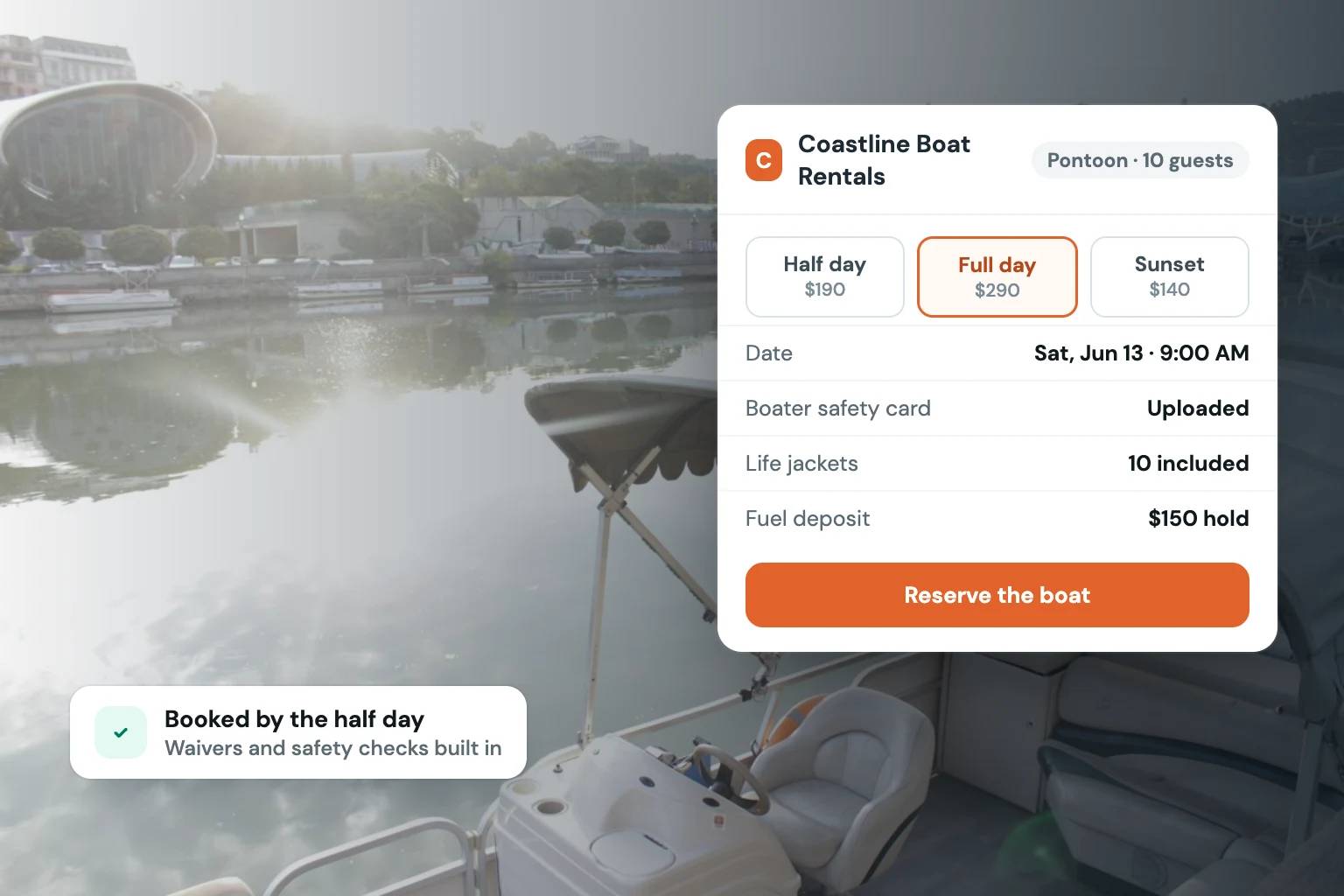
A renter finds your pontoon, fishing boat, or jet ski online at 9:30 p.m. They are ready to book for Saturday. If the next step is a contact form, a phone call, or a message asking whether the boat is available, that reservation can disappear before morning. Boat rental software with online booking gives customers a clear path from browsing to a confirmed reservation while keeping the operator in control of the transaction. To see it in practice, here is Fleetwire’s boat and jet ski rental software.
For a boat rental business, booking software is not just a calendar with a checkout button. It needs to reflect how rentals actually work: variable hours, launch locations, security deposits, renter identification, signed agreements, add-ons, seasonal pricing, and a fleet that must be ready before the customer arrives. The right system reduces back-and-forth without lowering your operating standards.
What boat rental software should handle
A direct booking storefront should show each rentable unit clearly, with the details a customer needs to make a decision. That includes photos, capacity, rental duration, location, rules, available dates, and pricing. The goal is not to overwhelm visitors with operational details. It is to answer the questions that prevent a customer from booking.
Availability is the foundation. A customer should only be able to select a time that the boat is genuinely available. That becomes more complicated when you have turnaround time between rentals, different pickup windows, multi-day options, or listings on additional channels. Your software should make those rules manageable rather than requiring manual calendar corrections after every booking.
Checkout should also collect more than a name and email address. For many boat operators, a real reservation requires payment details, a deposit or card hold, renter verification, and an agreement signed before pickup. Handling these steps inside the booking flow is more reliable than chasing them through separate emails and text messages after payment.
Start with the reservation workflow, not the feature list
Software demos often focus on individual capabilities. Operators should start with the actual sequence a renter follows, from the first visit to return. That reveals where manual work is building up and where an automated step would make the biggest difference.
Consider a typical direct reservation. A customer selects a boat and date, chooses a rental period, adds any optional equipment, pays the required amount, submits identification, agrees to rental terms, and receives confirmation with pickup instructions. Your team then prepares the unit, checks the renter in, and completes the return process.
Each handoff is a chance for confusion. If availability lives in one calendar, payment in another tool, contracts in a PDF app, and customer details in text threads, your staff has to reconcile the reservation manually. That may be manageable for a few bookings each month. It becomes a weak point when demand increases, weekends get busy, or more than one person handles customers.
A connected system creates a single reservation record. The booking, payment status, deposit requirement, agreement, customer information, and communication history are tied to the same rental. That gives the team a clearer view of what is complete, what still needs attention, and which boats are committed.
Decide what requires confirmation before pickup
Not every operator uses the same release requirements. A guided fishing charter may collect information differently from a self-drive pontoon rental. A jet ski operator may need a tighter review process than a marina renting small electric boats. The software should support your standards rather than forcing every rental into the same workflow.
Set your required steps in advance. You may require full payment at checkout, a card hold for the deposit, identity verification, a signed agreement, or manual approval for certain renters and high-value units. The practical question is simple: can the system enforce those requirements consistently before the keys are handed over?
Automation does not mean removing judgment. It means using a defined process for routine steps so your team can focus on exceptions, customer service, vessel readiness, and safety procedures.
Payments and deposits need to match your risk
Boat rentals can involve meaningful repair costs, cleaning fees, late returns, and fuel-related charges. A booking tool that only accepts a basic payment may leave operators handling the most sensitive transaction steps separately.
Look for support for deposits or card holds, clear payment schedules, and transaction records attached to the reservation. The customer should understand what they are paying now, what is held or collected as a deposit, and what charges may apply under the rental terms. Clear checkout language reduces avoidable disputes and limits surprise at the dock.
There is a trade-off here. Requiring every possible document and payment step upfront can improve control, but an overly burdensome checkout can reduce completed bookings. The answer depends on the value of the boat, your customer profile, local operating conditions, and the level of risk you are willing to accept. Configure the process to protect the business without creating unnecessary friction for qualified renters.
Agreements and renter verification belong in the booking flow
A signed rental agreement should not be an afterthought sent shortly before pickup. When agreements are handled separately, customers may arrive without completing them, staff may not know which version was signed, and the start of the rental turns into an administrative scramble.
Online agreements let renters review and sign required terms before arrival. A good system records that completion against the reservation, so staff can see the status without searching through inboxes. The same principle applies to ID verification. If your business requires identity checks, gathering and reviewing that information in the reservation flow creates a more consistent handoff.
Your agreement and verification process should be reviewed for the rules that apply to your operation and location. Software can organize those steps, but it does not replace your responsibility to establish appropriate policies.
Keep your inventory calendar accurate across channels
Many operators gain business from more than one source. A direct storefront may sit alongside marketplace listings, repeat customers, phone reservations, or marina referrals. The risk is double booking the same boat when calendars do not stay aligned.
Calendar synchronization is especially valuable when your fleet appears on other rental channels. It helps make inventory commitments visible across your operation, reducing the chance that a direct booking conflicts with an existing reservation. Still, sync behavior, update timing, and supported channels vary by system. Test the workflow with your actual listing schedule before treating it as a substitute for operational oversight.
For operators using platforms such as Turo for other vehicle inventory, calendar sync can also help keep a broader rental business organized. The important distinction is that each unit needs one reliable availability record, regardless of where the reservation originated.
Build a storefront that looks like your business
A branded booking experience matters more than many operators expect. Customers are trusting you with a vacation day, a family outing, or an expensive event. A professional storefront with clear policies, accurate inventory, and a straightforward checkout gives them confidence that the operation is established.
That does not require an enterprise website project. It requires control over how your inventory is presented, how pricing is set, and what customers see before they pay. Your own domain and branding can keep the relationship centered on your business rather than a third-party marketplace.
Fleetwire is built for independent rental operators that want that direct-booking control while managing reservations, payments, deposits, verification, e-signed agreements, and calendar availability in one system. For a smaller fleet, the value is often less about adding complex technology and more about replacing the disconnected steps that consume time every weekend.
Questions to ask before choosing a system
Before committing to boat rental online booking software, run a realistic reservation through the product. Create a sample booking with your normal rental duration, deposit policy, add-ons, and agreement requirements. Then check what your team sees at each stage.
Ask whether you can control pricing by day, season, duration, or unit. Confirm how deposits are collected or held, how agreements are sent and signed, and whether customer communications can be triggered from reservation status. If you list inventory elsewhere, confirm exactly how calendar synchronization works for your channels.
Also consider the operator experience. Can someone prepare a rental from a phone at the marina? Can a staff member quickly see incomplete verification or unsigned agreements? Can you adjust an existing reservation without creating confusion in the payment record? These details shape whether the software saves time when the dock is busy.
A booking system should help your boat rental business accept reservations with the same level of professionalism you expect at pickup. When availability, payment, deposits, customer requirements, and agreements are organized before the renter arrives, your team can spend less time tracking paperwork and more time delivering a rental experience customers will want to book again.