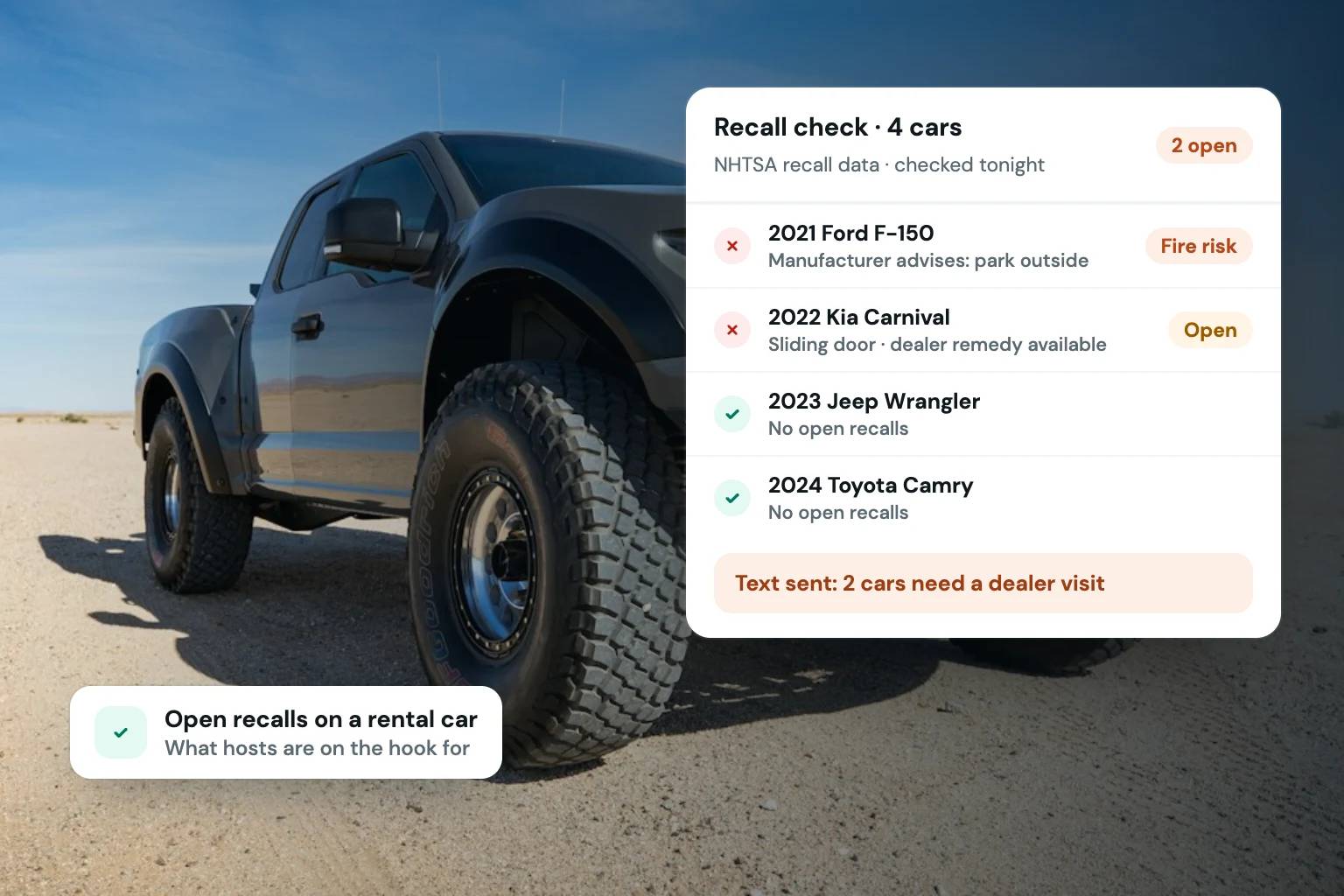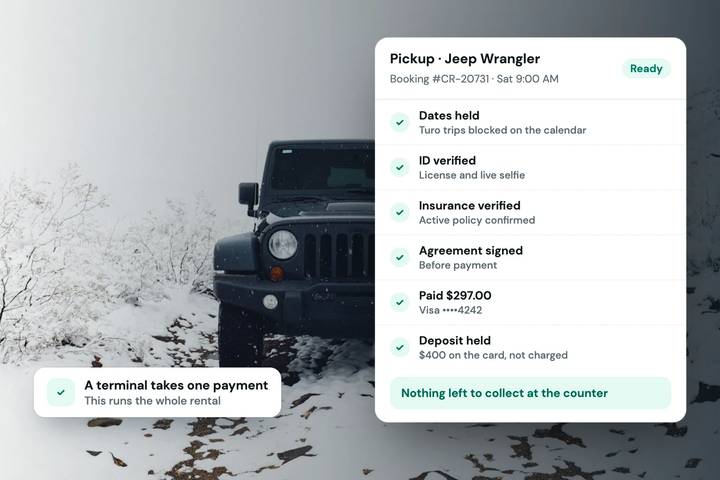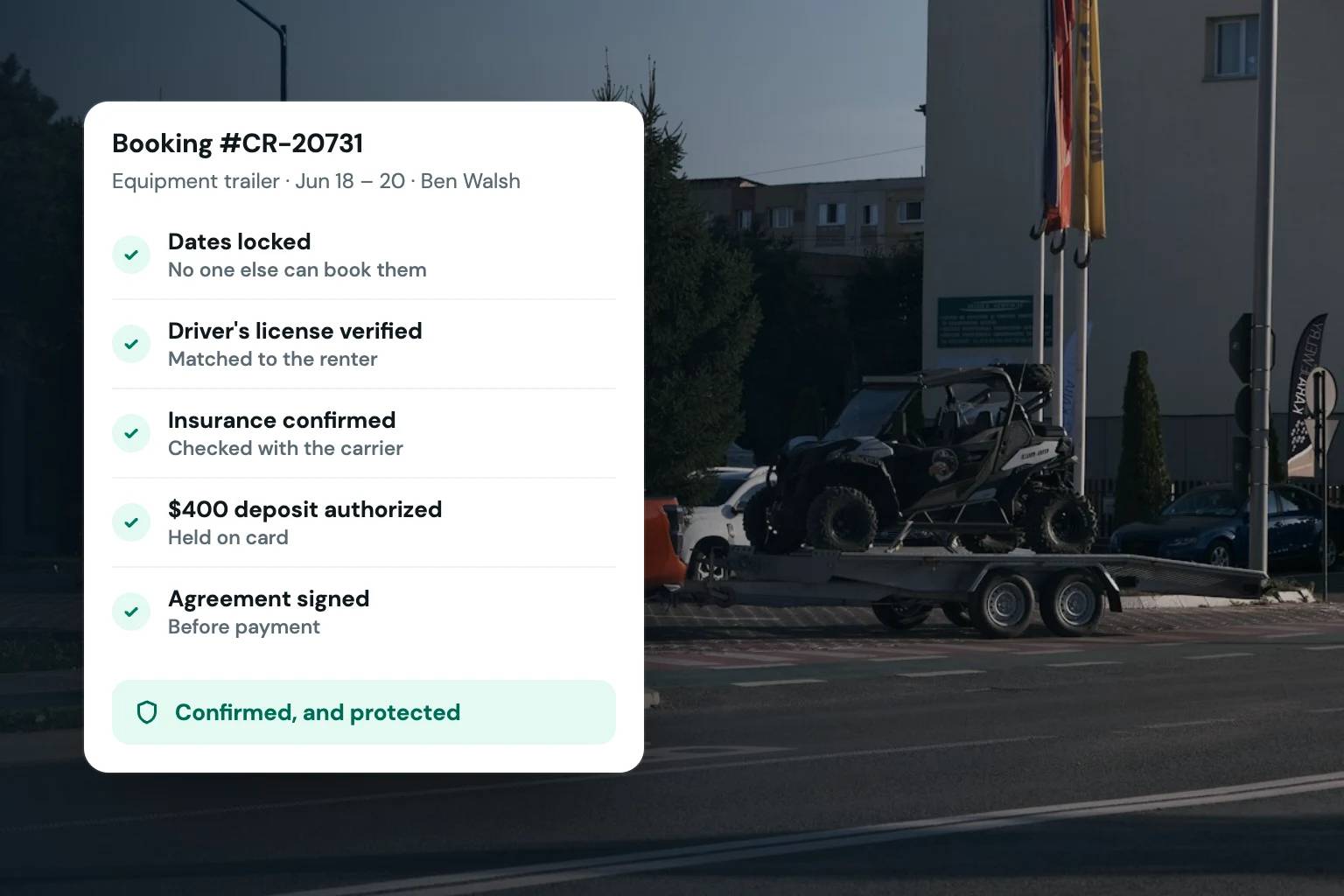
A reservation is not truly confirmed because a customer selected dates and entered a card number. For a vehicle or equipment rental operator, a confirmed booking means the right unit is available, the renter has met your requirements, the deposit is authorized, the agreement is signed, and both sides know what happens next. Rental checkout software brings those steps into one controlled booking flow instead of leaving your team to chase them after the reservation comes in.
That distinction matters whether you operate three camper vans or 75 trailers, cars, and equipment units. A polished checkout protects revenue, reduces back-and-forth, and gives customers confidence that they are booking with a legitimate rental business.
What rental checkout software should handle
Rental checkout software is more than a payment form added to a website. It should turn availability into a reservation while applying the operating rules that protect your fleet.
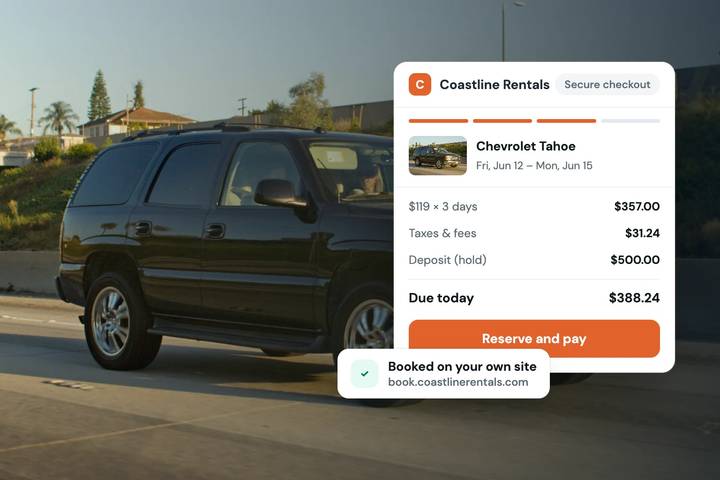
At a minimum, the checkout should present accurate dates, rates, taxes, fees, and optional add-ons before the customer pays. It should collect the information you need to evaluate the rental, process the booking payment, and place a card-hold deposit when appropriate. It should also make the agreement and required acknowledgments part of the transaction rather than a separate task that gets forgotten until pickup.
For many operators, the value is not one isolated feature. It is the sequence. A customer finds an available vehicle, selects dates, sees the real total, submits their details, completes verification requirements, accepts the agreement, and receives confirmation. Your team receives a reservation with the core customer and transaction details already attached.
That workflow is particularly useful when you are not at a counter all day. An RV operator meeting customers at different locations, a luxury car business managing scheduled handoffs, and an equipment rental company coordinating deliveries all need a checkout that does more of the administrative work before the rental starts.
The checkout is where operational standards become visible
Your storefront can have strong photos and clear vehicle descriptions, but the checkout is where customers see how your business actually operates. Confusing totals, vague deposit language, or a last-minute request to sign paperwork can weaken trust just as a renter is ready to commit.
A well-configured checkout makes your policies visible at the right time. Customers should understand the rental duration, pricing structure, applicable taxes, included mileage or usage allowances where relevant, deposit expectations, and required documents before confirmation. Clear information reduces disputes caused by surprise charges or assumptions.
This does not mean adding every policy paragraph to every screen. Too much friction can cause qualified customers to abandon a booking. The goal is to ask for information only when it supports a real decision or requirement, then explain why it is needed. For example, an identity check and a deposit are reasonable safeguards for a high-value vehicle, but the customer should know those steps are part of the booking process from the beginning.
The right balance depends on your fleet and risk tolerance. A golf cart rental for a resort guest may call for a lighter flow than a specialty trailer rental or exotic vehicle reservation. Good software gives operators room to set standards that match the unit, booking value, and business model.
Four checkout controls that reduce manual work
Accurate availability and pricing
Checkout begins before the customer reaches the payment page. If availability is wrong, every downstream task becomes harder. Rental checkout software should use your inventory calendar to prevent double bookings and reflect the booking rules for each unit.
Pricing needs the same discipline. Base rates, duration discounts, taxes, delivery charges, add-ons, and other fees should calculate consistently. Customers can decide faster when they see the complete expected cost, and your team avoids reconstructing a quote after the fact.
If you list units through other channels, calendar synchronization is also practical protection. Keeping inventory availability aligned reduces the chance that a direct reservation conflicts with an existing booking elsewhere.
Payments and card-hold deposits
Taking payment is necessary. Taking payment with rental-specific controls is better. Depending on your policies, you may collect a full amount, collect a booking payment, or authorize a card-hold deposit for potential incidentals and rental obligations.
These options should be deliberate, not improvised through messages after a customer books. The checkout should show what is due now and what the deposit arrangement means. Your team should also be able to see the transaction status alongside the reservation rather than searching across separate payment records.
Deposit handling is not a replacement for clear policies or sound business judgment. It is an operational control that helps establish expectations before keys, trailers, or equipment change hands.
Identity verification and rental requirements
A name and email address are not always enough to approve a renter. Many operators need to review a driver’s license or government-issued identification, confirm that the submitted details are credible, or collect information required by their rental policies.
Bringing identity verification into the checkout flow can prevent an awkward scramble at pickup. It gives staff an earlier opportunity to review a reservation and follow up when something needs attention. It also signals to customers that your operation has defined standards, not an informal booking process.
Use requirements proportionately. Asking for more documentation can reduce risk, but it can also add friction. Apply a consistent policy for comparable reservations, clearly communicate it, and seek qualified legal guidance for rules that affect your specific operation.
E-signed agreements and customer communication
Rental agreements are easiest to manage when customers receive and sign them as part of booking, not during a rushed handoff. An e-signed agreement creates a record tied to the reservation and helps ensure customers have seen the terms before the rental begins.
After checkout, communication should continue automatically. A clear confirmation message can restate dates, pickup or delivery details, the unit reserved, payment status, and next steps. Reminder messages can reduce no-shows and last-minute questions, especially when your reservations are scheduled days or weeks ahead.
Build a checkout around the way your fleet operates
Before selecting or configuring a system, map your current reservation path from inquiry to return. Identify the exact points where your team repeats work: quoting a total, checking dates, requesting identification, explaining deposits, sending agreements, or confirming details that were already provided.
Then decide which conditions must be completed before a reservation is confirmed. For one business, payment and a signed agreement may be enough. For another, confirmation may depend on ID review, a deposit authorization, delivery-zone details, or approval for a specialized unit. The software should support your process without forcing customers through unnecessary steps.
It also needs to fit your sales channel. If direct bookings are a growth priority, your checkout should live within a branded storefront where customers see your vehicles, policies, and business identity. You should not have to send interested renters away from your website to complete a transaction on a disconnected page.
Fleetwire is designed around this full rental path: operators can manage inventory and availability, accept direct bookings through a branded storefront, collect payments and deposits, request ID verification, obtain e-signed agreements, and keep customers informed from the same operating system. Calendar sync with Turo can help operators keep availability aligned while they build their direct channel. Plans begin at $34 per month, with a 14-day free trial that does not require a credit card and no per-booking commission.
Measure the quality of the booking flow
A checkout is working when it reduces the number of reservations that require manual repair. Watch for customers who abandon after seeing the final price, bookings that arrive with missing documents, failed payment attempts, and repeated questions about deposits or pickup instructions.
These patterns usually point to a specific fix. A high abandonment rate may mean the total is unclear too late in the process. Missing agreements may mean signing happens outside the reservation flow. Frequent calendar conflicts may mean your availability rules or synchronization need attention.
Do not judge checkout software only by how quickly it can accept a card. Judge it by the quality of the reservation it creates for your team. The best booking flow leaves customers informed and prepared while leaving your business with the payment, documentation, and controls needed to rent with confidence.
A professional checkout does not make every rental risk-free. It does give your business a repeatable way to set expectations before the reservation becomes an operational problem.