Part of our guide: How to start a car rental business (without quitting Turo)
A renter has found the right vehicle, selected the dates, and is ready to pay. This is the point where your business either feels established or improvised. When you create branded rental checkout flows, you turn that high-intent moment into a controlled reservation process that reflects your company, protects your fleet, and gives customers a clear path to confirmation.
For an independent operator, checkout is not just a payment page. It is where pricing, availability, customer identity, deposits, agreements, and communications meet. If those steps live in separate tools or require back-and-forth messages, a reservation can stall just as the customer is ready to commit.
Why branded checkout matters for rental operators
A branded rental storefront gives customers a reason to book directly with your business. Checkout needs to carry that credibility through the final step. Your business name, logo, colors, policies, vehicle details, and communication should feel consistent from the first listing page through the reservation confirmation.
That consistency has practical value. A renter who understands the total price, deposit requirement, pickup expectations, and agreement process is less likely to abandon the booking or arrive with a different understanding of the reservation. Your team also spends less time answering basic questions after payment.
A branded checkout should not mean adding visual design at the expense of control. The goal is a clean, familiar experience that makes requirements clear before a booking is confirmed. For vehicle and equipment rentals, that includes more than collecting a card number.
Build the reservation flow before you design it
The strongest checkout experiences begin with an operational decision: what must happen before a renter receives a confirmed reservation? The answer varies by fleet type, vehicle value, pickup model, and local requirements.
A golf cart operator may need a simple date selection, contact information, payment, and agreement. An exotic vehicle business may require a higher card-hold deposit, identity verification, and a manual review point before confirmation. An equipment operator may need delivery details and project-site information. The right flow is the one that protects the transaction without asking every renter for unnecessary steps.
Start by mapping the customer journey in order. A renter selects an available unit and dates, sees the applicable price, adds required extras if offered, enters contact details, completes verification requirements, accepts the rental agreement, and pays according to your policies. The system should then send a confirmation with the information both sides need.
This sequence sounds straightforward, but it prevents a common operational problem: collecting a payment first and discovering later that the customer has not completed a required agreement, cannot meet the deposit policy, or selected dates that are no longer available.
Keep availability accurate at the moment it matters
Checkout can only convert if the unit being offered is actually available. Your calendar should account for confirmed reservations, blocked dates, maintenance windows, and turnover time. If you list on other channels, calendar synchronization is equally important to reduce the risk of overlapping reservations.
For operators who also manage listings on Turo, synchronized calendars can help keep direct storefront availability aligned with those channels. It does not eliminate the need to manage your fleet carefully, but it removes a major source of manual calendar updates.
Set realistic buffers between reservations, especially for vehicles or equipment that require cleaning, charging, fueling, inspection, or delivery coordination. A fast checkout is not useful if it creates an impossible handoff schedule.
Show the full cost before payment
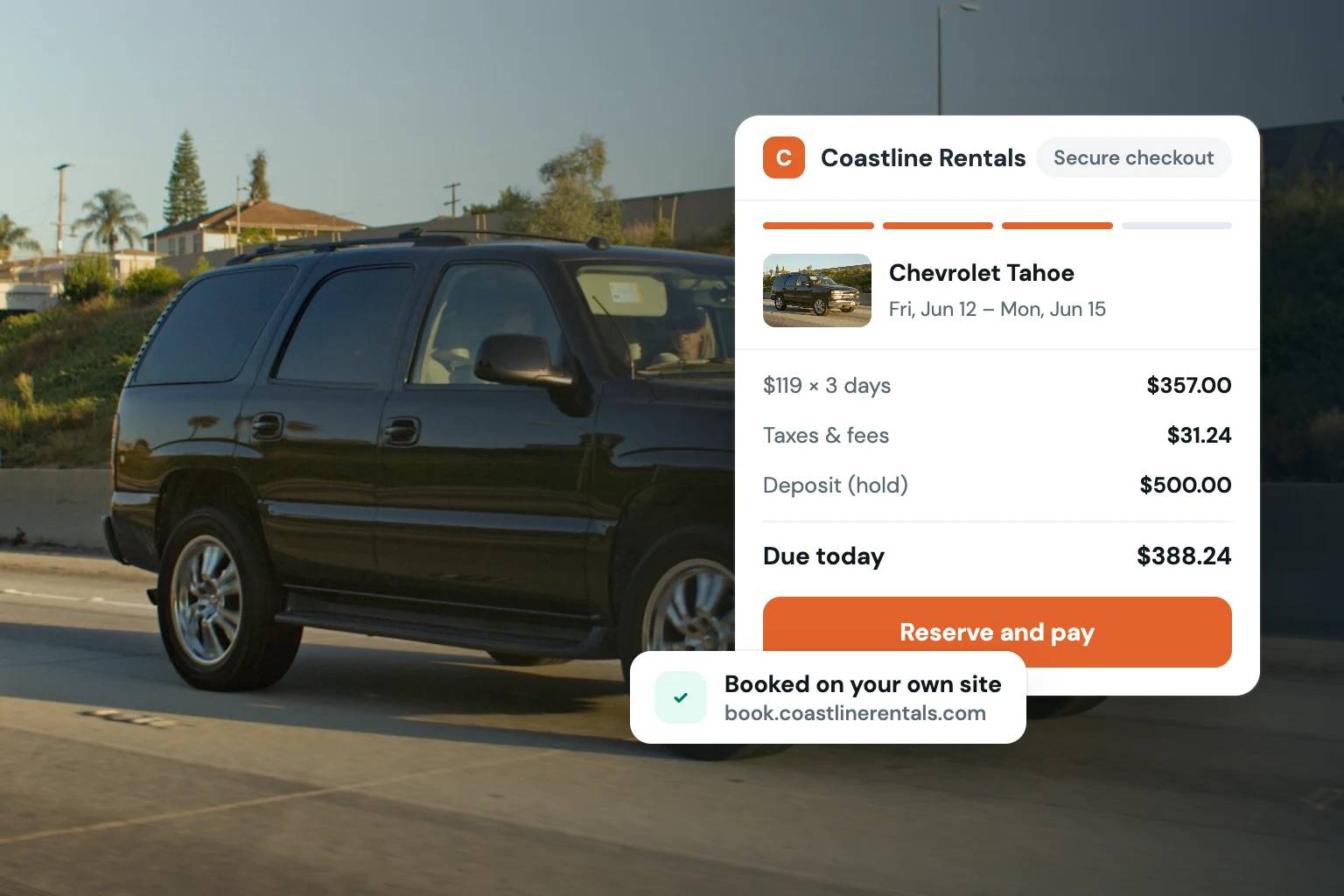
Rental customers expect a clear total before they enter payment details. Show the rental rate, duration, taxes, mandatory fees, optional add-ons, and deposit treatment in plain language. If a deposit is a temporary card hold rather than a charge, say so clearly. If it is collected as a payment and later refunded according to your policy, explain that distinction before checkout.
Unexpected charges are one of the quickest ways to lose trust. This does not mean every rental requires one flat price. Seasonal rates, weekend pricing, delivery charges, mileage packages, cleaning policies, and protection options may all be appropriate. The standard is simple: the renter should be able to understand what is required and why.
Your checkout should also make optional items genuinely optional. Extras such as child seats, delivery, trailer accessories, additional drivers, or equipment attachments can increase reservation value, but they should not distract from the primary decision. Present them after the renter has selected the core dates and unit, with enough detail to make a decision.
Create a branded rental checkout with built-in trust steps
A rental reservation creates more exposure than a typical online purchase. You are handing over a vehicle, trailer, RV, watercraft, or piece of equipment with real replacement value. Your checkout should collect the information needed to evaluate and document that transaction before handoff.
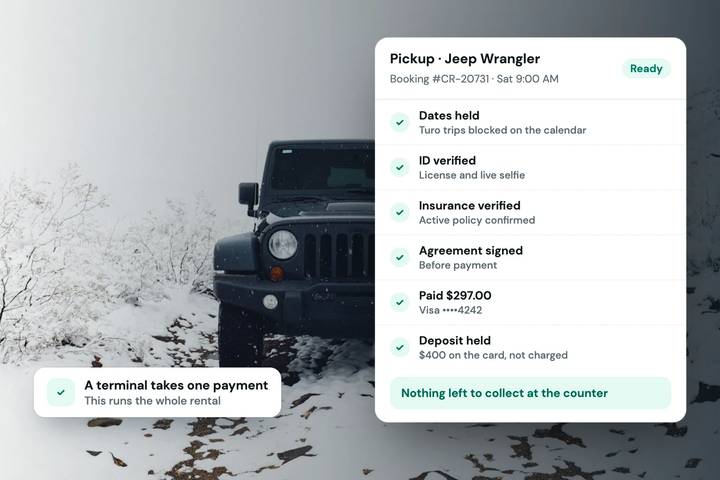
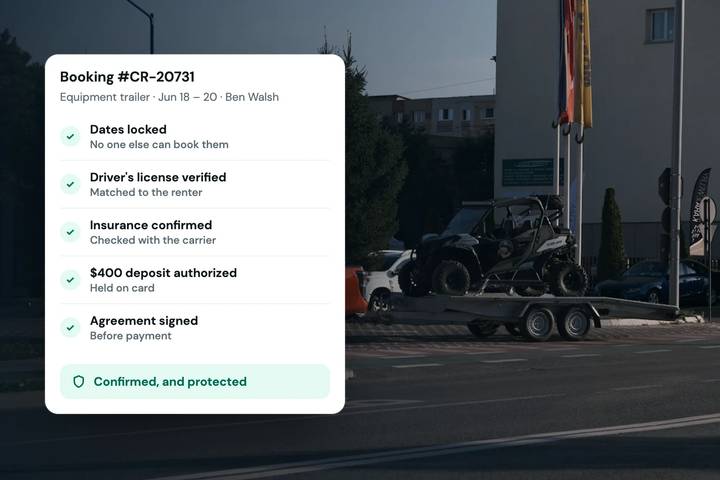
Identity verification helps confirm that the person booking is the person you expect to meet. Payment processing and card-hold deposits help enforce your financial policies. E-signed agreements record customer acceptance of the terms. These are connected parts of one rental workflow, not afterthoughts to chase through email or text messages.
The key is to explain each requirement at the right time. Tell renters early that identity verification, a deposit, or a signed agreement will be required. Then make the action itself concise and mobile-friendly. Customers are more likely to complete a required step when it is expected, clearly labeled, and tied to their reservation.
Avoid using checkout as a place to hide complicated policy language. Your agreement may need detailed terms, but the checkout page should surface the points that affect the customer immediately: cancellation timing, deposit amount, age or license requirements where applicable, mileage limits, delivery or pickup instructions, and what is needed before the reservation is released.
Decide when a booking is confirmed
Not every business should treat payment as automatic approval. For lower-risk, straightforward rentals, immediate confirmation may be the best customer experience. For high-value units, unusual booking requests, or situations that require staff review, it may be better to accept the request and confirm once the required checks are complete.
Be explicit about the status. A customer should never have to guess whether they have a confirmed reservation, a pending request, or an incomplete checkout. The confirmation message should state the next action, the pickup or delivery plan, and any items still required.
Make the confirmation useful after checkout
The reservation confirmation is part of the customer experience, not just a receipt. It should repeat the unit, dates, location or delivery details, amount paid, deposit status, and next steps. If the renter needs to upload information, sign an agreement, or provide a license before pickup, the message should say that directly.
This is also where a centralized rental system saves time. When storefront bookings, inventory calendars, payment records, deposit details, signed agreements, and customer communication are connected, your team has one record to work from. There is less copying between tools and fewer opportunities for a key detail to be missed.
Fleetwire is built around this operating model: a branded direct-booking storefront paired with rental-specific checkout requirements such as payments, card holds, ID verification, agreements, tax controls, and inventory availability. For smaller fleets, the practical benefit is not more software to manage. It is fewer disconnected steps between a customer selecting a unit and your team preparing it for handoff.
Review checkout performance without chasing vanity metrics
A polished checkout should be measured by completed, qualified reservations, not page views alone. Watch where customers leave the flow. If many renters stop after seeing the deposit, the issue may be unclear messaging, a deposit amount that does not fit the unit, or a customer segment that needs more education before checkout.
If customers frequently contact you after booking with the same questions, your confirmation and policy presentation need work. If your team repeatedly follows up for missing agreements or IDs, move those requirements into the reservation flow instead of relying on manual reminders.
Changes should be deliberate. Test one operational improvement at a time, such as clearer deposit language, a simpler add-on selection, or earlier disclosure of verification requirements. A checkout that asks too little can expose the business to preventable risk. One that asks too much before the renter sees value can reduce completed bookings.
Your checkout is where your rental brand makes a promise: the inventory is real, the price is understandable, the process is organized, and the reservation will be handled professionally. Build that promise into every required step, and customers will have a better reason to book directly with you.